> For the complete documentation index, see [llms.txt](https://docs.luciq.ai/llms.txt). Markdown versions of documentation pages are available by appending `.md` to page URLs; this page is available as [Markdown](https://docs.luciq.ai/product-guides-and-integrations/product-guides/bug-reporting/proactive-bug-reporting.md).
# Proactive Bug Reporting
Learn how Proactive Reporting works in Luciq. The SDK detects a frustrating experience and prompts that user to submit feedback about it.
### What is Proactive Reporting?
Proactive Reporting is a feature that prompts end users to submit their feedback after our SDK automatically detects a frustrating experience.
The frustrating experience our SDK detects to trigger the feedback modal is [**Force Restart**](/product-guides-and-integrations/product-guides/crash-reporting/force-restarts.md).
If you have our **Force Restart** product enabled as part of your plan, users will be prompted to submit their feedback and explain what triggered them to force restart the app.
The details of the feature are as follows:
* You should have **Force Restart** as part of your plan.
* Enable the feature (Using the APIs in the upcoming section).
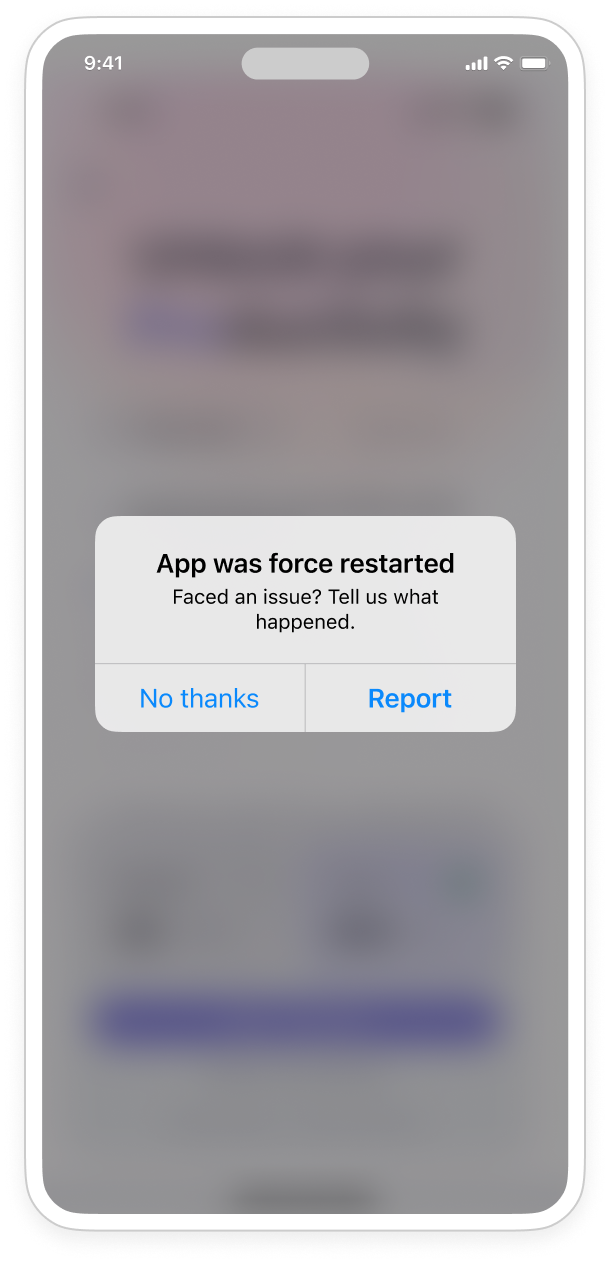
* Once the SDK captures a Force Restart occurrence, a modal will be triggered to ask your end-users if they want to share their feedback and experience.
* This feedback will reflect on your Bug Reporting page in the dashboard.
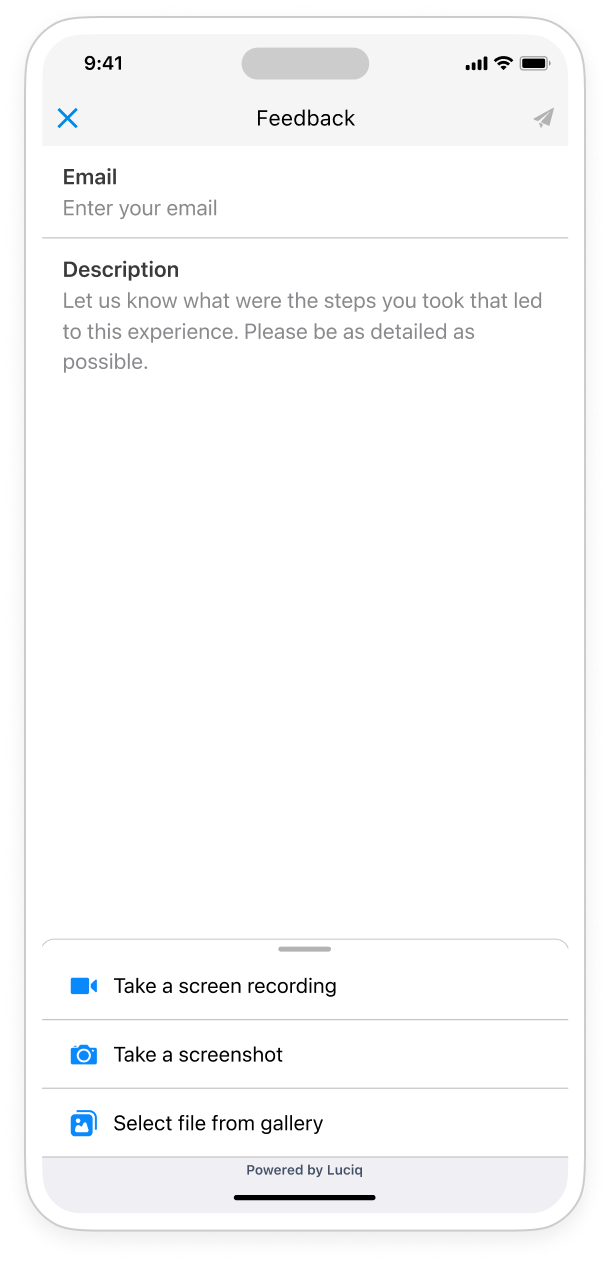
If enabled, users will first see a modal asking if they want to report this experience. If their answer is yes, they will see a **Feedback** description model that allows them to enter their email and describe their experience using their own words.
| | |
| --------------------------------------------------------------------------------------------------------------------------- | --------------------------------------------------------------------------------------------------------------------------- |
|  |  |
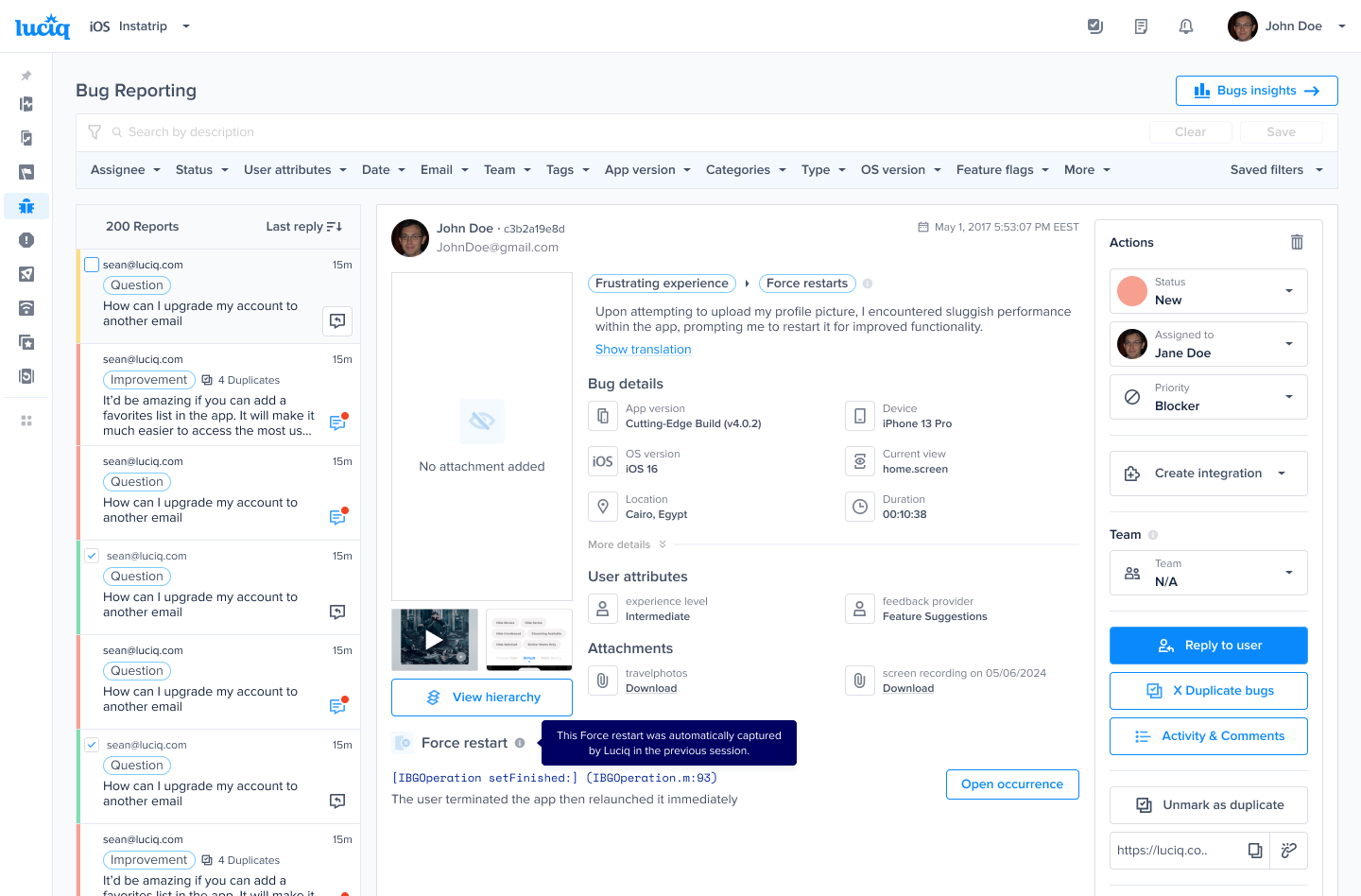
On the dashboard, your end-user's feedback will be reflected in the Bug Reporting page as a **Frustrating Experience** report type.
Clicking the **Open Occurrence** under the **Force Restart** section will take you to the occurrence where the end-user force closed the app in the Force Restart product.
{% hint style="info" %}
The report's details show the data from the session after the user force-closed the app, while the details you’ll see in the Force Restart occurrence are from the session in which they force-closed the app.
{% endhint %}
### Good to know about Proactive Reporting
The feature’s default behavior is as follows:
* Feature is disabled.
* If you don’t configure the gap between pop-ups, the default gap will be 24 hours.
* If you don’t configure the gap between the launch and the first pop-up, the default gap will be 2 seconds.
* If you have [Surveys](/product-guides-and-integrations/product-guides/in-app-surveys.md) enabled in your plan, please contact the support team to enable this feature for you from our backend. Remember to configure the surveys triggering differently from the proactive reporting modal to avoid overwhelming your users.
* To use this feature, [Force Restart](/product-guides-and-integrations/product-guides/crash-reporting/force-restarts.md) (part of Crash Reporting) has to be part of your plan.
* Proactive reports have the same data retention as Force Restart (part of Crash Reporting)
* If you use our Crash Consent feature, the pop-up won’t be displayed in the session in which the crash consent will appear.
---
# Agent Instructions
This documentation is published with GitBook. GitBook is the documentation platform designed so that both humans and AI agents can read, navigate, and reason over technical content effectively. Learn more at gitbook.com.
## Querying This Documentation
If you need additional information that is not directly available in this page, you can query the documentation dynamically by asking a question.
Perform an HTTP GET request on the current page URL with the `ask` query parameter, and the optional `goal` query parameter:
```
GET https://docs.luciq.ai/product-guides-and-integrations/product-guides/bug-reporting/proactive-bug-reporting.md?ask=&goal=
```
`ask` is the immediate question: it should be specific, self-contained, and written in natural language.
`goal` is optional and describes the broader end goal you are ultimately trying to accomplish on behalf of the user. GitBook uses it to tailor the answer towards what is most useful for that goal.
The response will contain a direct answer to the question and relevant excerpts and sources from the documentation.
Use this mechanism when the answer is not explicitly present in the current page, you need clarification or additional context, or you want to retrieve related documentation sections.