> For the complete documentation index, see [llms.txt](https://docs.luciq.ai/llms.txt). Markdown versions of documentation pages are available by appending `.md` to page URLs; this page is available as [Markdown](https://docs.luciq.ai/product-guides-and-integrations/product-guides/one-code-apps.md).
# One Code Apps
One Code Apps lets teams on a shared codebase monitor several app variants under a single Luciq app token, instead of one app per brand.
## Overview
The **One Code Apps** feature enables teams with **shared code base applications** to integrate multiple app variants under a single Luciq app token. This is ideal for organizations that release the same app to different brands, markets, or regions but want to consolidate stability and performance monitoring.
Instead of creating a separate Luciq application for each variant, you integrate all variants using **one Luciq app token** and identify each variant via the **bundle-id using the App variant API**.
{% hint style="info" %}
To enable One code apps, please reach out to our [support team](mailto:contactus@luciq.ai).
{% endhint %}
{% hint style="success" %}
Supported Metrics
* Bug Reporting
* Crash Reportin
* Application Performance Monitoring
* Session Replay
* Issues list
* Alerting
* In-App Surveys
{% endhint %}
## How it works?
{% hint style="warning" %}
You need to configure One Code Apps by configuring the App variant API.
{% endhint %}
Once the SDK is integrated with the variant set:
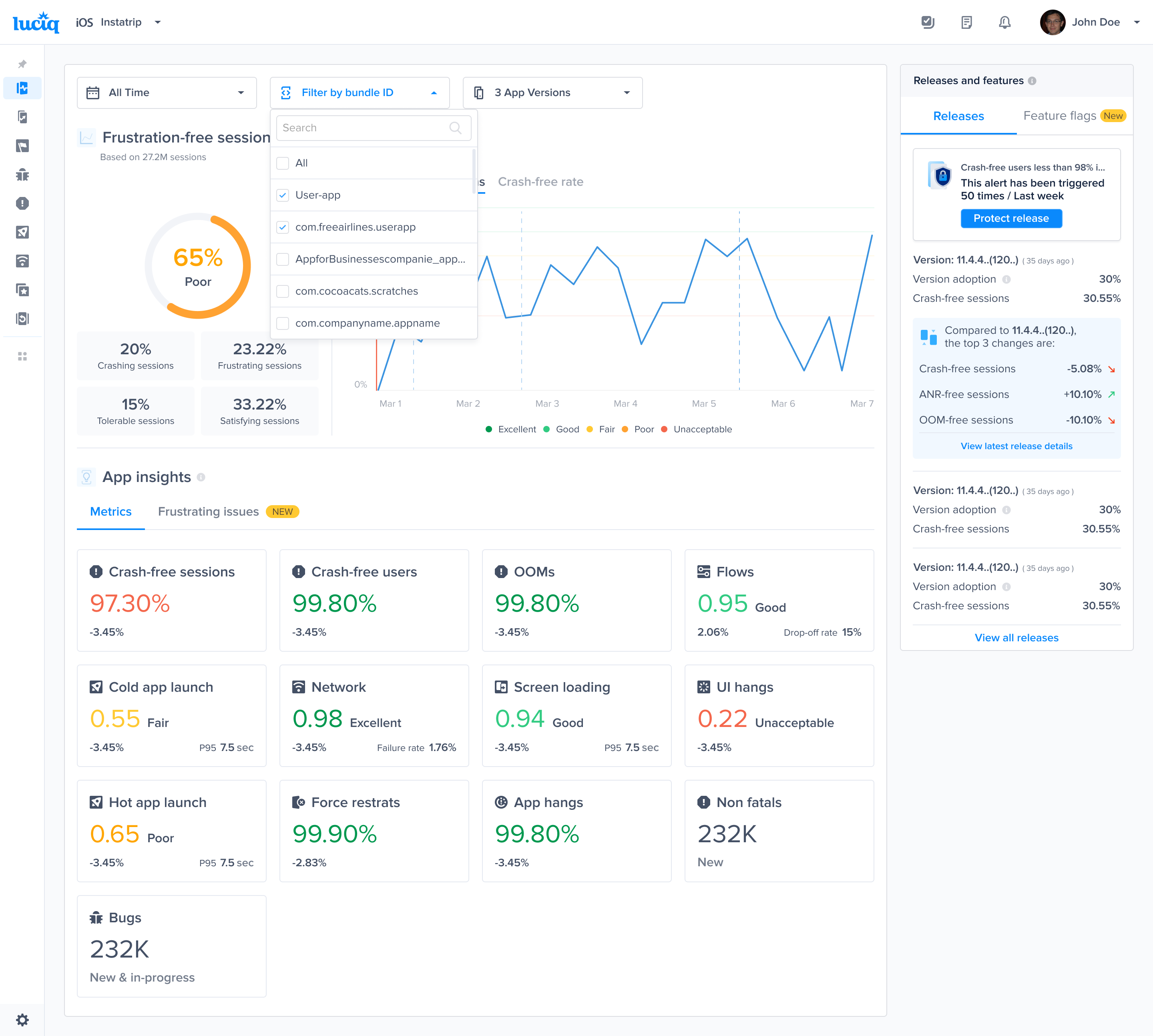
You can use the **bundle-id filter** on the dashboard to:
* View **aggregated data** across all variants (default view).
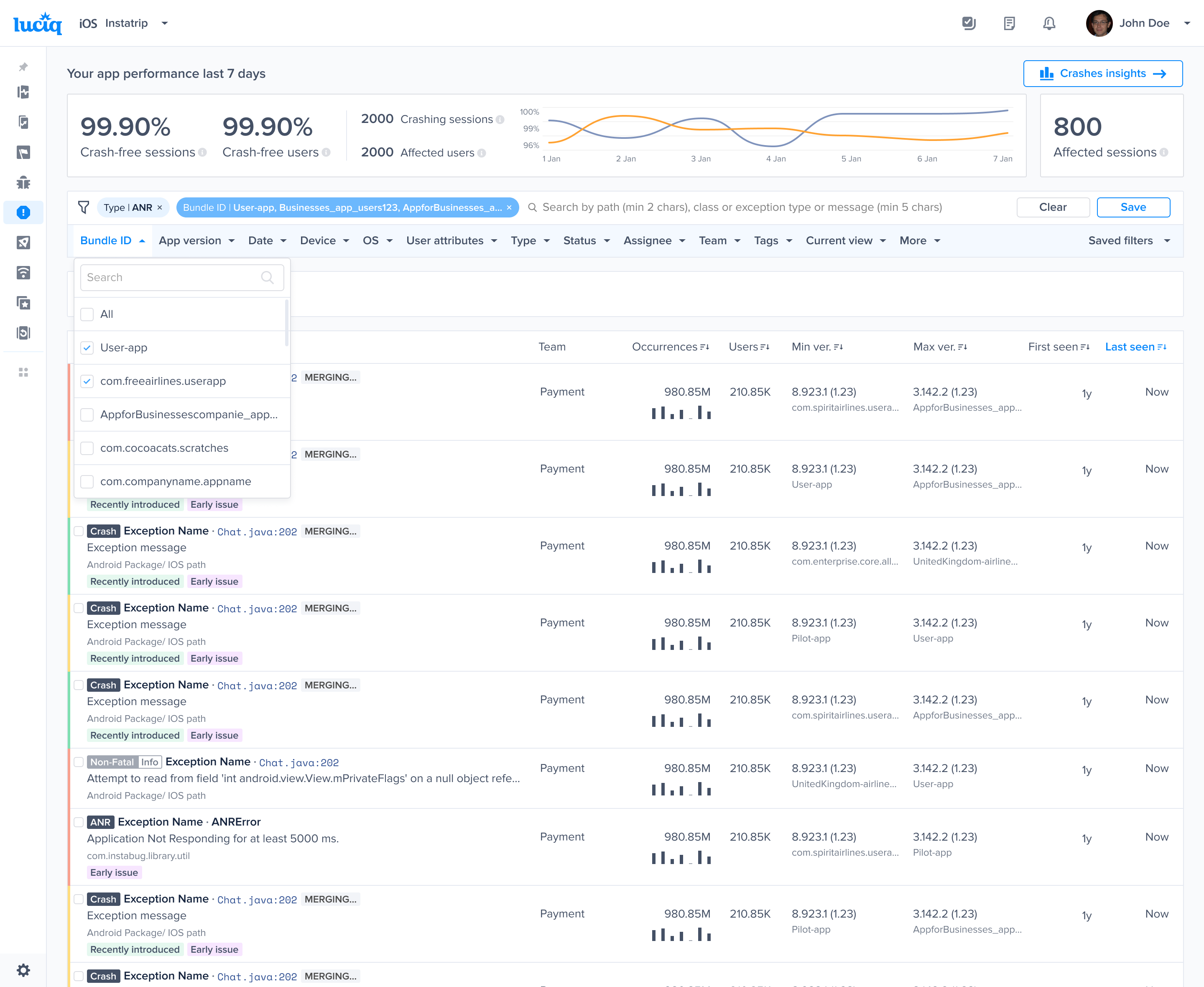
* Filter by a specific variant to investigate brand- or region-specific issues within the supported products:
* App health
* Bug reporting
* Crash reporting
* APM
* Alerting
* Releases
#### Filtering by a specific variant
You will see a new filter called Bundle-id which enables you to filter by a certain app variant.
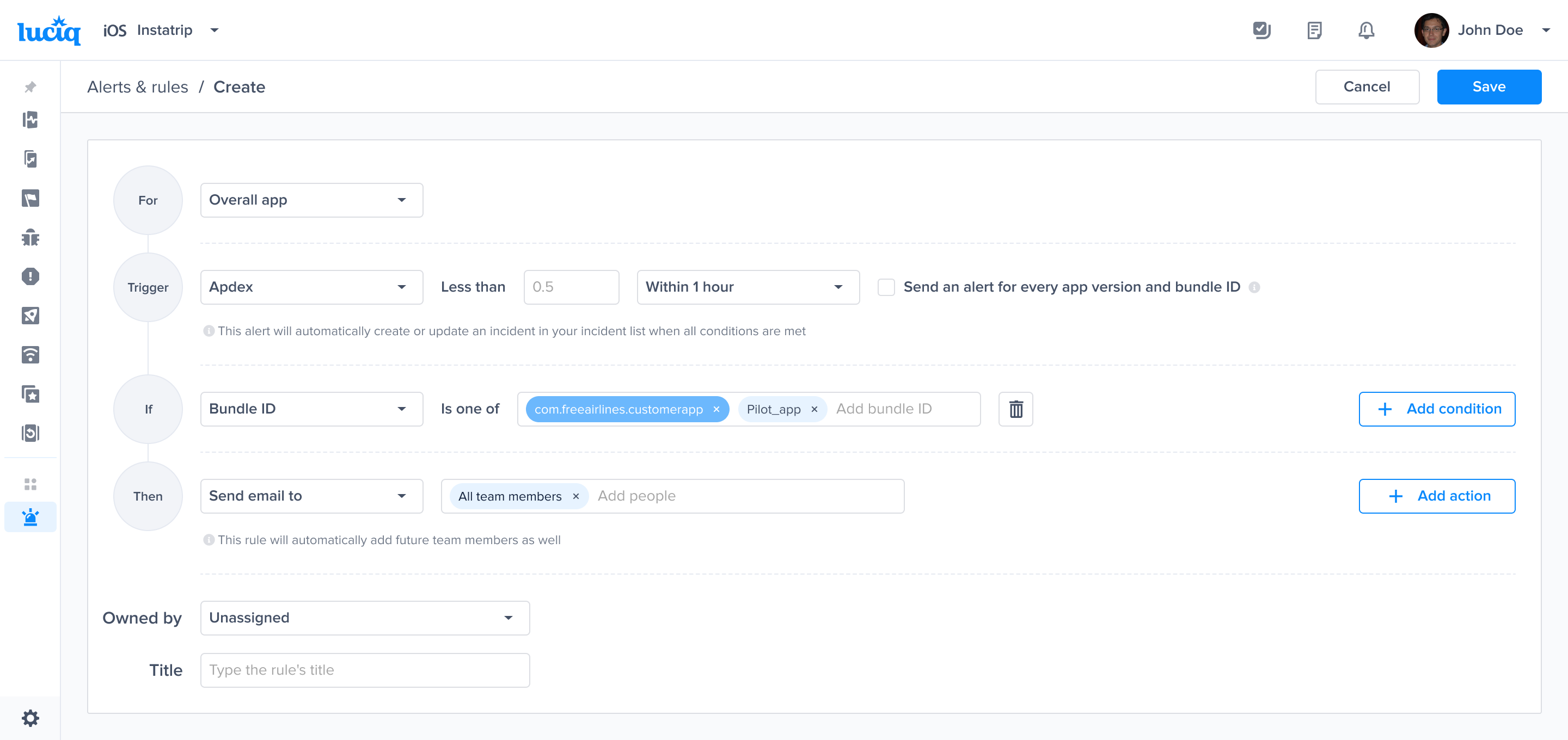
#### Alerting on specific variant
You will see a new condition called bundle-id which enables you to set up alerts on a certain app variant.
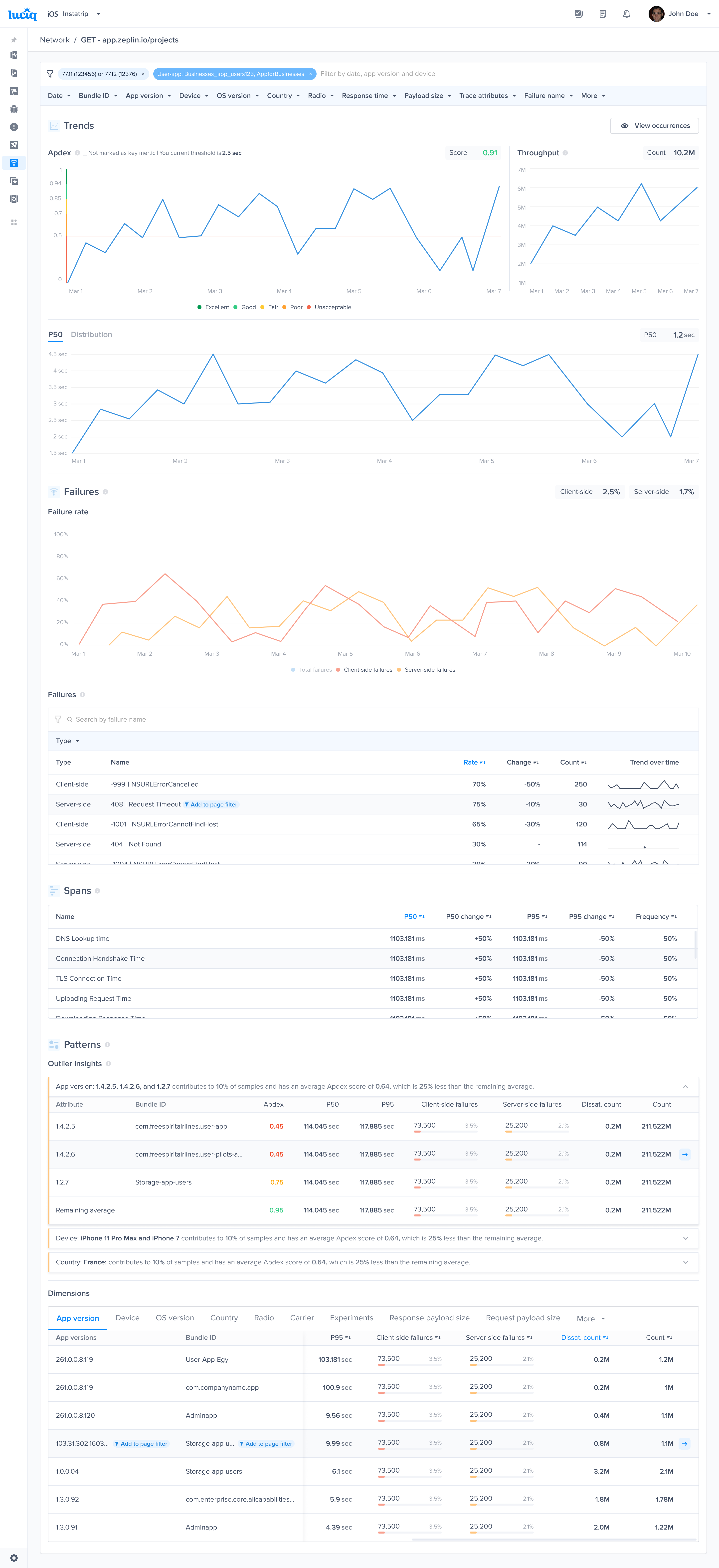
#### Presentation in Metrics & Reports
In various dashboard views, bundle IDs (variants) are displayed alongside relevant metrics. In Patterns and dimensions, Variants appear next to the app version so you can spot variant-specific trends.
---
# Agent Instructions
This documentation is published with GitBook. GitBook is the documentation platform designed so that both humans and AI agents can read, navigate, and reason over technical content effectively. Learn more at gitbook.com.
## Querying This Documentation
If you need additional information that is not directly available in this page, you can query the documentation by asking a question.
Perform an HTTP GET request on the following URL with the `ask` and `goal` query parameters:
```
GET https://docs.luciq.ai/product-guides-and-integrations/product-guides/one-code-apps.md?ask=&goal=
```
`ask` is the immediate question: it should be specific, self-contained, and written in natural language.
`goal` is what the user is ultimately trying to achieve, the reason they need the answer. Sharing it helps GitBook give you a better, more relevant answer. A goal is most helpful when it describes the outcome the user wants rather than restating the question. For example, with `ask=how do I create an API token`, a goal like `automate deployments from our CI pipeline` lets GitBook tailor the answer to that use case.
The response will contain a direct answer to the question and relevant excerpts and sources from the documentation.
Use this mechanism when the answer is not explicitly present in the current page, you need clarification or additional context, or you want to retrieve related documentation sections.