

Grafana End to End Tracing
Overview
The new Luciq integration with Grafana enables end-to-end tracing for network calls, connecting client-side and server-side monitoring for your network requests. By using a unique trace ID, you can follow any network request from the client to the server, providing insights for troubleshooting networking issues.

Prerequisites
Backend
Agent Supporting W3C Context Propagation: Ensure your backend agent supports W3C context propagation.
Note
If you use any trace sampling algorithms, Grafana may drop some traces. Consequently, you might see network requests in Luciq that are not available in Grafana.
Luciq's Side
Supported Platforms: This integration is only supported for iOS and Android.
Luciq SDK Version: Ensure you have Luciq SDK version 13.2.0 or higher for both iOS and Android.
If you are manually logging the network they need to:
Either send the
httpUrlConnectionor make sure you send all headers in the requestIf you are masking the headers, make sure you don't remove the
traceparentheader
Integration Steps
To create a Grafana Integration go to Settings -> Integrations -> Grafana in your Luciq dashboard.
Setup
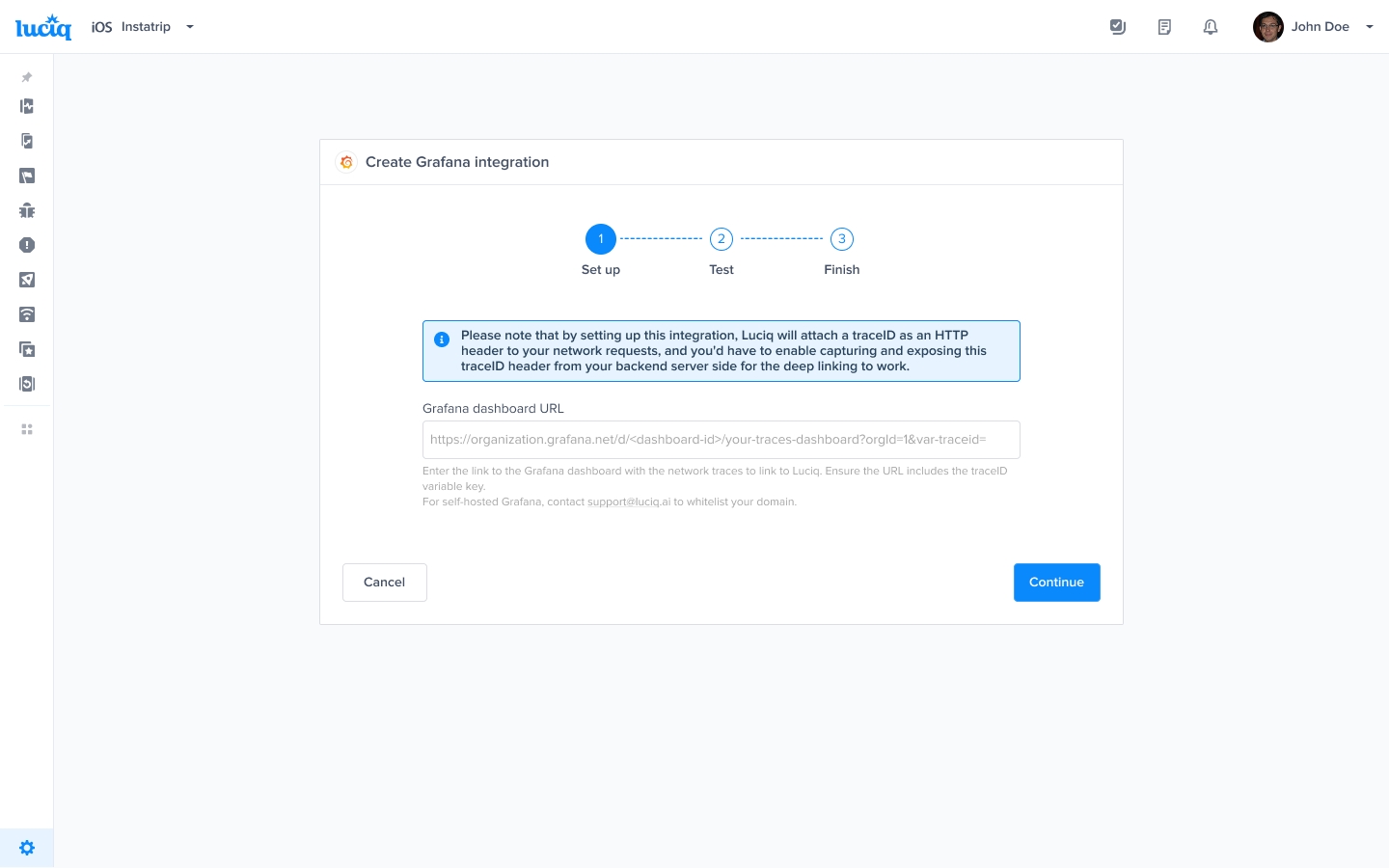
Enter the link to the Grafana dashboard with the network traces to link to Luciq.
Create a
traceIDvariable in that Grafana dashboard, and ensure the URL includes thetraceIDvariable key at the end.For example:
https://organization.grafana.net/d/<dashboard-id>/your-traces-dashboard?orgId=1&var-traceid=For self-hosted Grafana, contact [email protected] to whitelist your domain.
Test:
Validate the Grafana dashboard link to ensure it is correct.
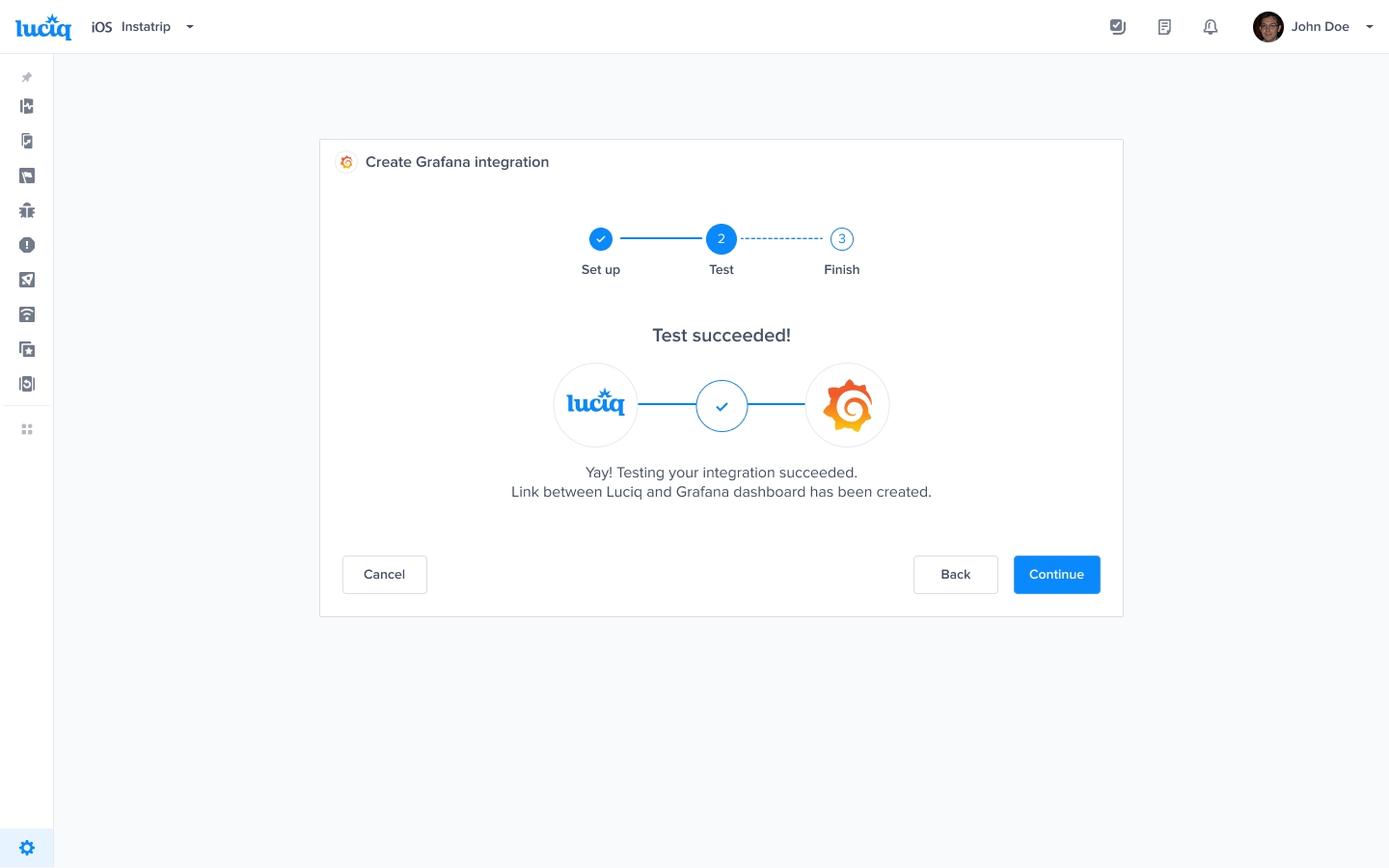
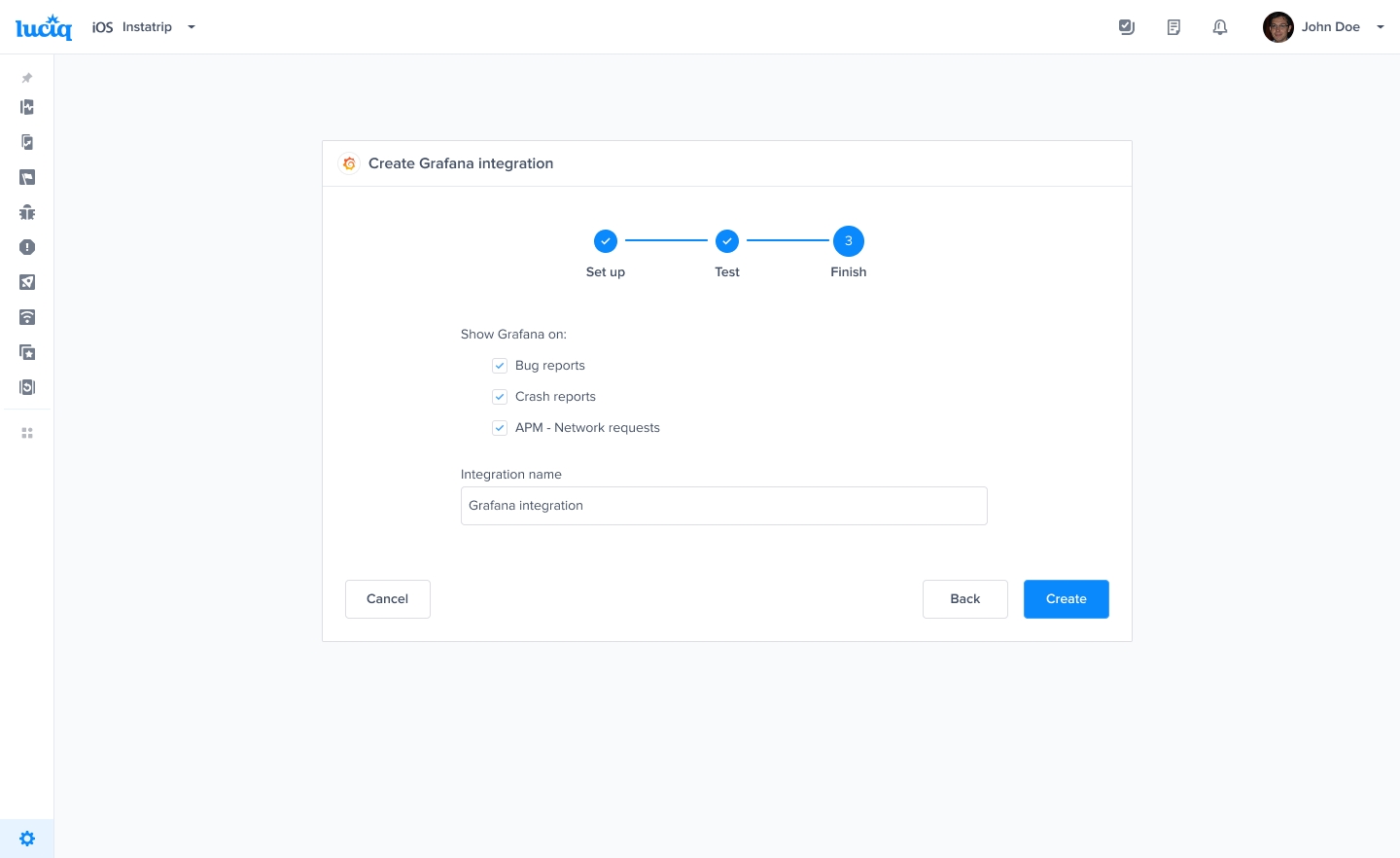
Finish:
Ensure the APM - Network Requests checkbox is checked to trace network requests to Grafana.
Give your integration a name and save the integration.
Using the Integration
When a network occurrence is logged, a unique trace ID will appear on the occurrence page in the Luciq dashboard.
Navigate to a network occurrence in Luciq.
Click on View on Grafana to verify that it redirects you to the correct Grafana dashboard, filtered by the
TraceID.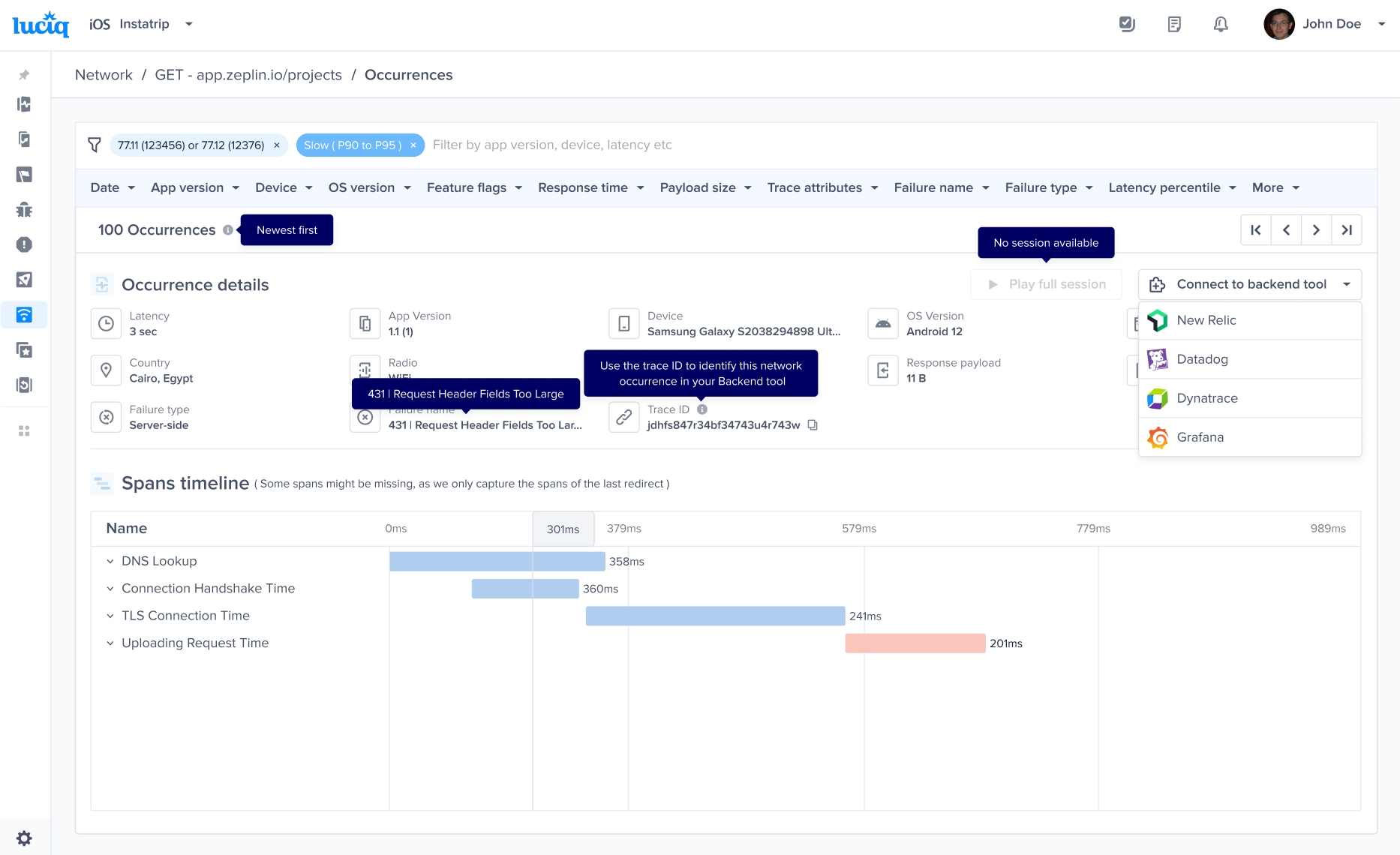
Last updated