

One Code Apps
Overview
The One Code Apps feature enables teams with shared code base applications to integrate multiple app variants under a single Luciq app token. This is ideal for organizations that release the same app to different brands, markets, or regions but want to consolidate stability and performance monitoring.
Instead of creating a separate Luciq application for each variant, you integrate all variants using one Luciq app token and identify each variant via the bundle-id using the App variant API.
Supported Metrics
Bug Reporting
Crash Reportin
Application Performance Monitoring
Session Replay
Issues list
Alerting
In-App Surveys
How it works?
Once the SDK is integrated with the variant set:
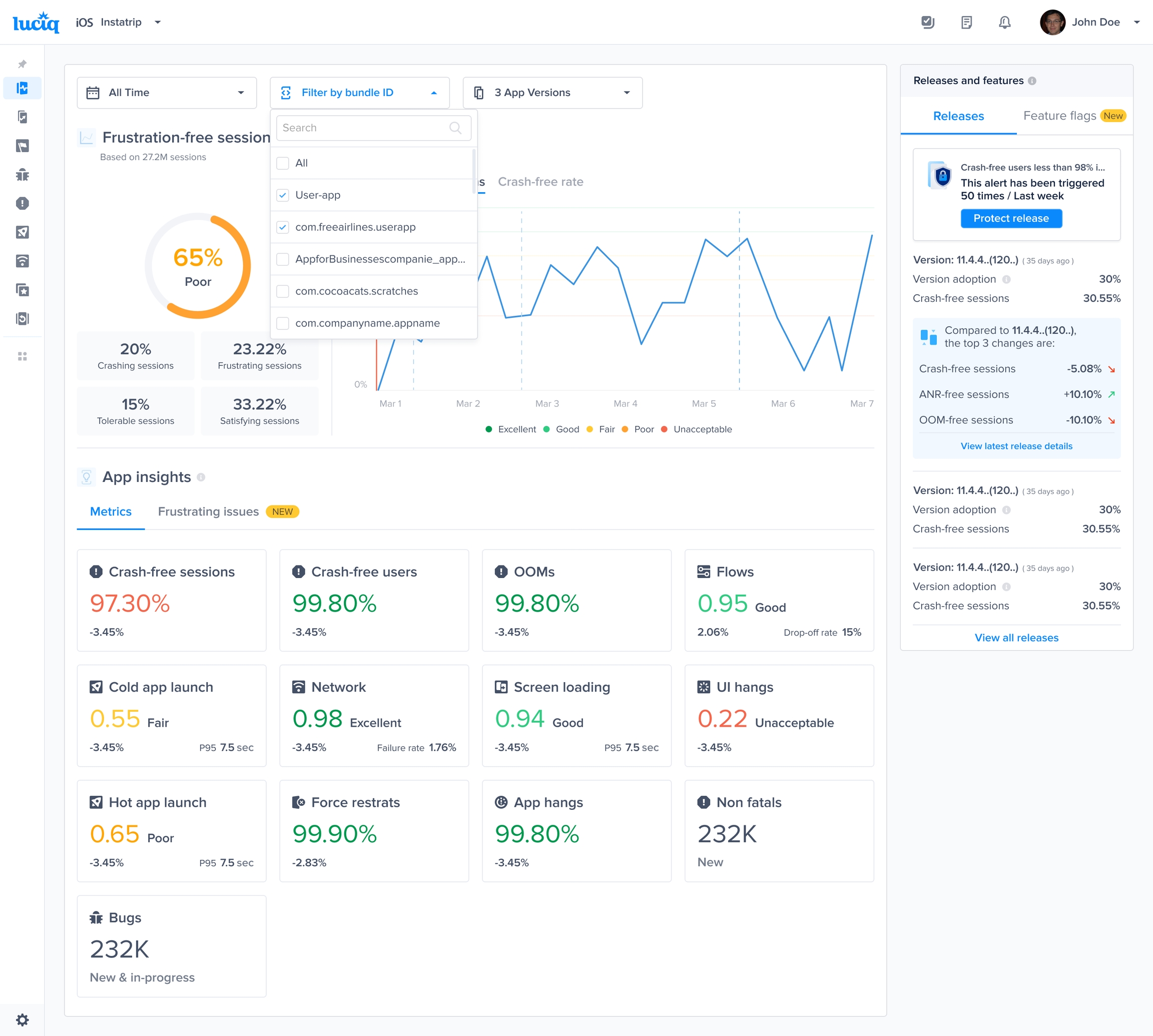
You can use the bundle-id filter on the dashboard to:
View aggregated data across all variants (default view).
Filter by a specific variant to investigate brand- or region-specific issues within the supported products:
App health
Bug reporting
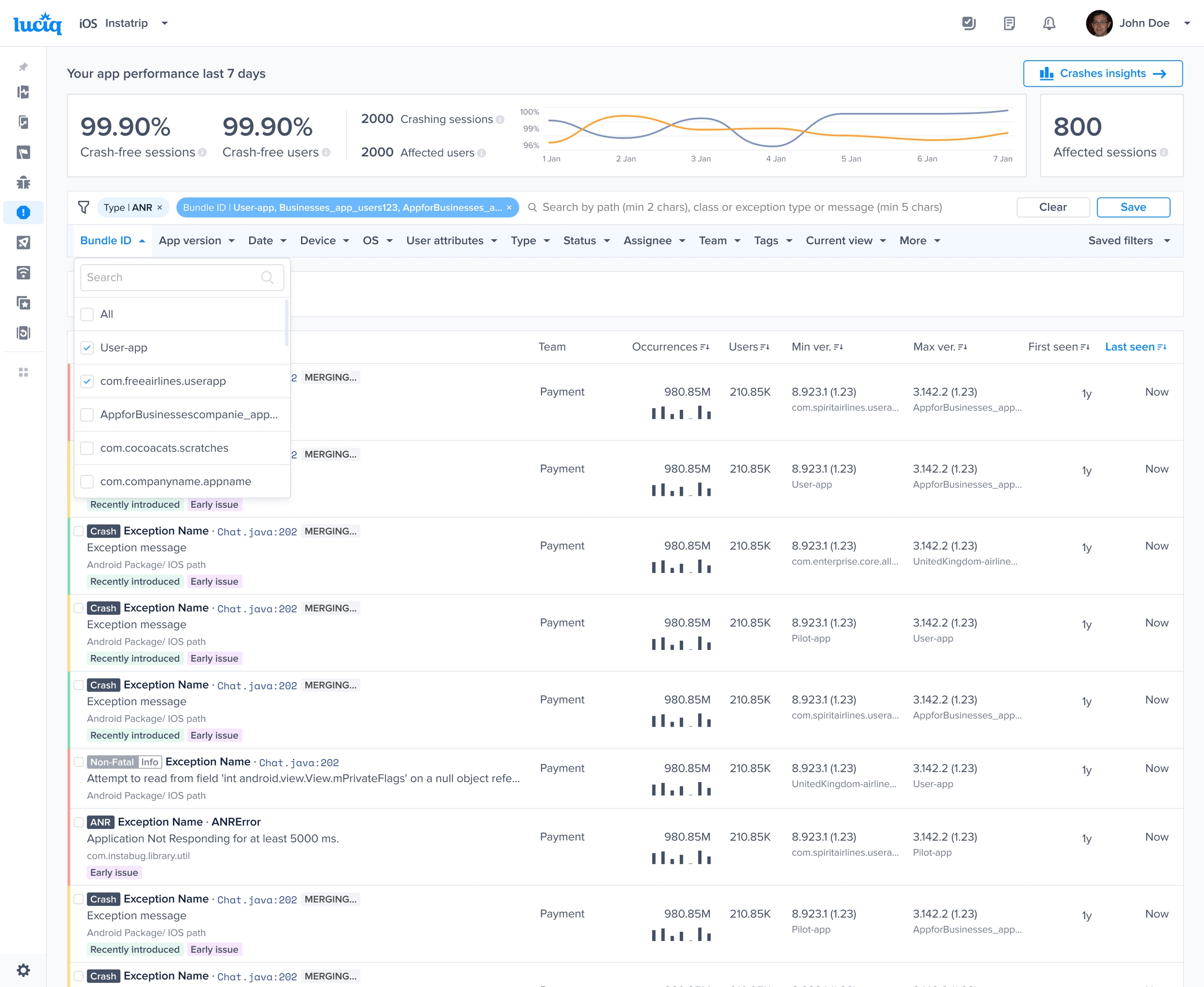
Crash reporting
APM
Alerting
Releases
Filtering by a specific variant
You will see a new filter called Bundle-id which enables you to filter by a certain app variant.
Alerting on specific variant
You will see a new condition called bundle-id which enables you to set up alerts on a certain app variant.

Presentation in Metrics & Reports
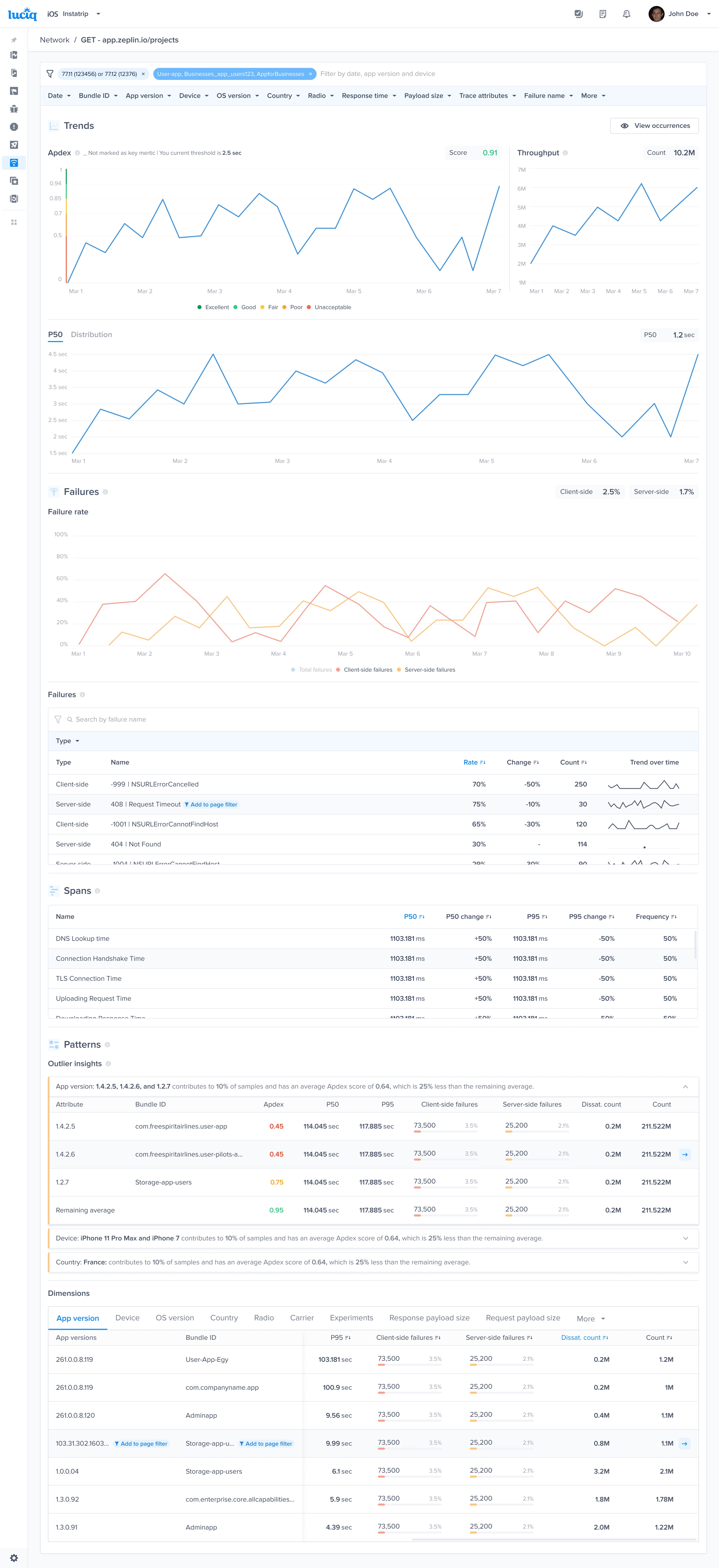
In various dashboard views, bundle IDs (variants) are displayed alongside relevant metrics. In Patterns and dimensions, Variants appear next to the app version so you can spot variant-specific trends.
Last updated