

Alerting for App Stability - Crash Free Rates
You can now get alerted on the Crash Free Sessions of the app to monitor the stability of the app.
Crash-Free Rates are one of the most important metrics for any mobile app. Setting up these alerts allows you to proactively detect and address stability issues, ensuring a smoother user experience. They provide quick insights into problematic app versions, enabling faster resolution and better decision-making.
Setting Up Alerts
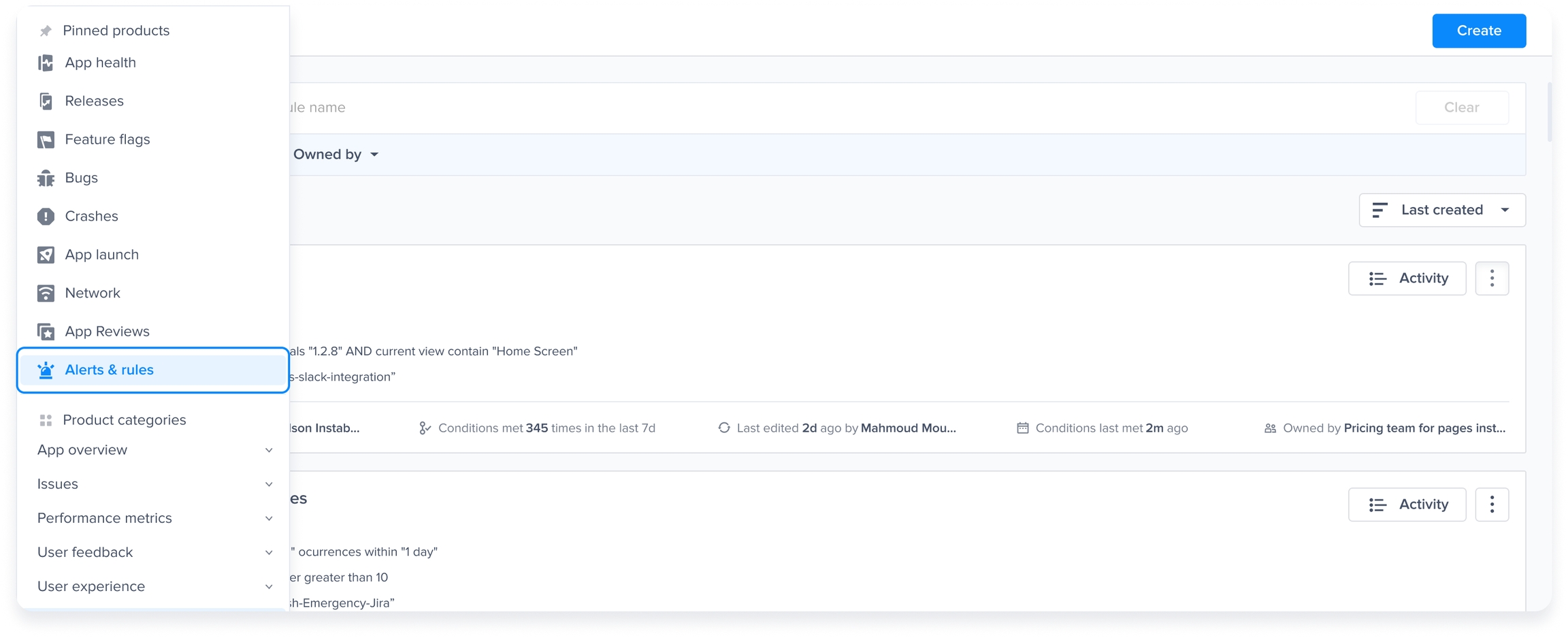
Go to the Alerts and Rules page:
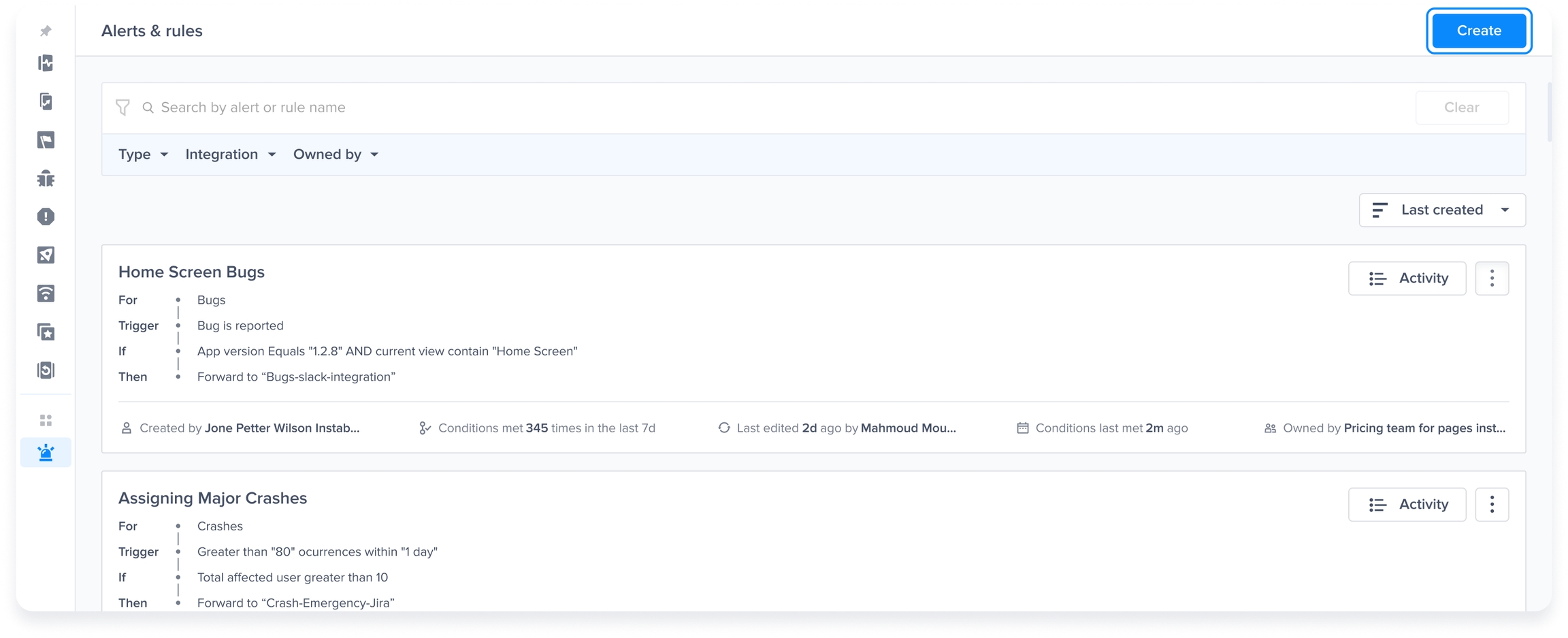
Create a new Rule:
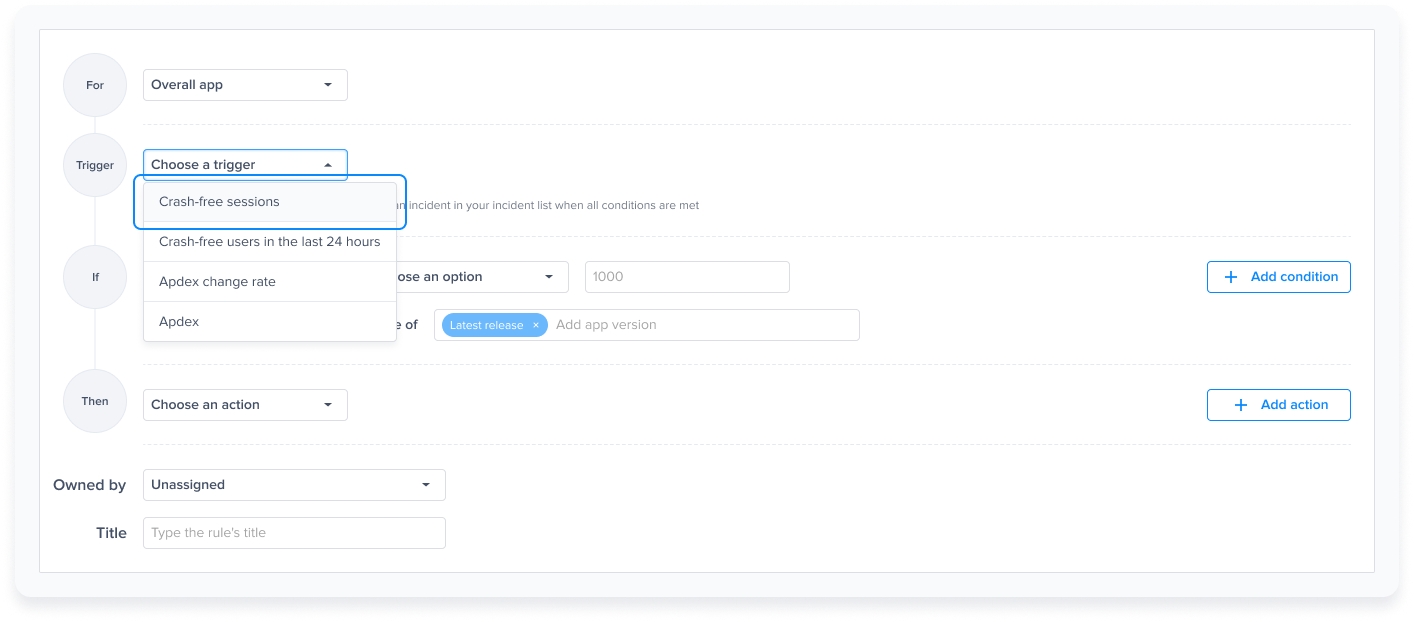
Select "Overall App" to set up the rule:

Crash-Free Sessions
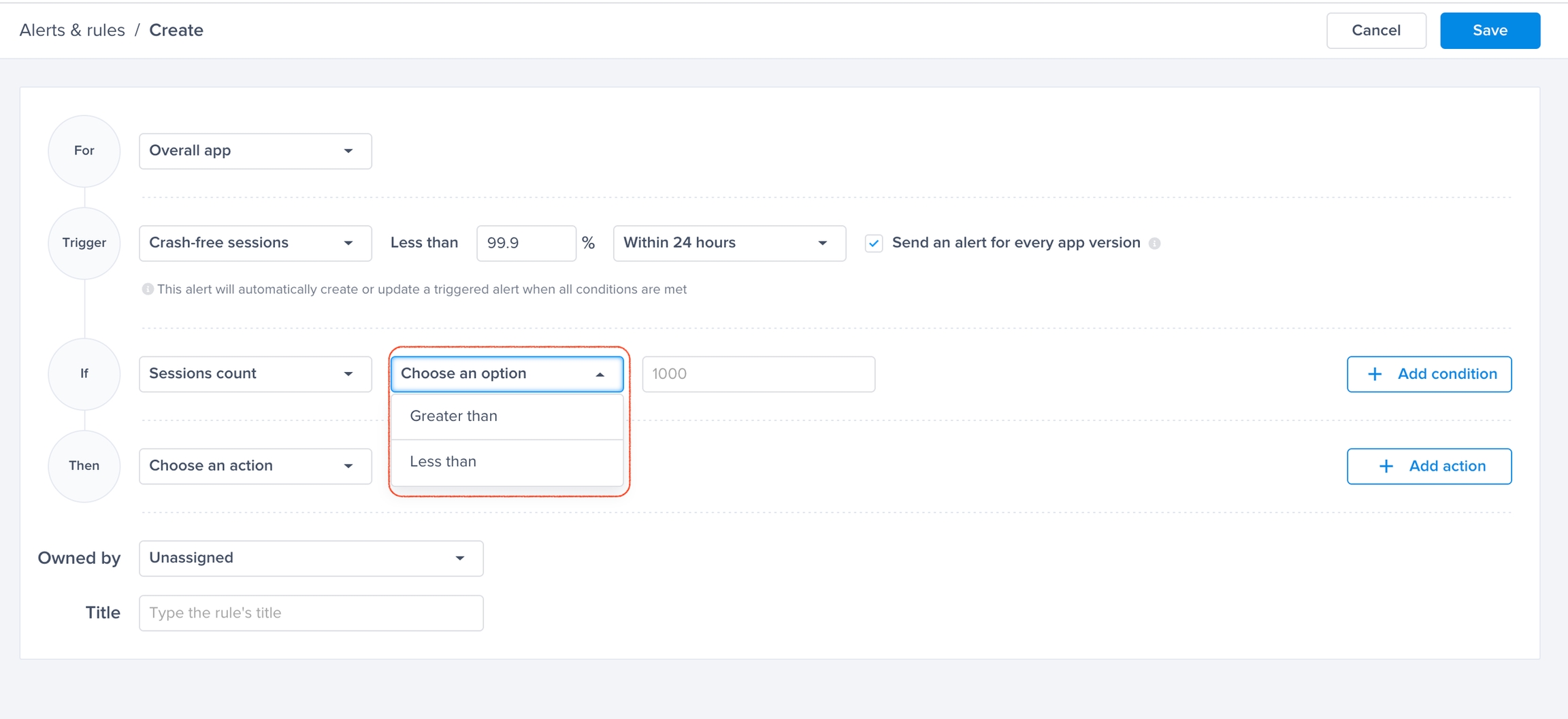
Set a threshold and get alerted whenever the application’s crash-free sessions rate drops below the specified threshold.
Trigger:
Select "Crash-free sessions in the last 24 hours".

Select the Threshold for Crash-Free Sessions: Any drop below this point will trigger an alert.
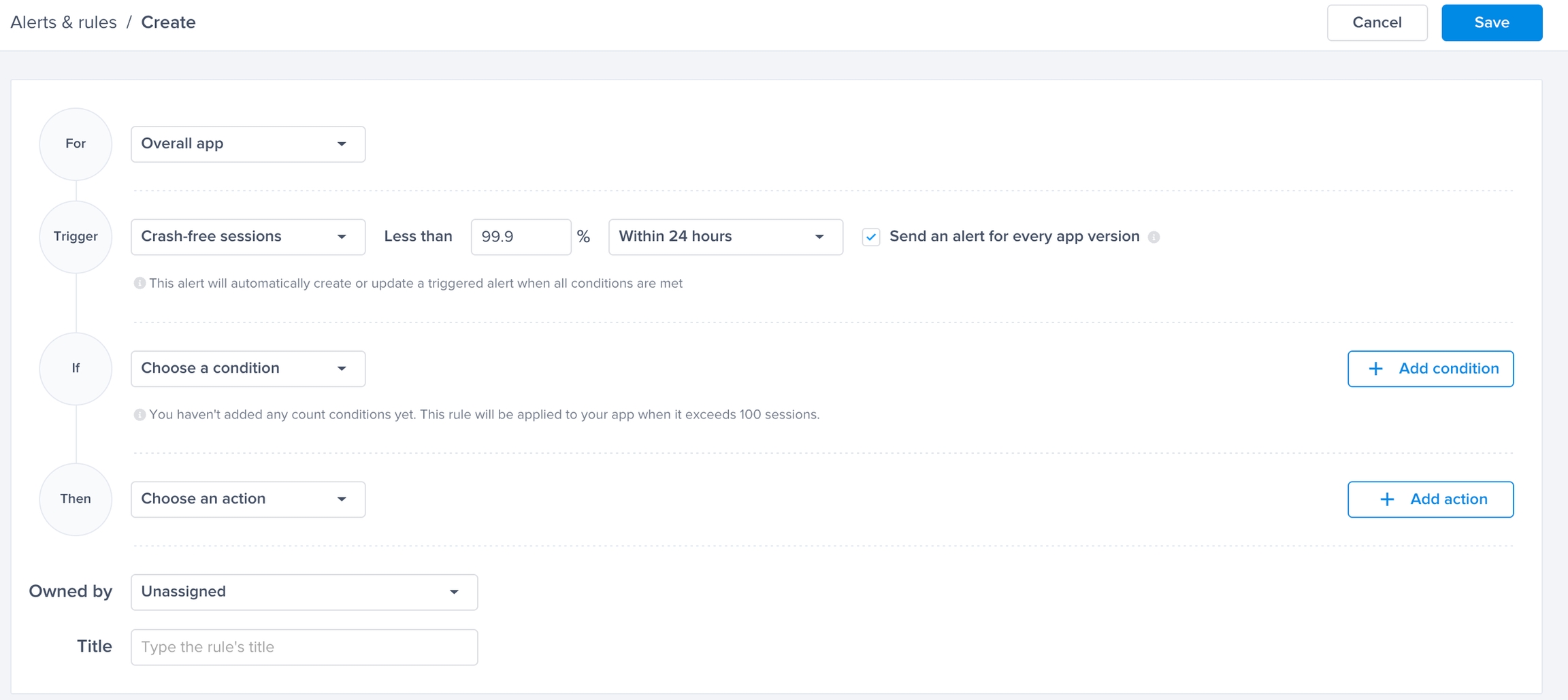
Breakout by App Version: (Optional)
By toggling "Send an alert for every app version," you will get alerted for every app version that has its crash-free sessions rate drop below the threshold.
Conditions:
If no condition is added, the rule will be applied to the app/app version if it exceeds 100 sessions.
You have 2 conditions you can choose from:
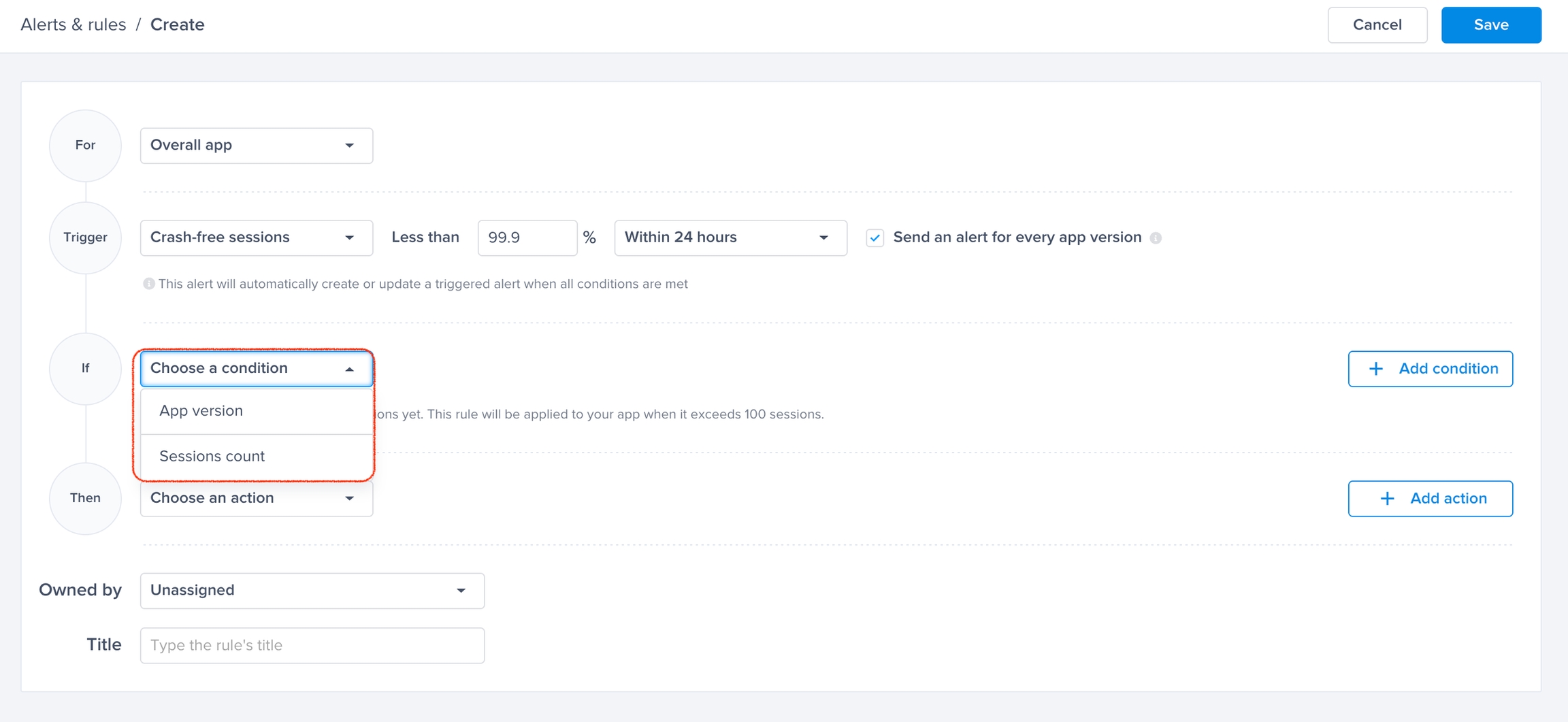
App Version: Select "Top Releases" or "Latest Releases", or specify app versions.

Session count: The minimum number of sessions the app (or selected versions) has to have for the alert to trigger. Specify "Greater than" or "Less than" to set a number of sessions and reduce the noise.
Forward Alert:
Set the option to forward the alert to your favorite integrated tool.

Crash-Free Users
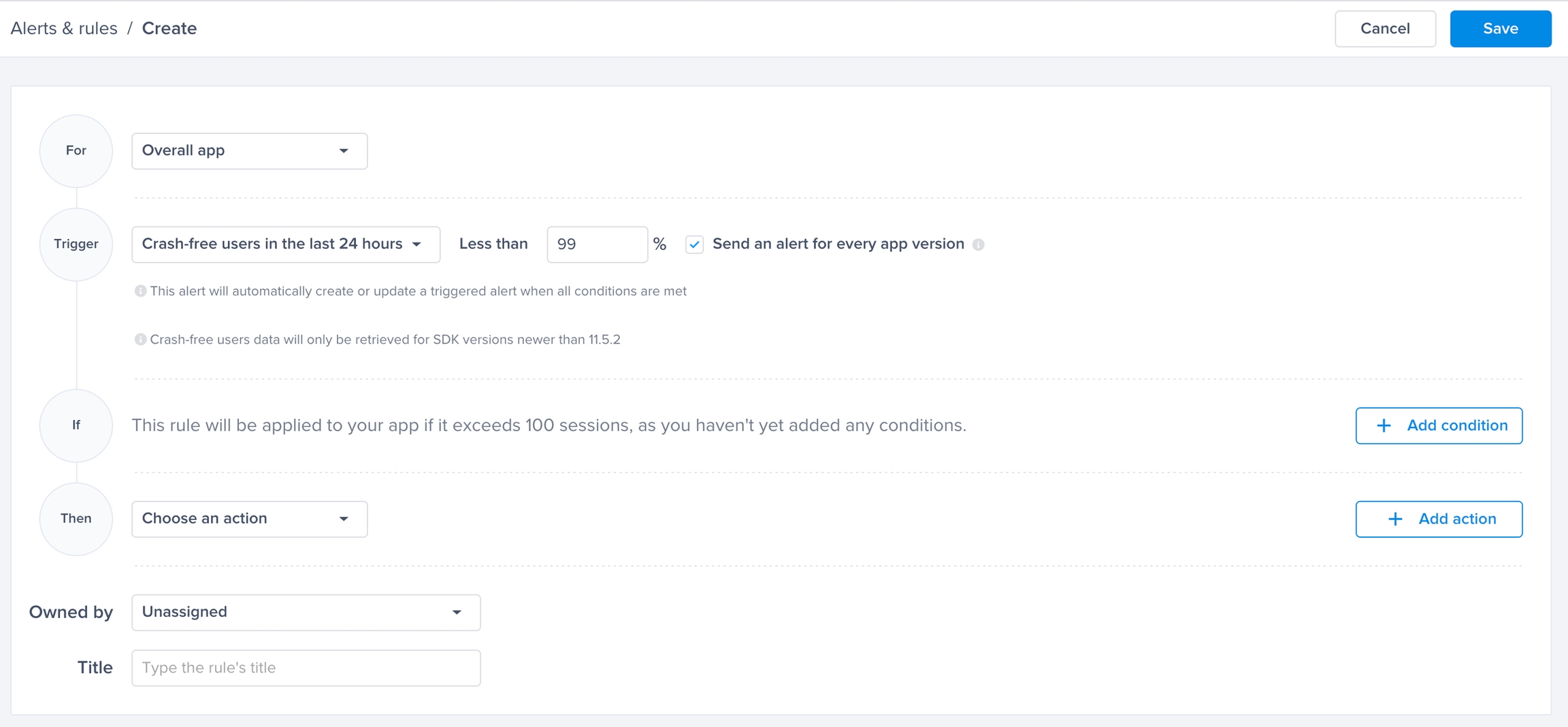
Set a threshold and get alerted whenever the application’s crash-free user rate drops below the specified threshold.
Trigger:
Select "Crash-free users in the last 24 hours".

Select the Threshold for Crash-Free Users: Any drop below this point will trigger an alert.
Breakout by App Version: (Optional)
By toggling "Send an alert for every app version," you will get alerted for every app version that has its crash-free user rate drop below the threshold.
Conditions:
If no condition is added, the rule will be applied to the app/app version if it exceeds 100 sessions.
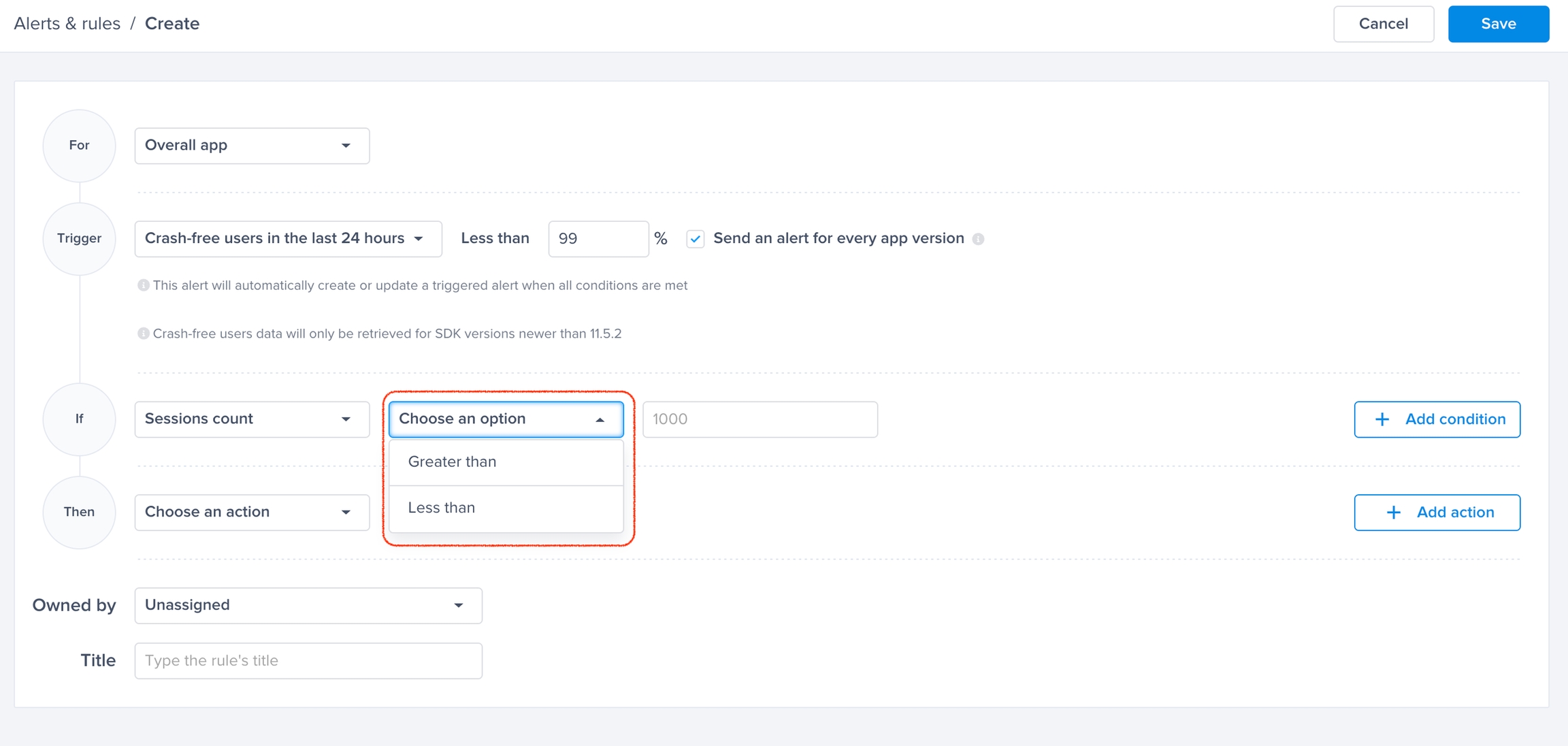
You have 3 conditions you can choose from:

App Version: Select "Top Releases" or "Latest Releases", or specify app versions.

User Count: minimum number of users the app (or selected versions) has to have for the alert to trigger. Specify "Greater than" or "Less than" to set a number of users and reduce the noise.

Session Count: The minimum number of sessions the app (or selected versions) has to have for the alert to trigger. Specify "Greater than" or "Less than" to set a number of sessions and reduce the noise.
Forward Alert:
Set the option to forward the alert to your favorite integrated tool.

Last updated