

WebViews Screen Loading
Measure the loading performance of your WebViews with Web Vitals.
WebViews are components that embed web content within native mobile applications. They can be an easy and cost-effective alternative to redesigning some pages from scratch for your mobile app.
Luciq automatically captures the time it takes for your WebViews to load. This includes both the time to load the native screen that hosts the WebView and the time it takes the WebView itself to load, along with its content.
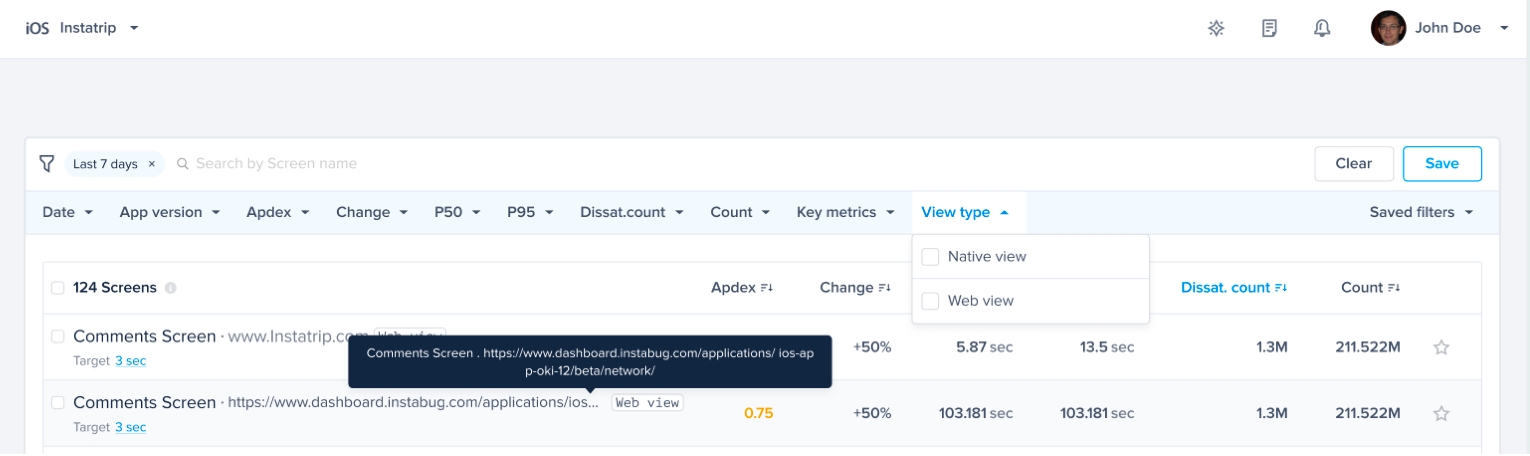
Web Vitals
Web Vitals are a suite of user-centric performance metrics developed by Google that measure the loading speed, interactivity, and visual stability of web pages. Google considers Core Web Vitals to be the most important of these metrics and should be “tracked by every developer for every website”, including First Input Delay (FID).
First Input Delay (FID) measures interactivity or the time between the user first trying to interact with the page and the webpage starting to process that interaction. You can learn more about Web Vitals here.
Luciq automatically captures First Input Delay (FID) and displays it for all detected WebViews in your application. FID is benchmarked according to Google’s recommendations.

Time shown on the top of the Screen Loading pages is the P75 of First Input Delay (FID)
Spans
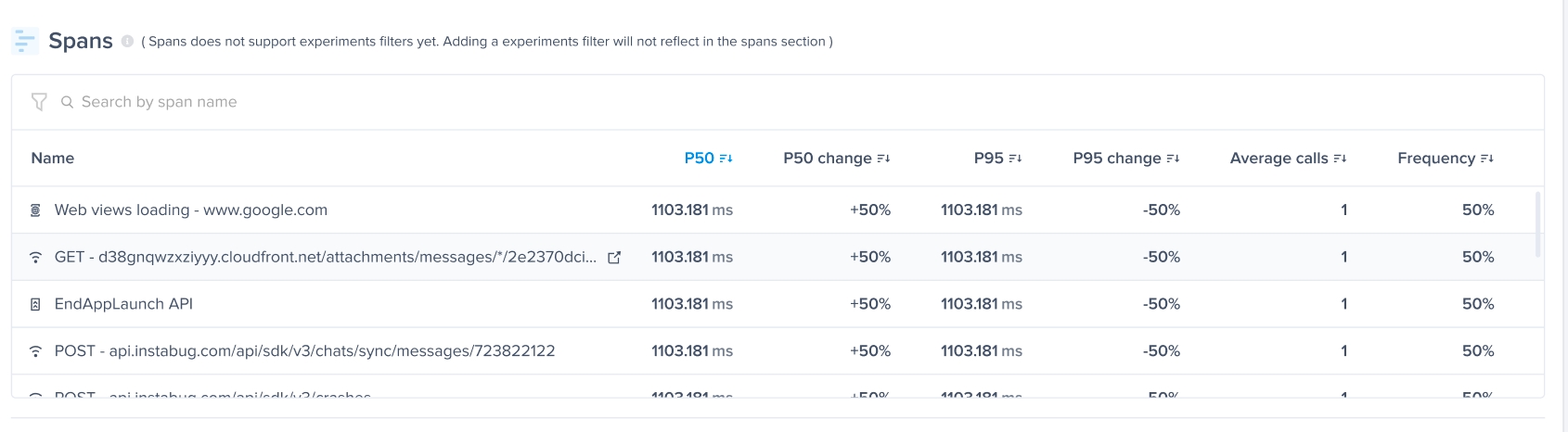
Because total Screen Loading time only tells half the story, you can see in the Spans breakdown how each span contributes to the total screen loading time. The WebViews Loading span shows the time it took to load the WebView and its content, along with the WebView URL for quick identification or debugging. You can also check all the other spans associated with the native components of the screen, such as native loading stages or network calls, so you can find the bottleneck wherever it may be.
Last updated