

App Launch
This page covers Luciq's app launch definition, its APDEX calculation, how to set your custom target, and all the details you need to know about the app launch metric on your iOS apps.
📘 Starting from SDK 19.0.0, we’ve refined how app launch duration is captured for improved accuracy.
The duration is now measured from app startup until UIApplication.didBecomeActiveNotification notification, which marks the point when the app is fully active and ready to receive user interactions.
Cold App Launch
Luciq automatically measures your cold app launch latency, which is the time between when your user launches the app from scratch and when it is responsive and accepting touch events.
It starts with the process start time and stops at the end of the first run loop. This interval accounts for any launch-blocking logic in your code, as well as the time before your app classes are loaded. It includes loading dynamic frameworks and resolving any dynamic references made in the binary.
Hot App Launch
The Luciq SDK automatically measures the hot app launch latency, which is the time between the user launching the app from the background and it becoming responsive and accepting touch events.
Hot Launch is transitioning the app from the background to the foreground-active state. We capture the Hot Launch event by observing a UIApplicationWillEnterForegroundNotification notification, which is then followed by UIApplicationDidBecomeActiveNotification.
End App Launch
In the event that you'd like to define a specific point in time where the app launch can be considered complete, such as when the app is actually interactable, you can use the end app launch API to set that point. You'll then be able to see this data alongside the automatic cold and hot app launches that were captured.
App Launch Apdex
Luciq calculates an Apdex score for your app launch that reflects how satisfying your app launch time is. Your Apdex score ranges between 0 and 1; a higher value means better performance and, hence, a better user experience:
Apdex score ≥ 0.94 equates to Excellent performance.
Apdex score ≥ 0.85 and < 0.94 equates to Good performance.
Apdex score ≥ 0.7 and < 0.85 equates to Fair performance.
Apdex score ≥ 0.5 and < 0.7 equates to Poor performance.
Apdex score < 0.5 is considered Unacceptable.
How Is The App Launch Apdex Calculated?
When an app launch occurrence is collected, it is flagged based on a pre-defined target (T). An app launch occurrence is considered:
Satisfying: if its duration ≤ T
Tolerable: if its duration > T and ≤ 4T
Frustrating: if its duration > 4T
Then, based on the bucketing explained above, the Apdex score is calculated as follows:
Total occurrences = Satisfying occurrences + Tolerable occurrences + Frustrating occurrences
Apdex score = (Satisfying occurrences + 0.5 * Tolerable occurrences) / Total occurrences
How Can You Control Your App Launch Target?
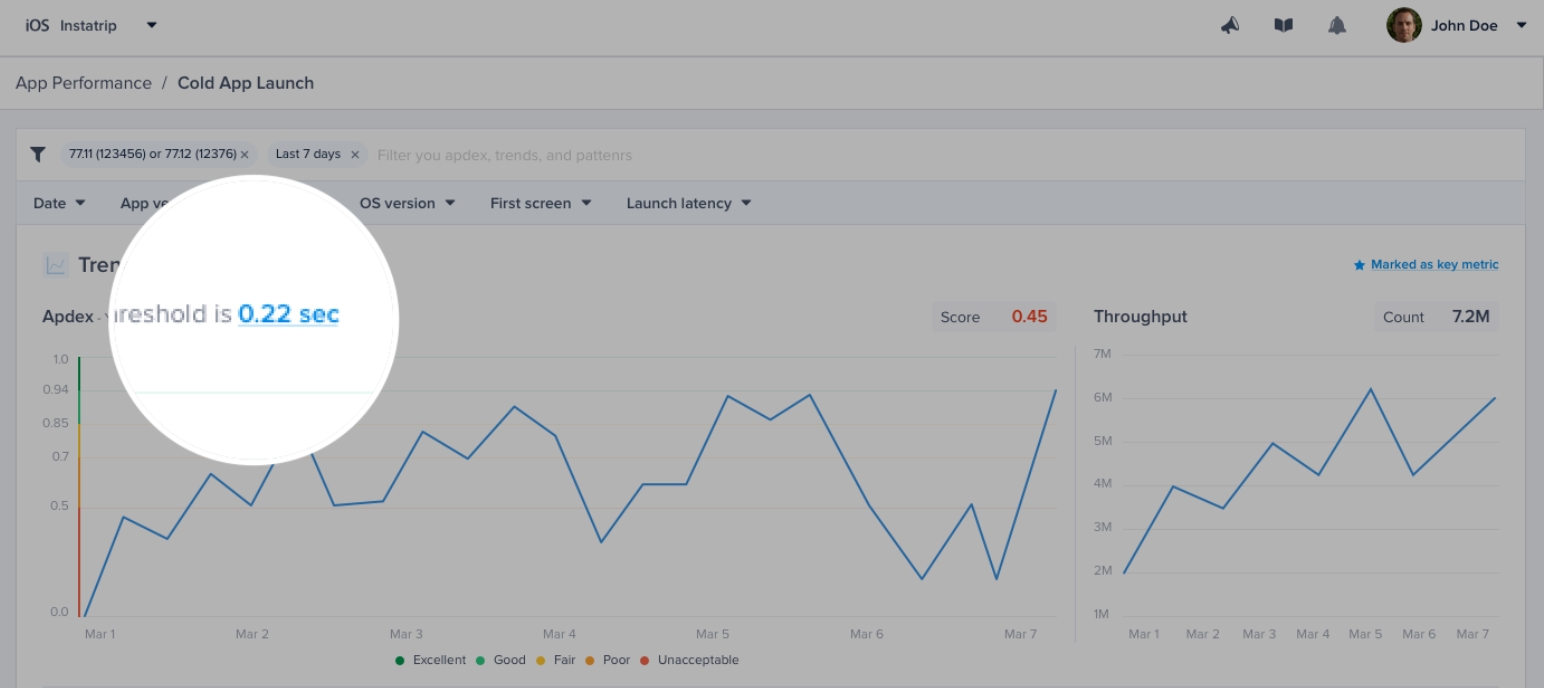
By default, the target is set to 0.5 seconds; however, you can easily change this number from your dashboard by clicking on the action highlighted in the screenshots below.
Last updated