

GitHub Integration For Team Ownership
The GitHub CODEOWNERS integration allows Luciq to automatically generate and maintain Crashes team ownership rules based on the CODEOWNERS file in your GitHub repository.
Instead of manually configuring file paths and assigning them to teams, Luciq fetches and syncs your CODEOWNERS file to ensure accurate, up-to-date ownership rules at scale.
How It Works?
Once connected, Luciq fetches your CODEOWNERS file from your GitHub repository.
Parses all ownership patterns (paths, filenames).
Extracts teams (GitHub teams).
Lets you map teams to Luciq teams in a simple UI.
Generates crash ownership rules automatically based on this mapping.
Keeps rules in sync whenever your CODEOWNERS file changes on GitHub.
This automation ensures that crash reports are always routed to the correct team without manual updates.
Prerequisites
Before you begin:
You must be an Owner or Admin or have permissions to manage Team Ownership.
Your GitHub organization must allow installing GitHub apps.
Your repository must contain a valid
CODEOWNERSfile.
How to Set it up?
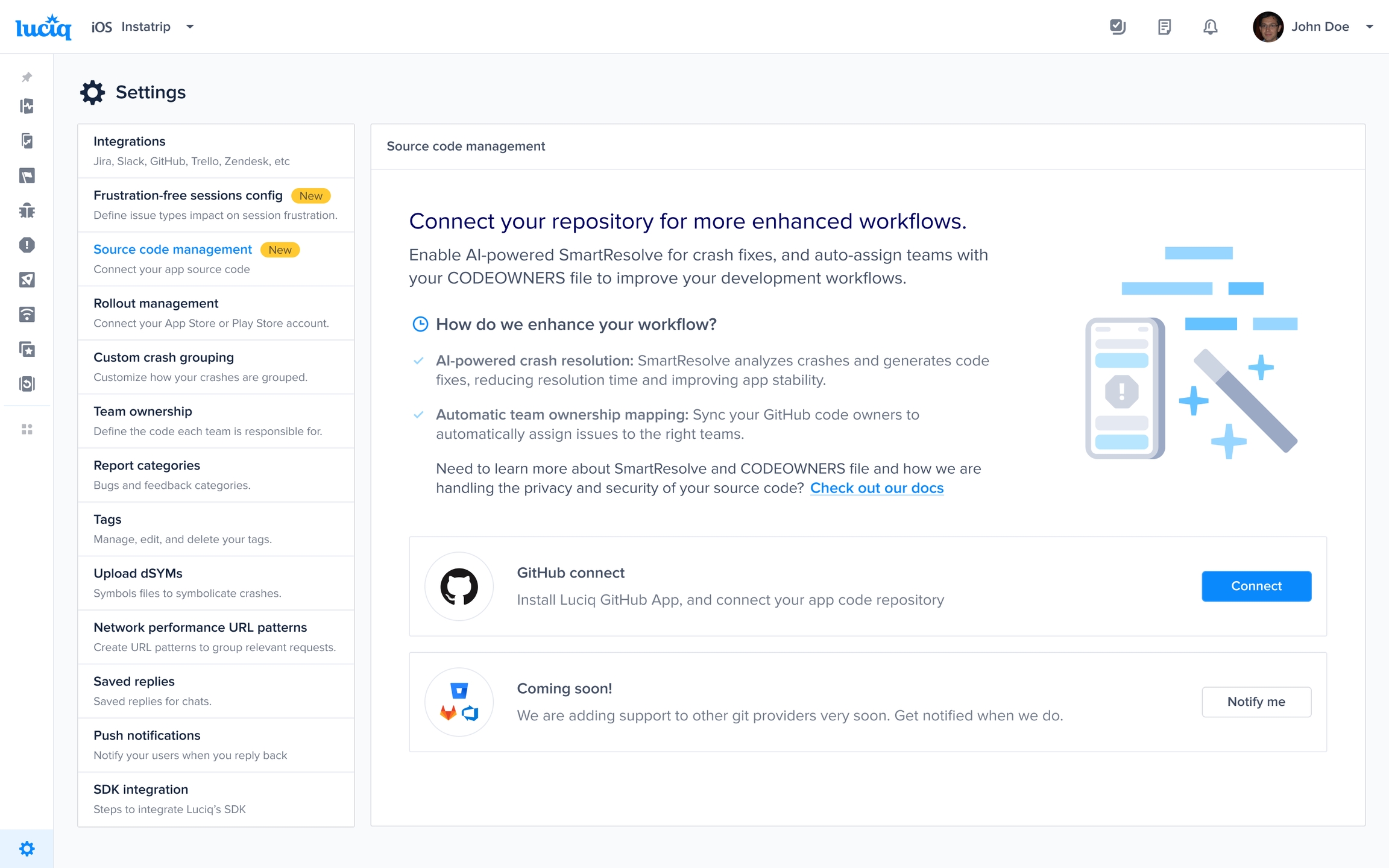
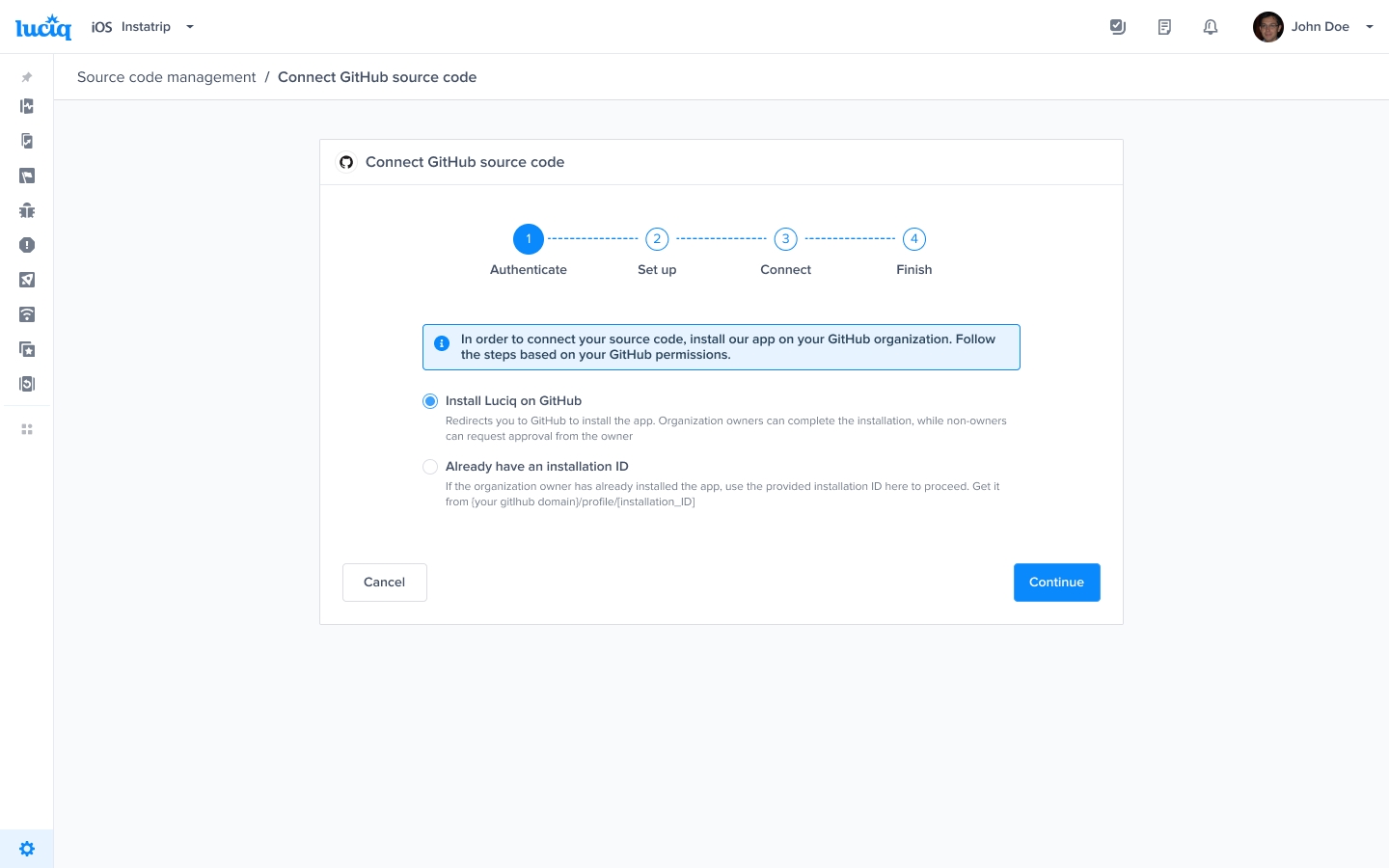
Select Repository, Branch, and Features
After connecting:
Choose the repository that contains your
CODEOWNERSfile.Select the branch (e.g.,
main,master) whereCODEOWNERSlives.Select which features should access the integration:
CODEOWNERSfile: allows you to define crashes team ownership by fetching and processing GitHubCODEONWERSfile.Resolve Agent: An AI-powered feature designed to automate the process of resolving mobile app crashes, enabling developers to resolve issues within minutes. Learn more
Click Continue
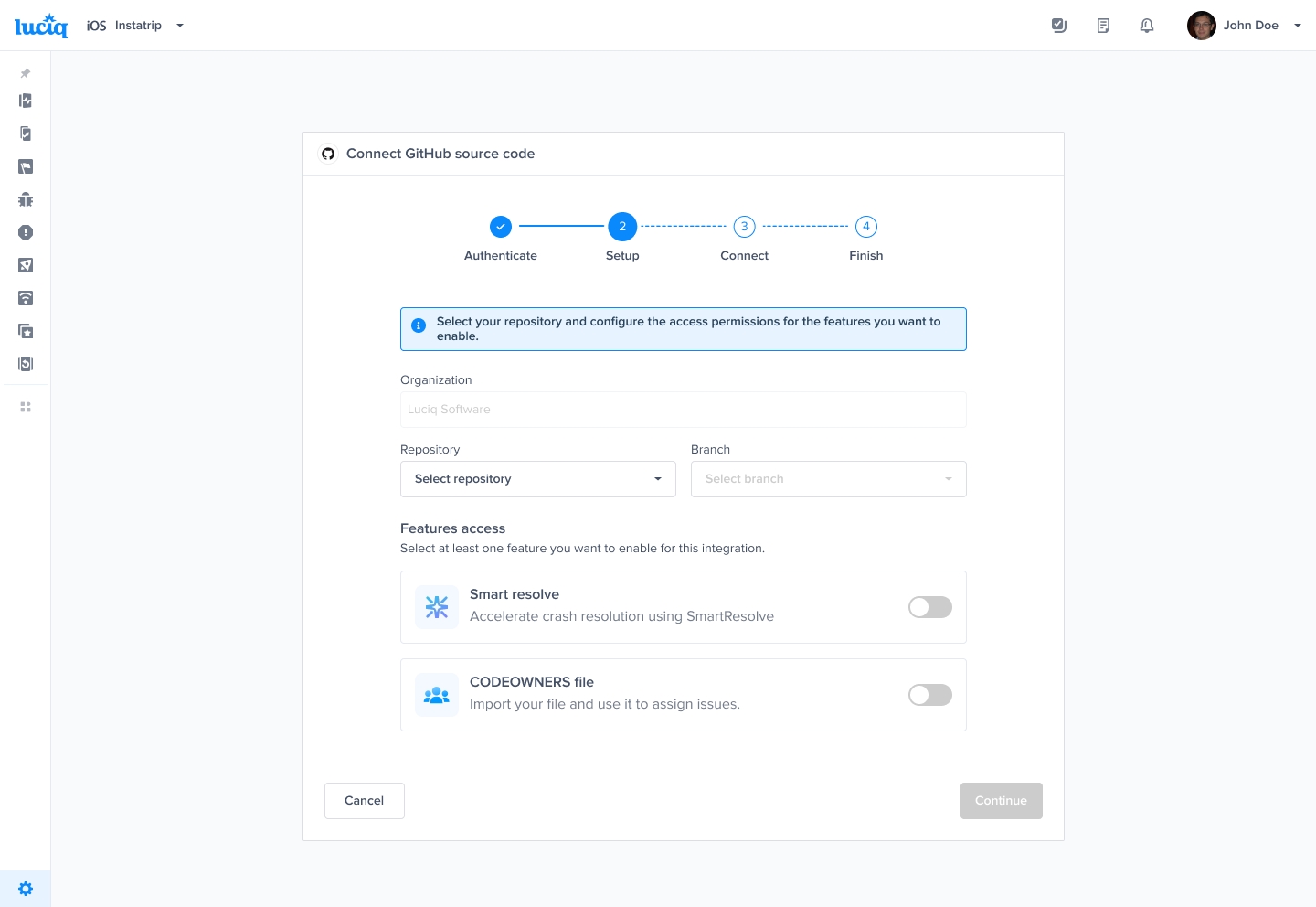
Review and confirm configuration
Luciq will let you review all the configuration settings including:
Organization
Repository
Branch
Enabled features
Then you can select whether you want to enable auto-sync for CODEOWNERS file or not. The auto-sync will automatically update team ownership rules once the CODEOWNERS file is updated on GitHub.
Finally once you confirm all settings and click Connect, Luciq will fetch and process the CODEOWNERS file
Map CODEOWNERS to Luciq Teams
CODEOWNERS to Luciq TeamsLuciq will extract all teams from your CODEOWNERS file (GitHub teams), then try to match the team names to Luciq teams. If matching is not successful then you will see a list of teams that need to be mapped to Luciq teams.
For each team:
Select a Luciq team that represents their ownership.
Save the mapping.
You can revisit and update this mapping anytime.
This mapping allows Luciq to convert CODEOWNERS rules into crash ownership rules.
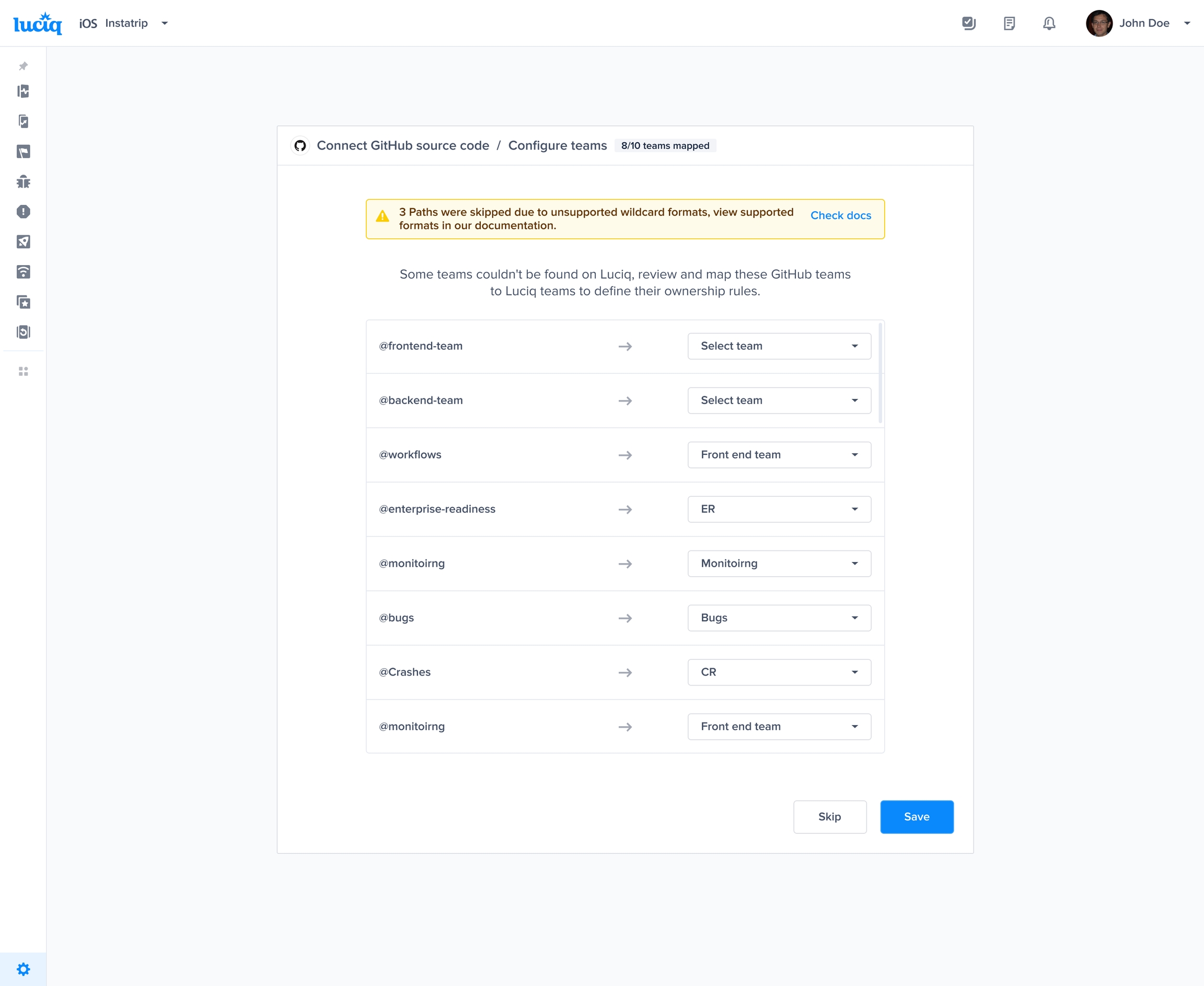
Ownership rules are defined for mapped teams only. For Unmapped teams, their rules are defined once the mapping is complete.
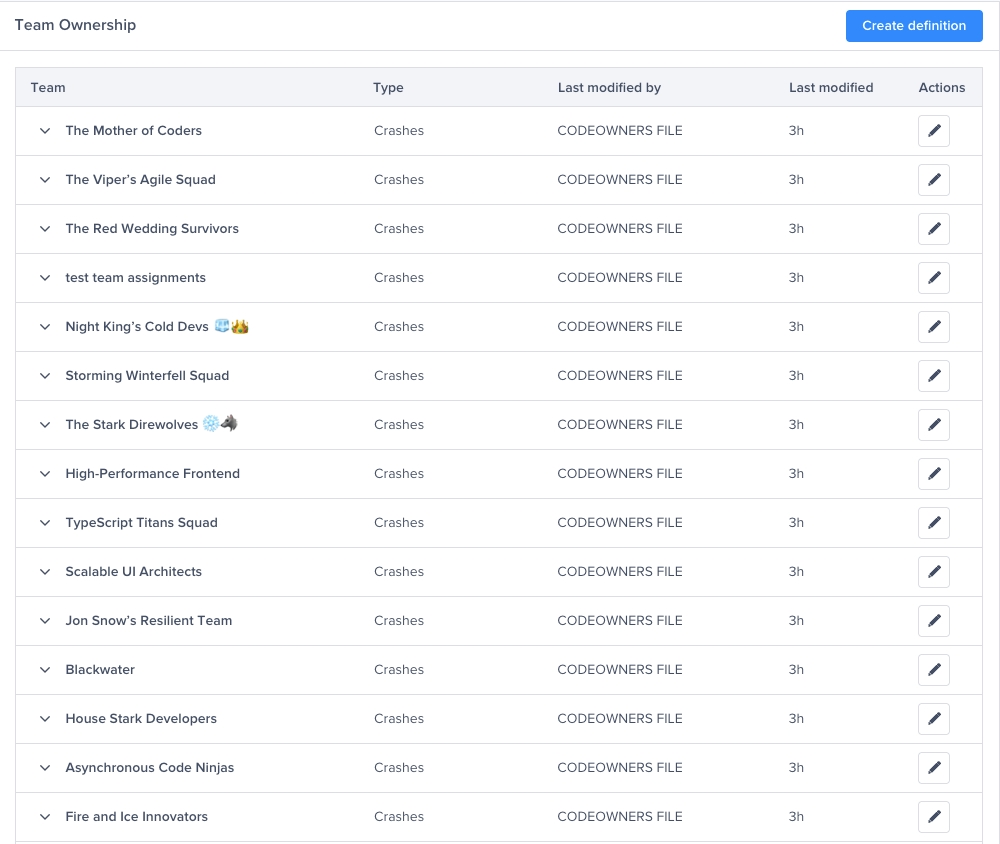
Automatic Syncing For CODEOWNERS File
Luciq keeps your rules in sync by:
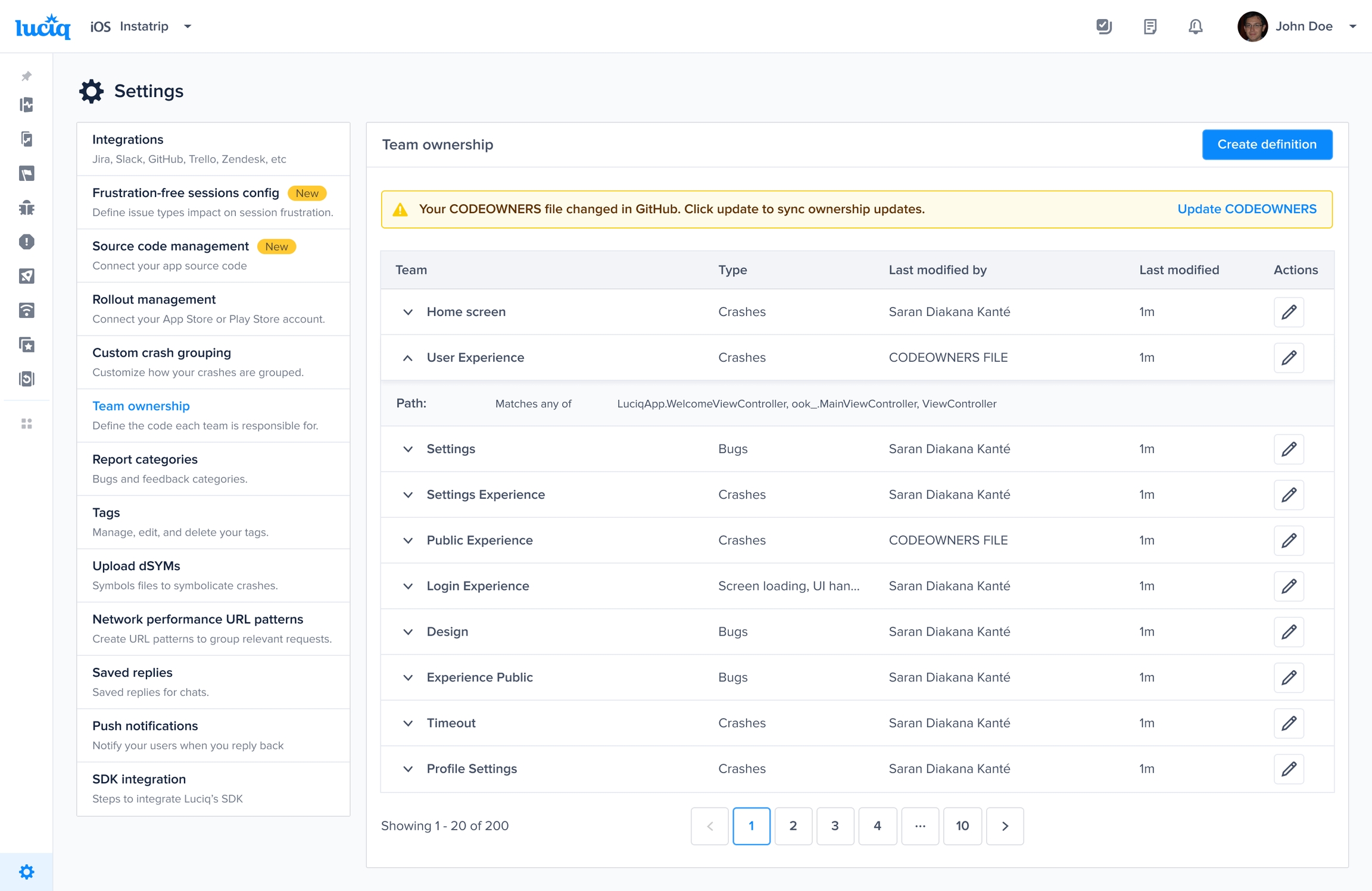
Monitoring your GitHub repository for any updates to
CODEOWNERS.Re-processing the file when changes are detected.
Updating ownership rules automatically.
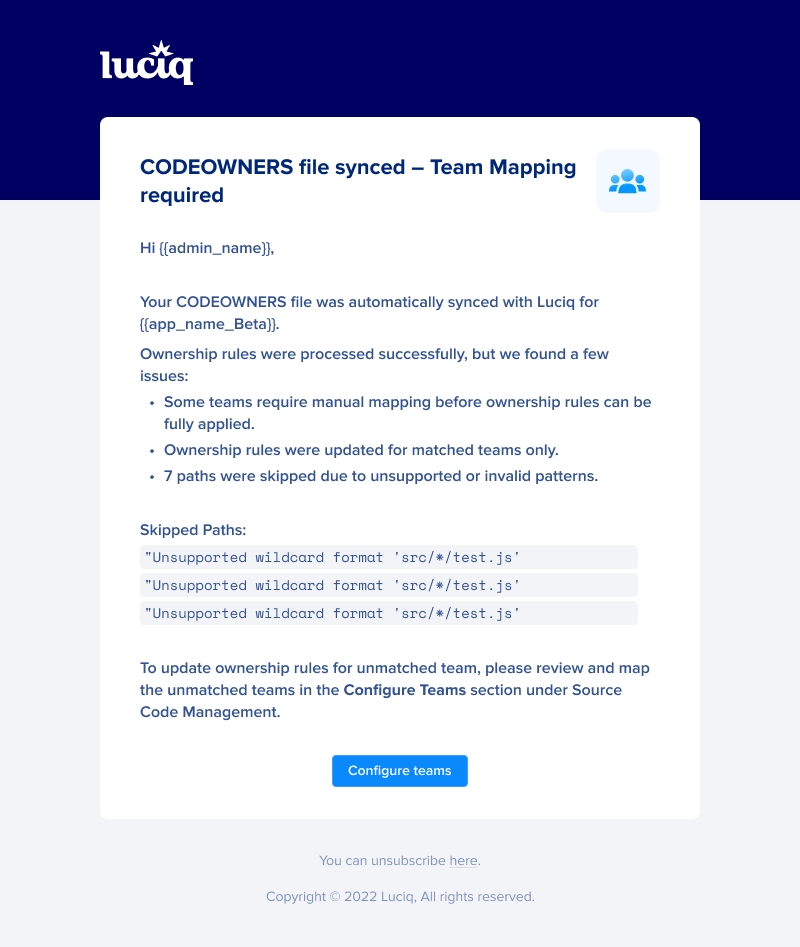
Sending email notifications to admins when:
Code ownership changes
New owners appear that need mapping
Rules are updated
The CODEOWNERS file sync process runs once per day at 00:00 UTC.
When automatic syncing is enabled, team ownership rules created by CODEOWNERS file cannot be edited. The only way to edit these rules is by updating the CODEOWNERS file on GitHub.
Processing CODEOWNERS File
CODEOWNERS FileSample of CODEOWNERS file
CODEOWNERS file is a text file that contains paths and/or filenames assigned to certain teams in the following format:
iOS
Refer to Matching iOS paths for more information.
Android
Unlike other platforms Android relies on packages (not paths) to assign crashes to teams. Hence, the paths in the CODEOWNERS file should include the package.
For example:
Assume the package is named: com.luciq.crashes; Then the path in the CODEOWNERS file should be: /src/main/git/com/luciq/crashes
Supported Wildcard Patterns
On GitHub, you can use wildcards to assign certain patterns to teams but Luciq supports only the following wildcard patterns:
Team Selection Logic
If multiple teams are assigned to the same path, only the first team on the line will be used.
Example:
@teamA will be assigned to this path
Last updated