

MCP Tools Reference
Overview
The Luciq MCP Server provides four primary tools via JSON-RPC 2.0 that can be accessed directly in your IDE or via API. These tools help developers retrieve crash data, analyze trends, and debug faster, all from within AI-native IDEs like Cursor and Claude Code.
Tool 1:listApplications
listApplicationsRetrieves a list of applications accessible to the authenticated developer
Input Parameters:
offset(optional): Number of applications to skip (default: 0)limit(optional): Maximum number of applications to return (default: 10)platform(optional): Filter by platformValid values:
ios,android,react_native,flutter
Output: JSON-RPC 2.0 response containing:
The text field contains JSON with an array of applications, each containing:
tokenApplication token identifiercreated_atApplication creation timestampmodeApplication mode (production, beta, staging, alpha, qa, development)nameApplication display nameslugApplication slug identifierplatformPlatform type (ios, android, react_native, flutter)
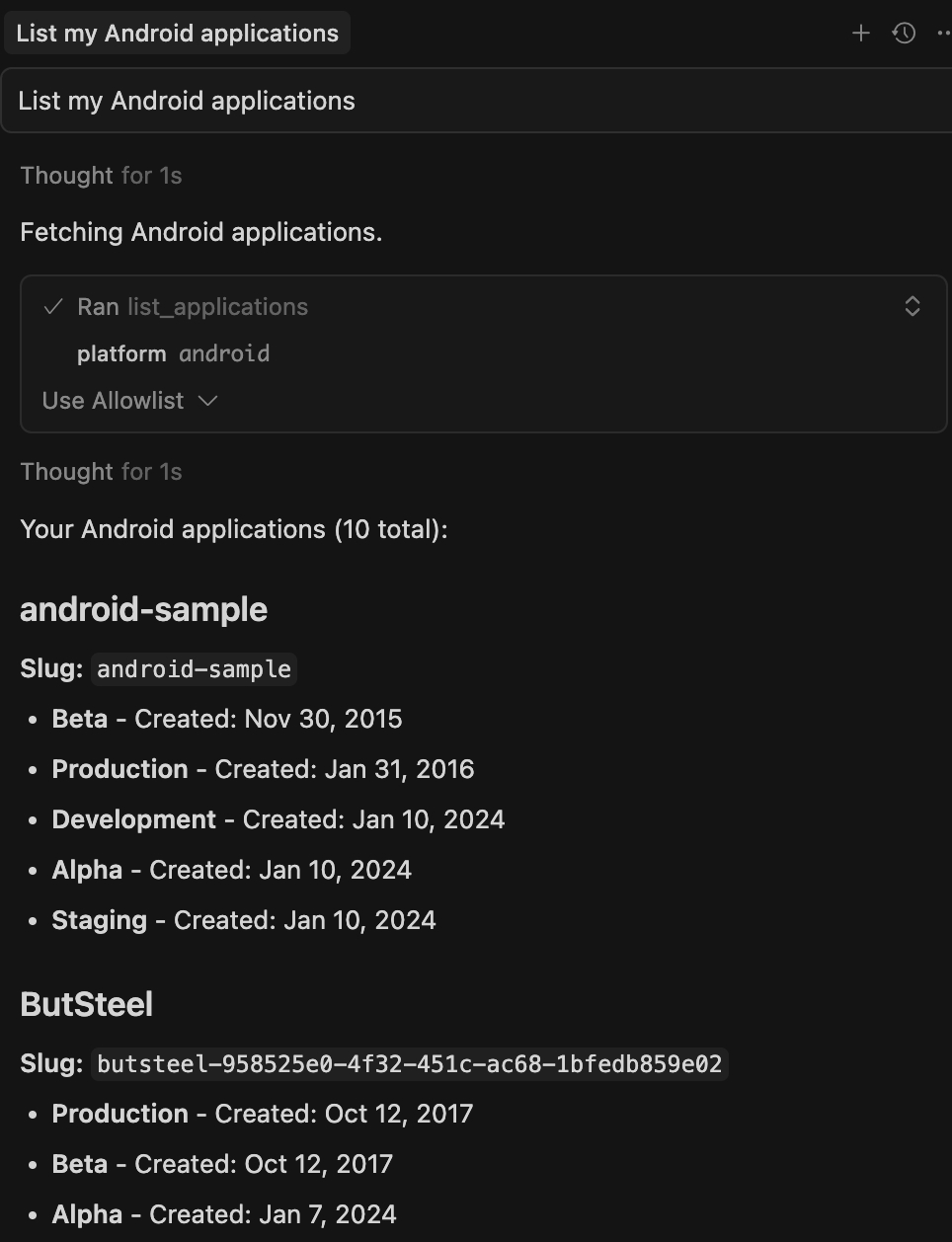
Example IDE Queries
“List all my iOS and Android apps.”
"Show me applications for Android platform in Production."
When to use it
To confirm connection and workspace access
To identify your app slug before querying crash data
Tool 2:listCrashes
listCrashesRetrieves crash data for a specific application with advanced filtering and pagination
Required Parameters:
slugApplication slug identifiermodeApplication modeValid values:
beta,production,staging,alpha,qa,development
Optional Parameters:
offsetNumber of crashes to skip from the beginning (default: 0)limitMaximum number of crashes to return (default: 20, max: 100)sort_bySort field (default:last_occurred_at)Valid values:
last_occurred_at,occurrences_counter,affected_users_counter,max_app_version,min_app_version,severity,first_occurred_at
directionSort direction -ascordesc(default:desc)
Filter Parameters (filters object):
date_msDate range filter for crash occurrence timegteStart timestamplteEnd timestamp
status_idCrash status IDs1: Open crashes2: Closed crashes3: In-progress crashes
teamsTeam IDs to filter by assigned teamapp_versionsApplication versions to filter bydevicesDevice names to filter byos_versionsOS versions to filter byplatformPlatform typesValid values:
IOS,ANDROID,DART(Flutter),JAVASCRIPT(React Native)
current_viewsCurrent view/screen names to filter by
Output: JSON-RPC 2.0 response containing:
The text field contains JSON array with crash objects, each containing:
min_app_versionMinimum app version affectedmax_app_versionMaximum app version affectedlast_occurred_atLast occurrence timestamp (milliseconds)first_occurred_atFirst occurrence timestamp (milliseconds)affected_users_counterNumber of affected usersoccurrences_counterTotal occurrence countseverityCrash severity levelstatus_idStatus ID (1=open, 2=closed, 3=in_progress)numberCrash number identifierexceptionException messagecrash_causeRoot cause of crashcrash_typeType of crash (FATAL, ANR, etc..)platformPlatform label (ANDROID, IOS, etc..)current_viewCurrent view where crash occurredteamTeam details with name and IDapp_versionApp versionsignalsCrash signals (e.g., ["recent"])exception_nameException name (iOS only)mergingMerging status (if applicable)packagePackage name (Android only)levelCrash level (critical, error, warning for non-fatal crashes)pathFile path (iOS/React Native only)
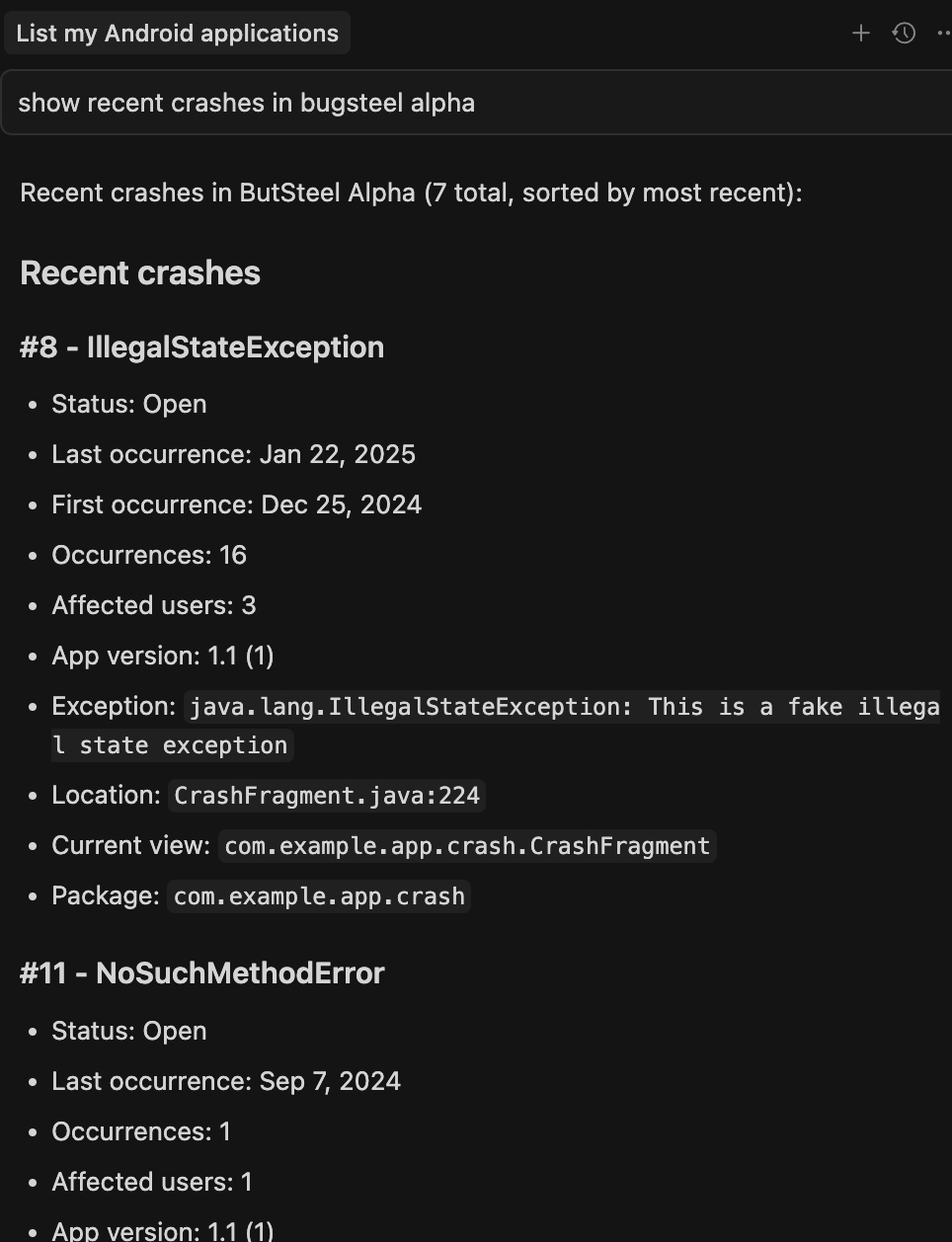
Example IDE Queries
"Show me production crashes for my-app in the last 30 days"
"List all open crashes for iOS platform"
"Get crashes from staging environment"
When to use it:
During triage to identify high-priority issues
To review new crashes after a deployment
Tool 3:crashDetails
crashDetailsGet detailed information about a specific crash
Required Parameters:
slugApplication slug identifiermodeApplication modeValid values:
beta,production,staging,alpha,qa,development
numberCrash number identifier
Output: JSON-RPC 2.0 response containing:
The text field contains JSON with detailed crash information:
numberCrash number identifiertypeCrash type (AndroidCrash, iOSCrash, etc.)last_occurred_atLast occurrence timestamp (ISO 8601 format)min_app_versionMinimum affected app versionmax_app_versionMaximum affected app versionexceptionException messageexception_nameException name (null for Android)priority_idPriority ID (-1 if not set)status_idStatus ID (1=open, 2=closed, 3=in_progress)crash_causeRoot cause of crashseverityCrash severity (null for non-fatal)crash_typeType of crash (FATAL, NON_FATAL)app_versionApp versionthreads_countNumber of threadsstack_framesFormatted stack frames with index, library, description, and typesdk_versionSDK versioncausesException causes (null for Android non-fatal crashes)packagePackage name (Android only)pathFile path (iOS/React Native only)teamTeam details with name and IDlevelCrash level (critical, error, warning for non-fatal crashes)ndk_infoNDK information (Android only)
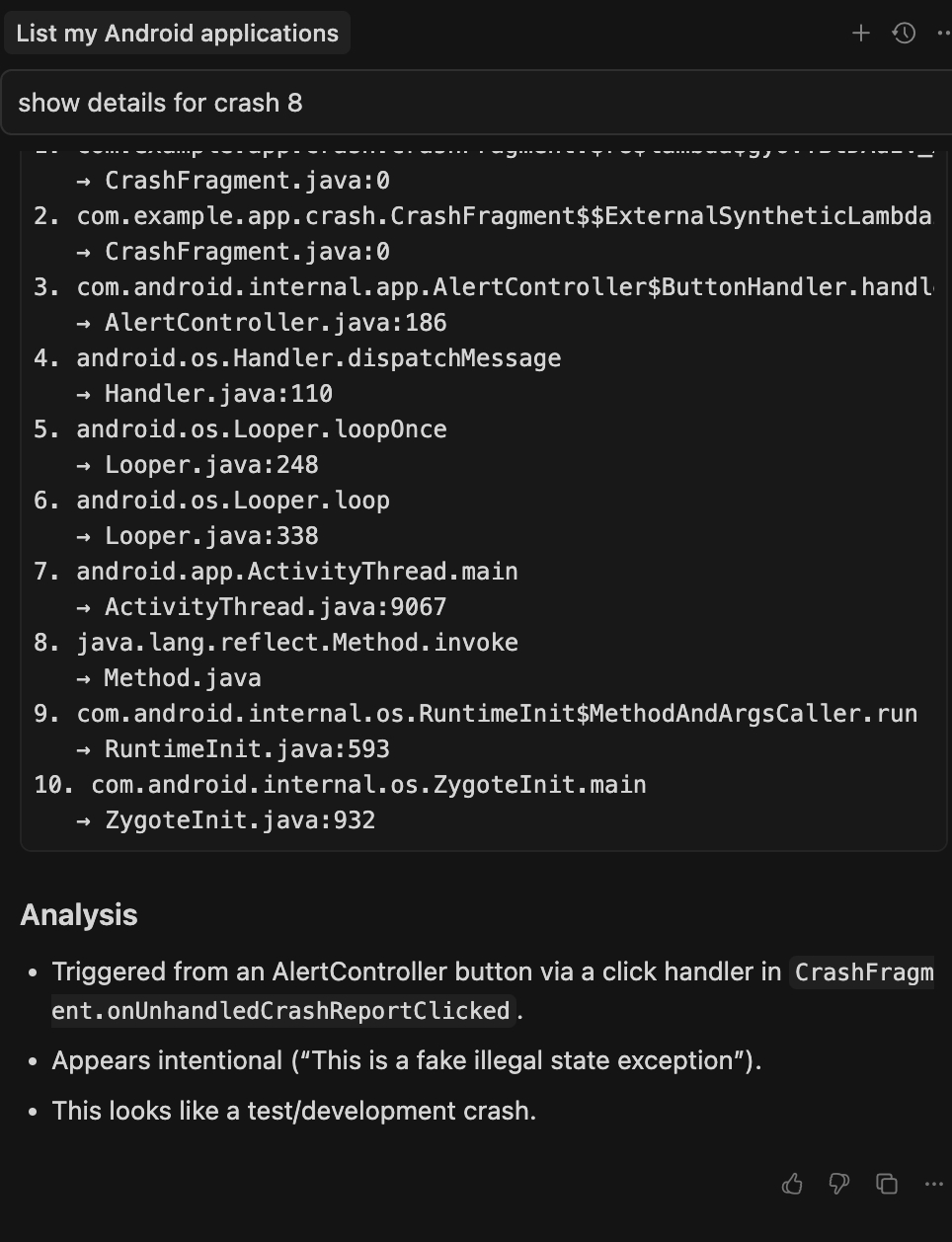
Example IDE Queries
"Show me details for crash number 12 in production"
"Get crash details for my-app staging crash #5"
When to Use It:
To pinpoint root causes of critical crashes
During debugging sessions with AI assistants
When reviewing whether an issue has reoccurred
Tool 4:crashPatterns
crashPatternsRetrieves aggregated crash pattern data for a specific crash.
Required Parameters:
slugApplication slug identifiermodeApplication modeValid values:
beta,production,staging,alpha,qa,development
numberCrash number identifierpattern_keyType of pattern groupingValid values:
app_versions,devices,oses,current_views,app_status,experiments
Optional Parameters:
sort_byField used for sorting (default:occurrences_count)Valid values:
occurrences_count,last_seen,first_seen
directionSorting direction (default:desc)Valid values:
asc,desc
filtersOptional filters for date range and attributes:date_ms(object):gteStart timestamp (milliseconds)lteEnd timestamp (milliseconds)
app_versionsFilter by specific app versionsdevicesFilter by device namesos_versionsFilter by OS versions
Output: JSON-RPC 2.0 response containing:
total_occurrences_countTotal number of crash occurrences in all matching patternspatterns_listList of grouped crash patterns, each containing:valueThe group value (e.g., device name, app version, OS version)occurrences_countNumber of occurrences for this grouplast_seenMost recent occurrence timestamp (milliseconds)first_seenEarliest occurrence timestamp (milliseconds)
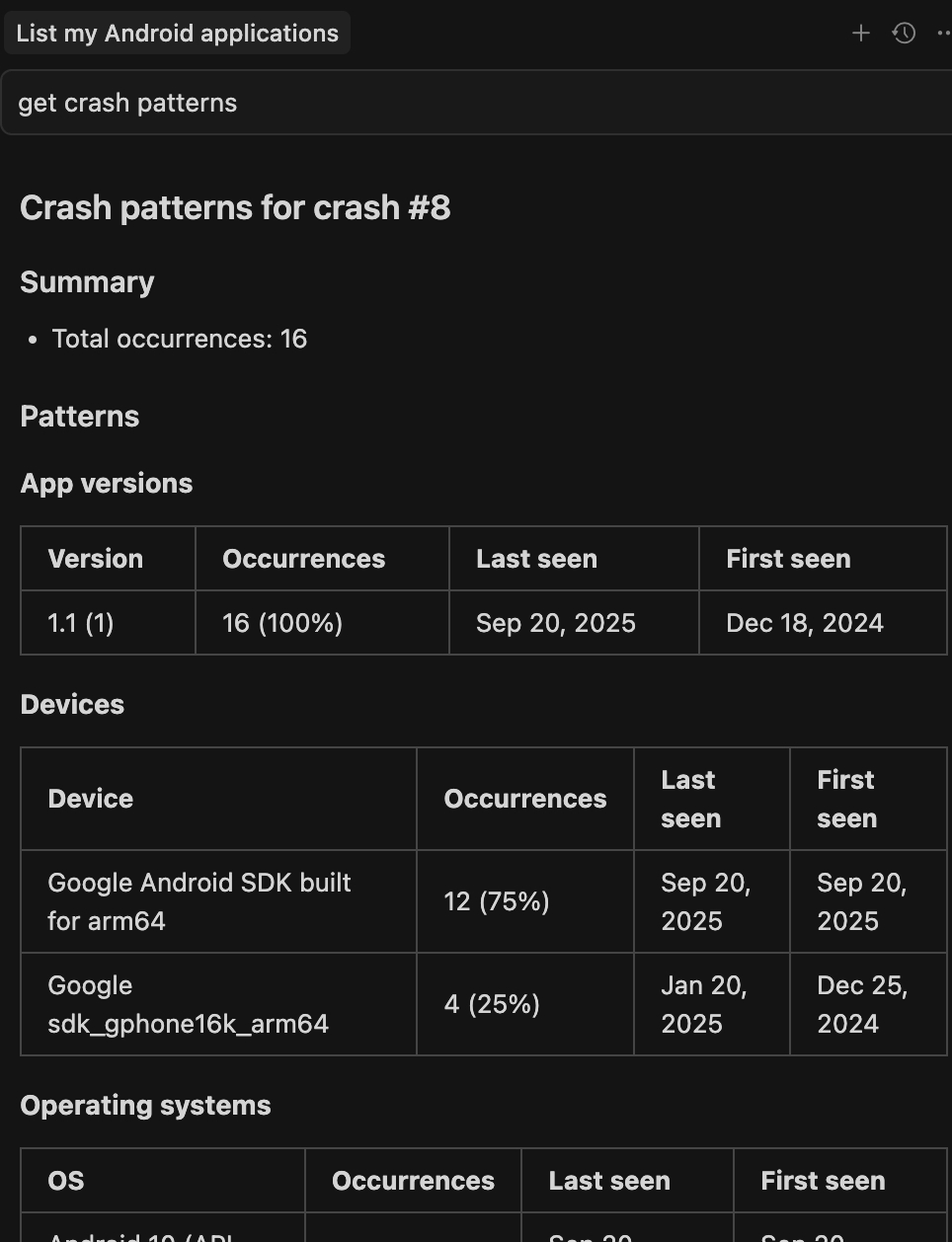
Example IDE Queries
“Show crash patterns for crash #5 grouped by devices”
“Get OS version distribution for crash 12 in production”
“List app version patterns for my-app crash 30”
When to use it
To identify device or OS-specific trends
To understand the scope of a crash across different environments
For regression monitoring after app updates or experiments
Error Handling
Authentication Errors
Error Code:
-32600-Missing Email or Token headersError Code:
-32701 -Invalid email or tokenResolution: Verify your authentication credentials and contact your administrator
Application Access Errors
Error: "Application with slug 'X' and mode 'Y' not found or not accessible"
Resolution: Ensure you have proper permissions for the requested application and mode
General Errors
Error Code:
-32603-Internal server errorResolution: Contact support team with error details
Last updated