

Broken Functionality
Overview
AI Broken Functionality is a feature built on top of Session Replay. Once enabled, it identifies issues in your app’s functionality that affect user experience, such as:
Buttons or links that don’t respond
Forms that fail to submit
Flows that break mid-process
Unexpected crashes or error messages
Inconsistent app behavior compared to expected flows
Detected problems are surfaced as Broken Functionality events, which can be reviewed alongside normal session data.
How to Use
You need to have the Session Replay product enabled to be able to enable the AI Broken Functionality feature. Once the feature is enabled, you follow these steps:
Step-by-Step
On the Session Replay list, use the new “AI Issues” filter to only show sessions flagged with AI issues including broken functionality.
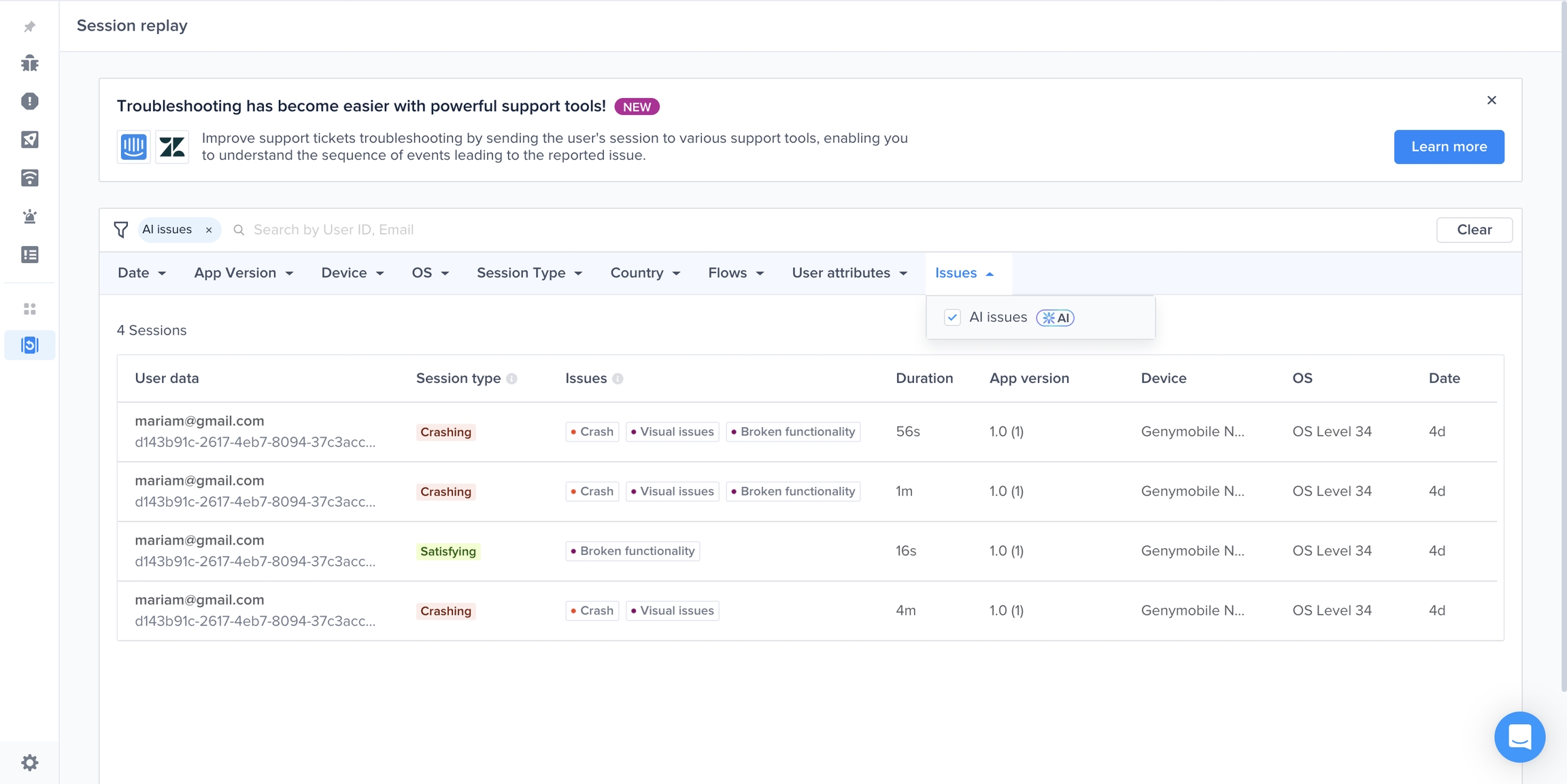
Open a session with flagged issues. Two ways to navigate:
Scroll through the event timeline to find the broken functionality event.
Click the purple dot on the timeline to jump directly to the issue’s screenshot view.
Use the new AI issues filter, you can select “Broken Functionality”

Viewing a Broken Functionality event shows:
The exact screenshot where the issue was detected
A descriptive summary of the issue (e.g. “Subtotal is miscalculated”)
How It Works
No instrumentation changes required - once enabled, existing session screenshots, user flow and app behavior are routed to broken functionality analysis pipeline.
Screenshots, user flow and app behavior data are passed through an AI model for analysis.
When functional breakdowns that didn’t result in crashes or performance issues are detected, a Broken functionality event is emitted in the timeline at the same timestamp as the screenshot.
The event payload includes descriptive text of the breakdown.
On the front end, UI surfaces let you filter and inspect these events alongside other session data.
Compatibility & Requirements
Supported Platforms: All mobile platforms currently supported by Luciq (iOS, Android, React Native, etc.)
Prerequisite: Session Replay must be enabled
No SDK version upgrade needed (feature is server-side)
Limits & Quotas
Per-account monthly cap: Up to 1,000 analyzed sessions
Maximum broken functionality issues generated per month: 1,000
Getting Access
Beta / Invite-only: At present, the feature is available by invitation only.
To request access:
Submit a request via Intercom / support chat
If you're an Enterprise customer, reach out to your customer success manager to be added to the waitlist.
Once approved, the feature will be toggled on from the backend - no SDK changes are needed.
Last updated