# Alerting For Crash Reporting

Customize your alerts on your favorite tools.\
You can set up your alerts based on your own thresholds and control which crashes to get notified on.Luciq enables you to customize your alerts to cover your use cases of when you’d like to get alerted and where to get alerted.

### Alerts and Rules

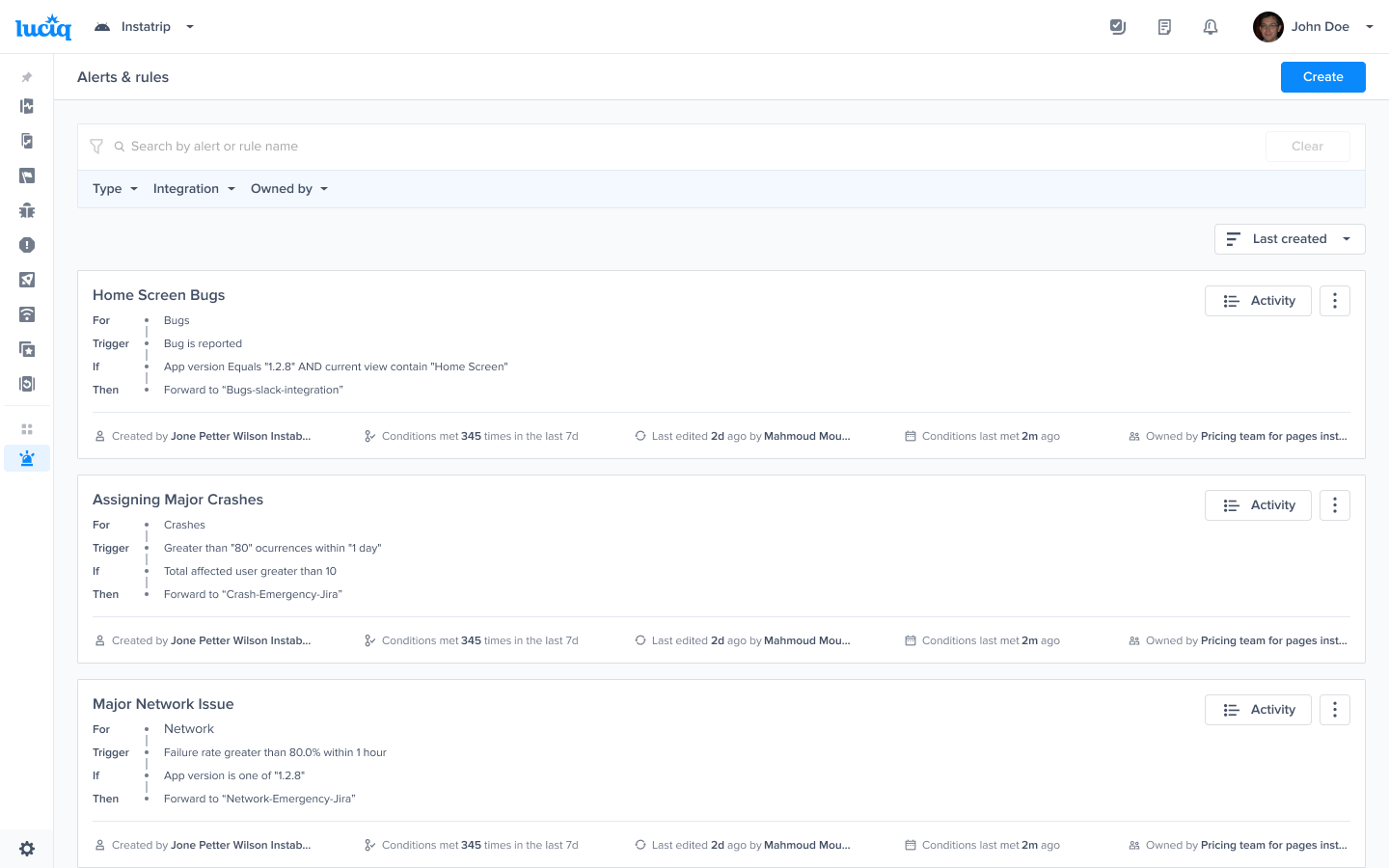
If you’d like to get alerted as soon as you receive any crash, you will be able to do that through our “Alerts and Rules” engine.

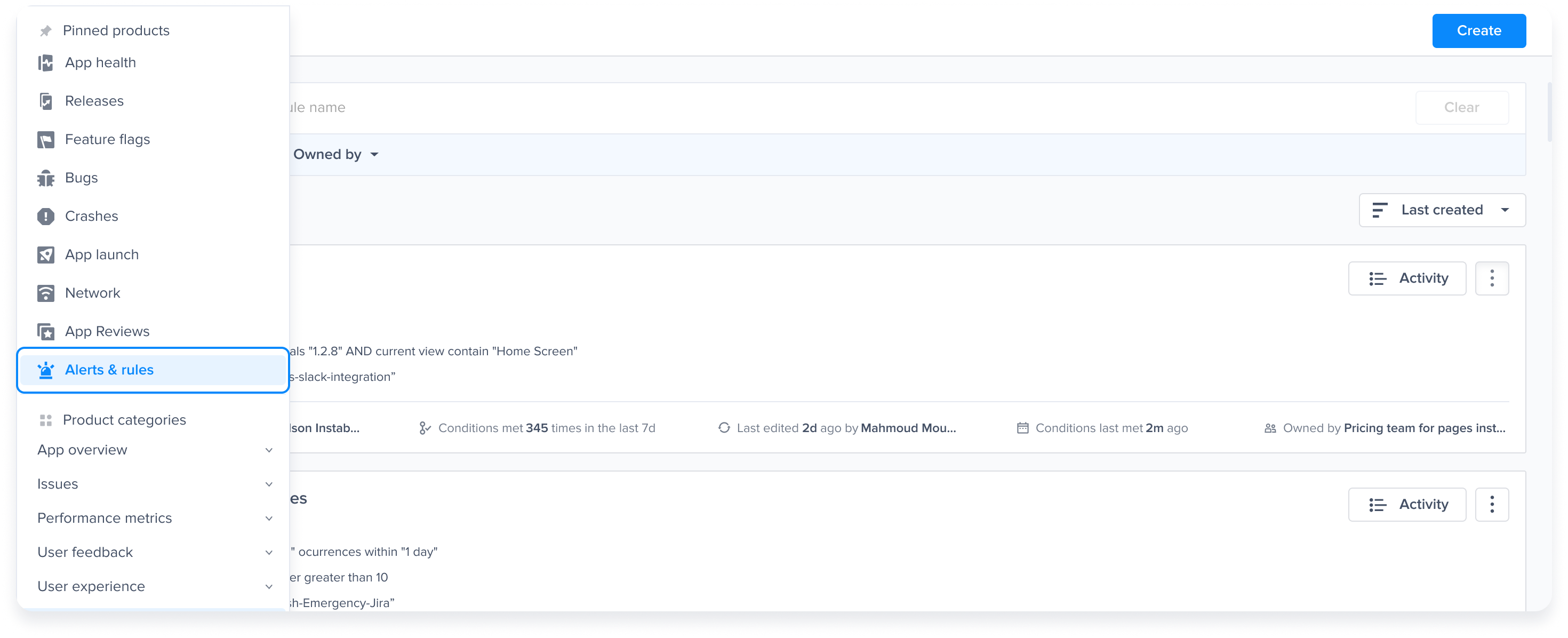
Go to “Alerts and Rules”

<figure><img src="https://files.readme.io/4cc11d6cf4d272bf6d5300eb2f60c45c362cdd1828b315b2c14a73550db12432-product-guides-crash-reporting-alerts-1.png" alt="2874"><figcaption><p><em>Go to the Alerts &#x26; Rules page from the Luciq menu</em></p></figcaption></figure>

That will redirect you to our Alerts and Rules engine, now you can click on Create to start creating a new rule:

<figure><img src="https://files.readme.io/5ab761f026721fafe636b69905bafb8a7ecc5cddbcb457979c07f330773feea4-product-guides-crash-reporting-alerts-2.png" alt="2874"><figcaption><p><em>Click on "Create"</em></p></figcaption></figure>

That will take you to the Rules engine where you can control the conditions for which you’d like to be alerted, and the integrations where you’re alerted.

#### Alert type

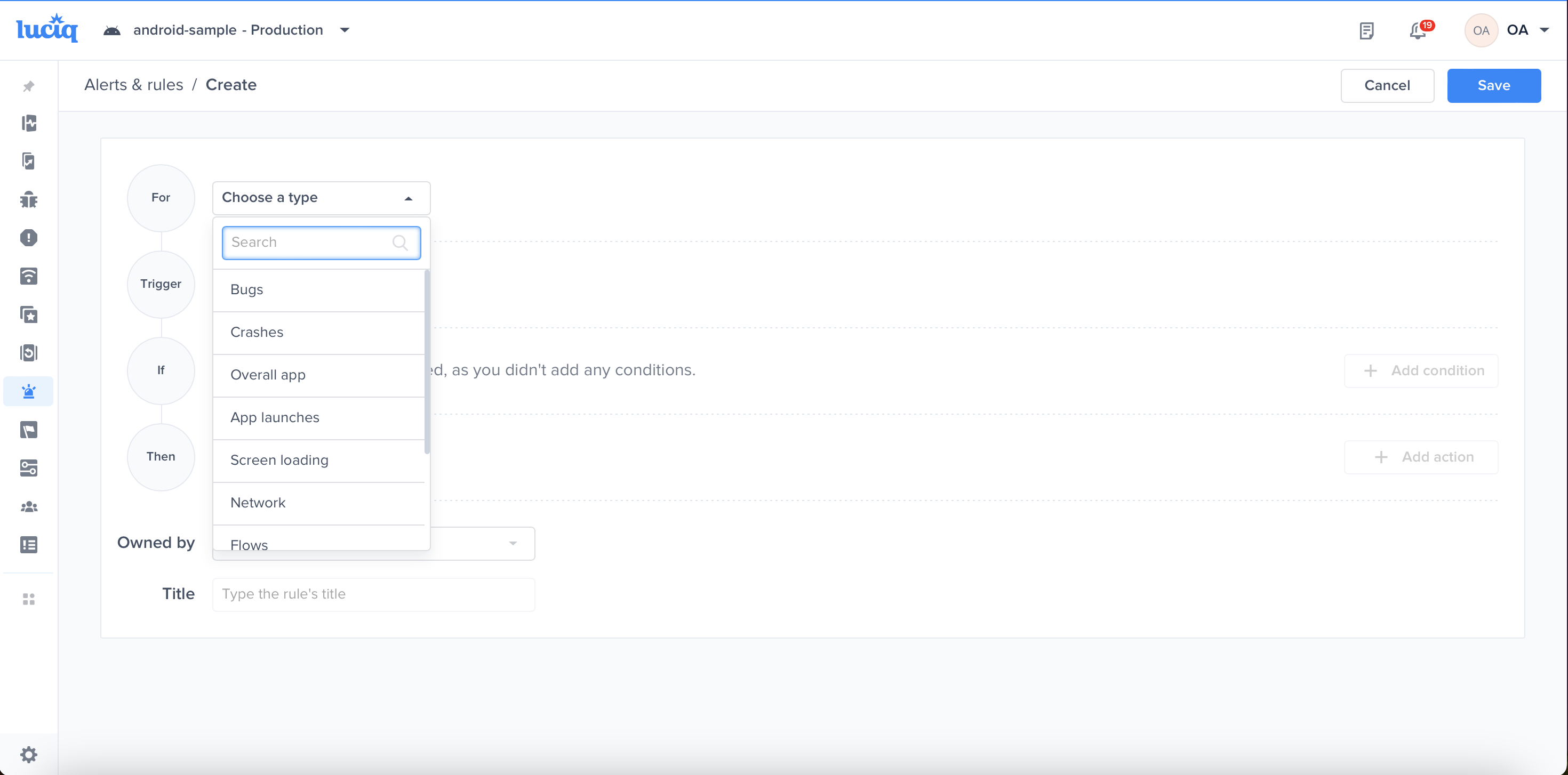
Since we’re talking about Crash Reporting use cases, select “Crashes” from the first drop down list and then you have several use cases you can apply.

<figure><img src="https://files.readme.io/3797a44dcb8dcd5690e953d8872f4666820a3a34a43f4a8978208c2e77d736f0-product-guides-crash-reporting-alerts-3.png" alt="2874"><figcaption><p><em>Select "Crashes"</em></p></figcaption></figure>

#### Alert Triggers

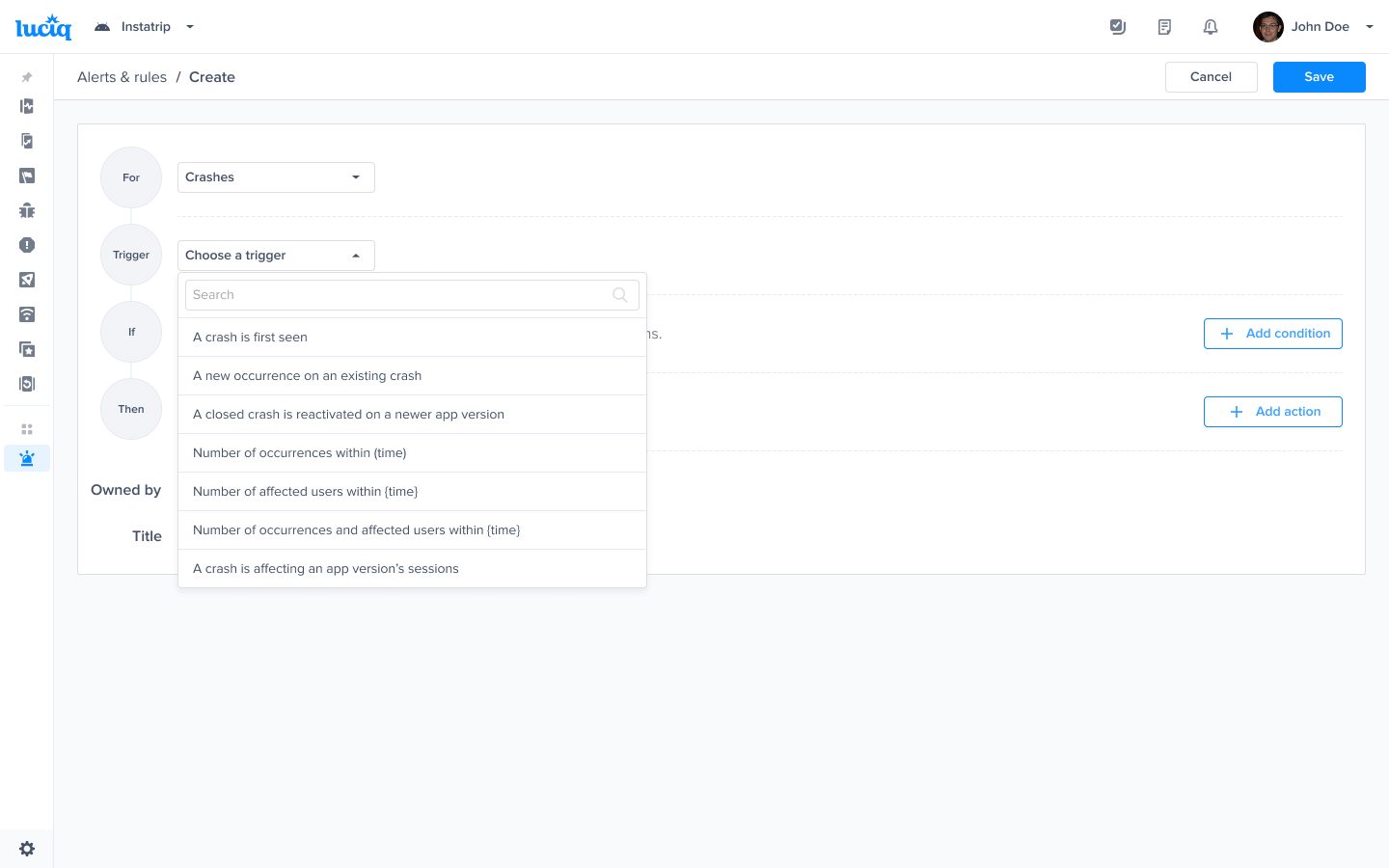
The covered use cases to be alerted for crashes are:

* When a crash is first seen
* When a new occurrence of an existing crash is seen
* When regression is detected: when a closed crash is reactivated on a newer app version
* When a spike is detected:\
  \- Number of occurrences within time exceeds a certain threshold\
  \- Number of affected users within time exceeds a certain threshold\
  \- Number of occurrences and affected users within time exceeds a certain threshold (a combination of the\
  above 2 spikes is detected)
* When 1% of the sessions of the app crash in the last 24 hours

<figure><img src="https://files.readme.io/61092b5ec3d55792a58167256263c30c023e79a463995c1bd98d7e4d809117ba-product-guides-crash-reporting-alerts-4.png" alt="2874"><figcaption></figcaption></figure>

All Crash Reporting triggers

Now let’s take an example for each one of the use cases and walk you through how to set it up:

### Use Cases for Crash Alerts

#### A crash is first seen

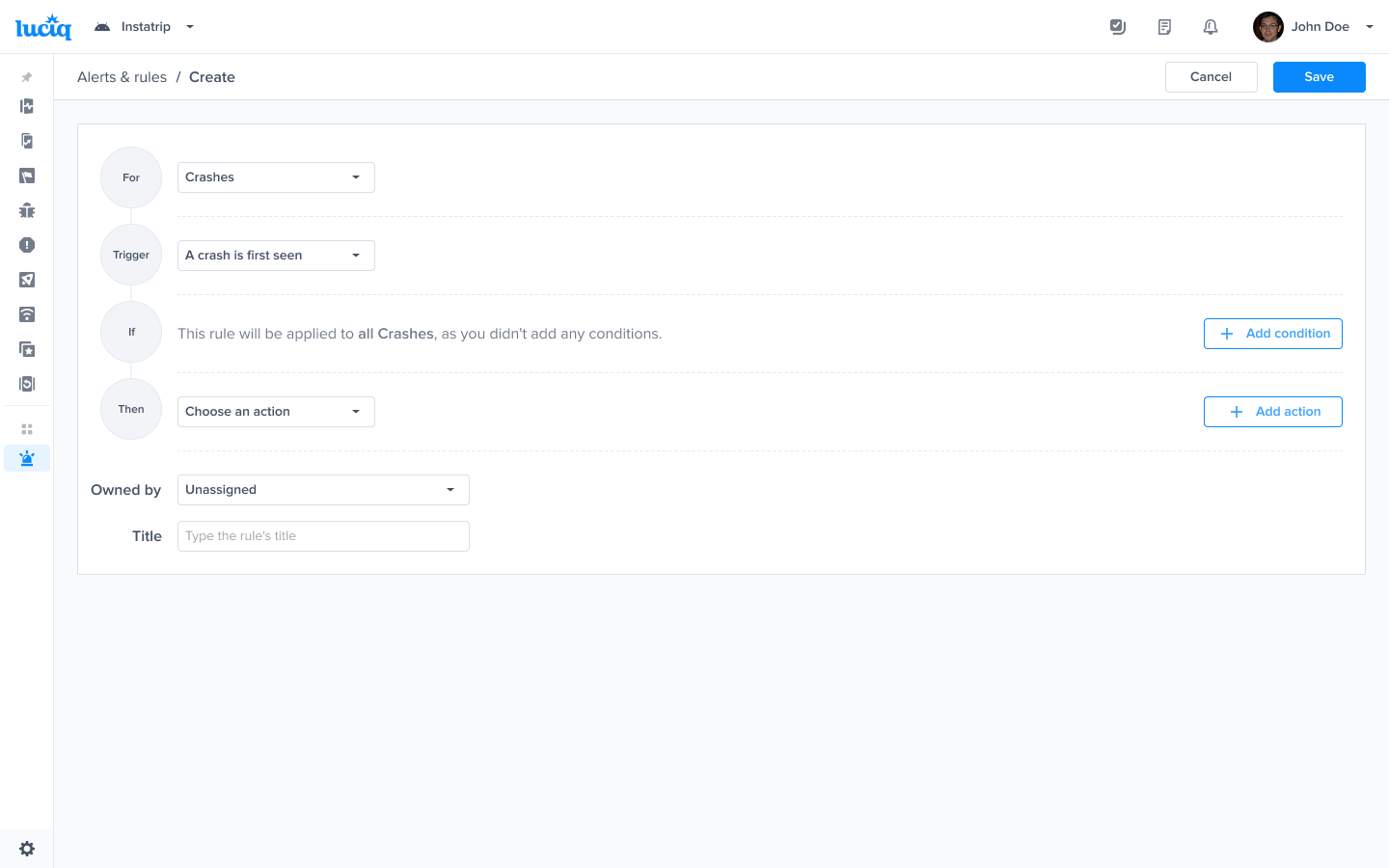
You’d like to be alerted whenever a crash is first seen. An example how this can be used:\
As soon as you release a new version, you can get notified the moment a crash appears on the app.

You would be able to satisfy this use case by setting a rule as shown on the following screenshot:

<figure><img src="https://files.readme.io/c92584fef21c138ea729f887c67afd8e03e37dbc89c7596cc90ae88f6d77e83d-product-guides-crash-reporting-alerts-5.png" alt="2874"><figcaption><p><em>Choose this trigger if you want to be notified as soon as a crash is detected</em></p></figcaption></figure>

To create teams and specify Team Ownership, please refer to our [Team Ownership Product Guide](/product-guides-and-integrations/product-guides/automation-and-workflows/team-ownership.md).

#### When a new occurrence of an existing crash is seen

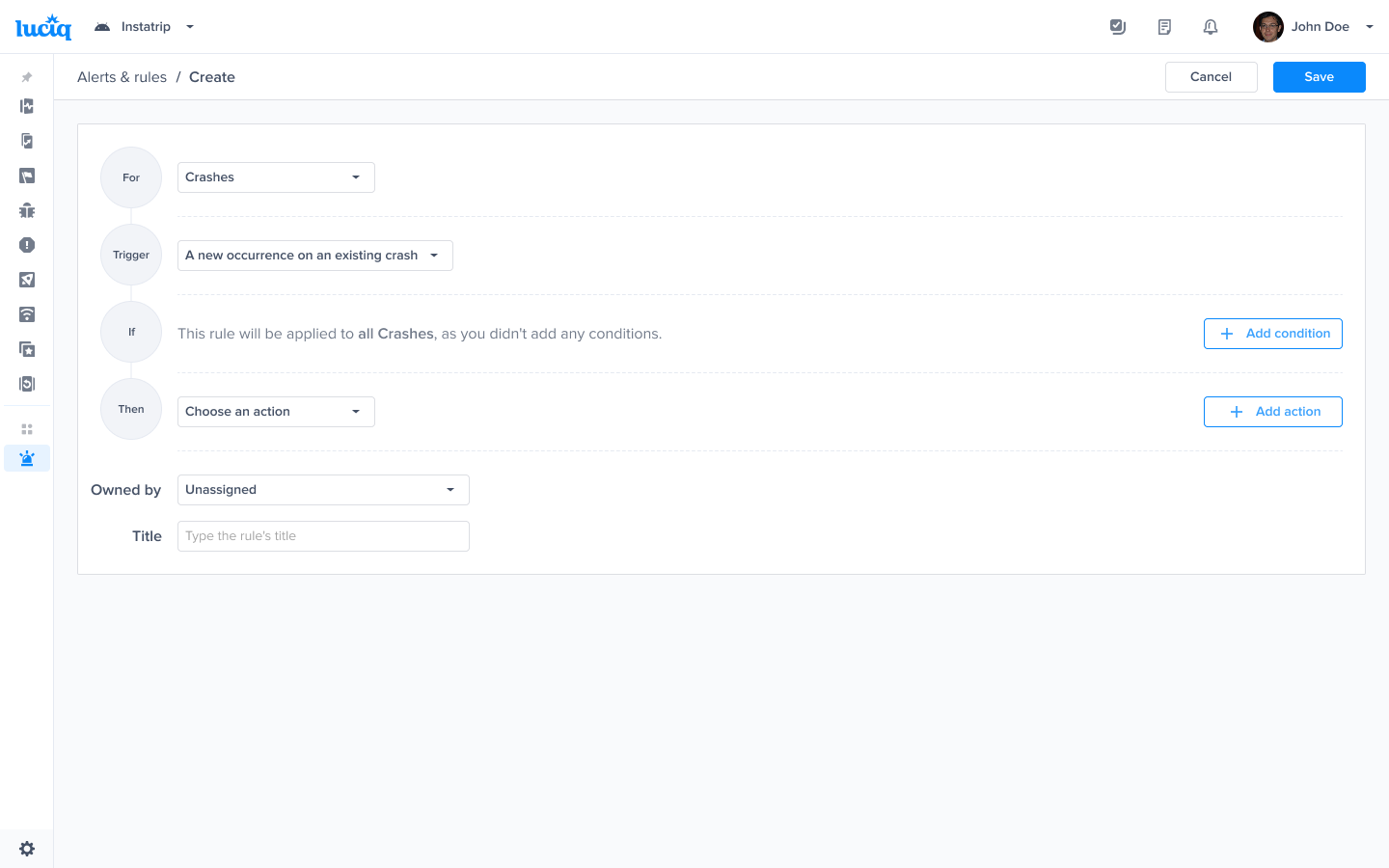
You can get alerted whenever a new occurrence of an existing crash is seen. If a crash is persistent and affects more than a single user, this may need your attention. You can set that up by changing the trigger to “A new occurrence of an existing crash is seen”

<figure><img src="https://files.readme.io/7775d4f0fc46c19e714c74c0c7b7cb87a130eb551982ff1a8b94043af1899a01-product-guides-crash-reporting-alerts-6.png" alt="2874"><figcaption><p><em>Choose this trigger if you want to be notified as soon as a new occurrence on an existing crash is seen</em></p></figcaption></figure>

#### Regression detection - when a closed crash is reactivated on a newer app version

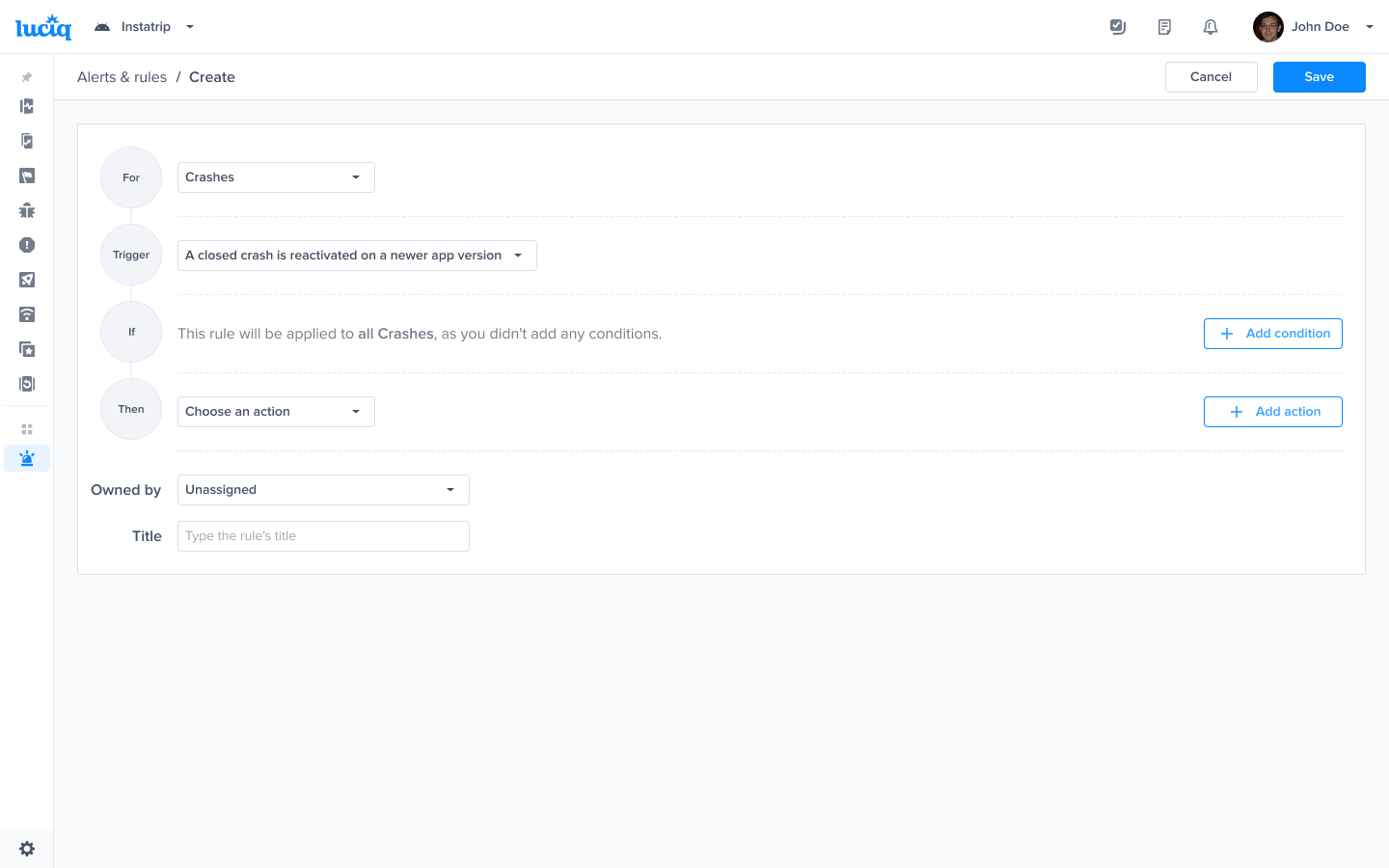
This makes sure that you can see regression as soon as it happens. If you had resolved a crash on a previous app version and it reappears on a newer version, you can set up that alert. From your triggers list, select: "A closed crash is reactivated on a newer app version”

<figure><img src="https://files.readme.io/7130ffe8af92d6340d89f69836faaeb0f0aef1916e607907c796ff56c3c5f4cf-product-guides-crash-reporting-alerts-7.png" alt="2874"><figcaption><p><em>Choose this trigger if you want to be notified as soon as a regression is detected</em></p></figcaption></figure>

#### Spike detection - by number of occurrences or by number of affected users, or both

Often, if a spike in the number of occurrences happens, you'd like to get alerted. Whether that spike is in the number of occurrences or the number of users affected by those crashes, you have control over that threshold.\
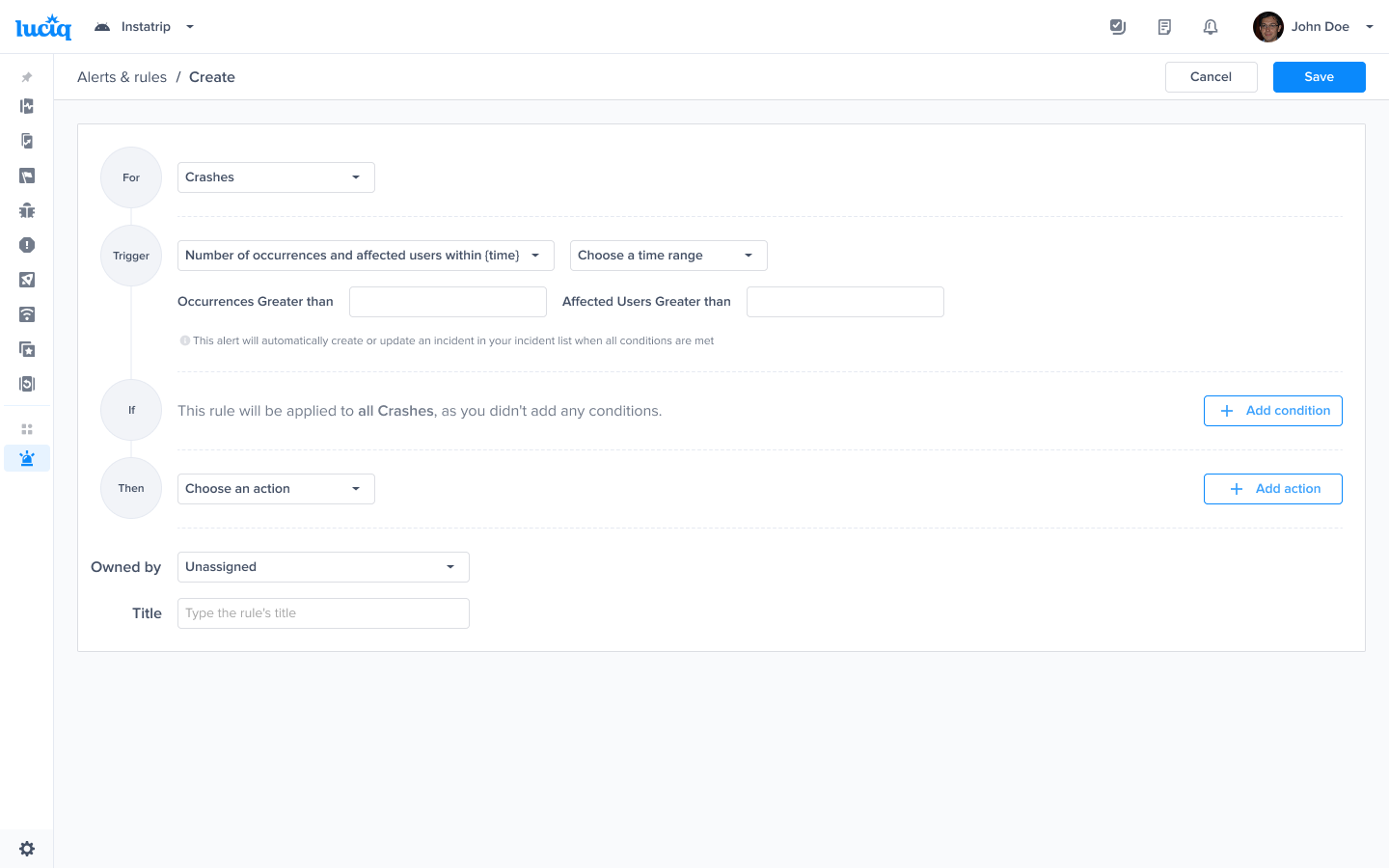
\&#xNAN;*Number of occurrences within time*\
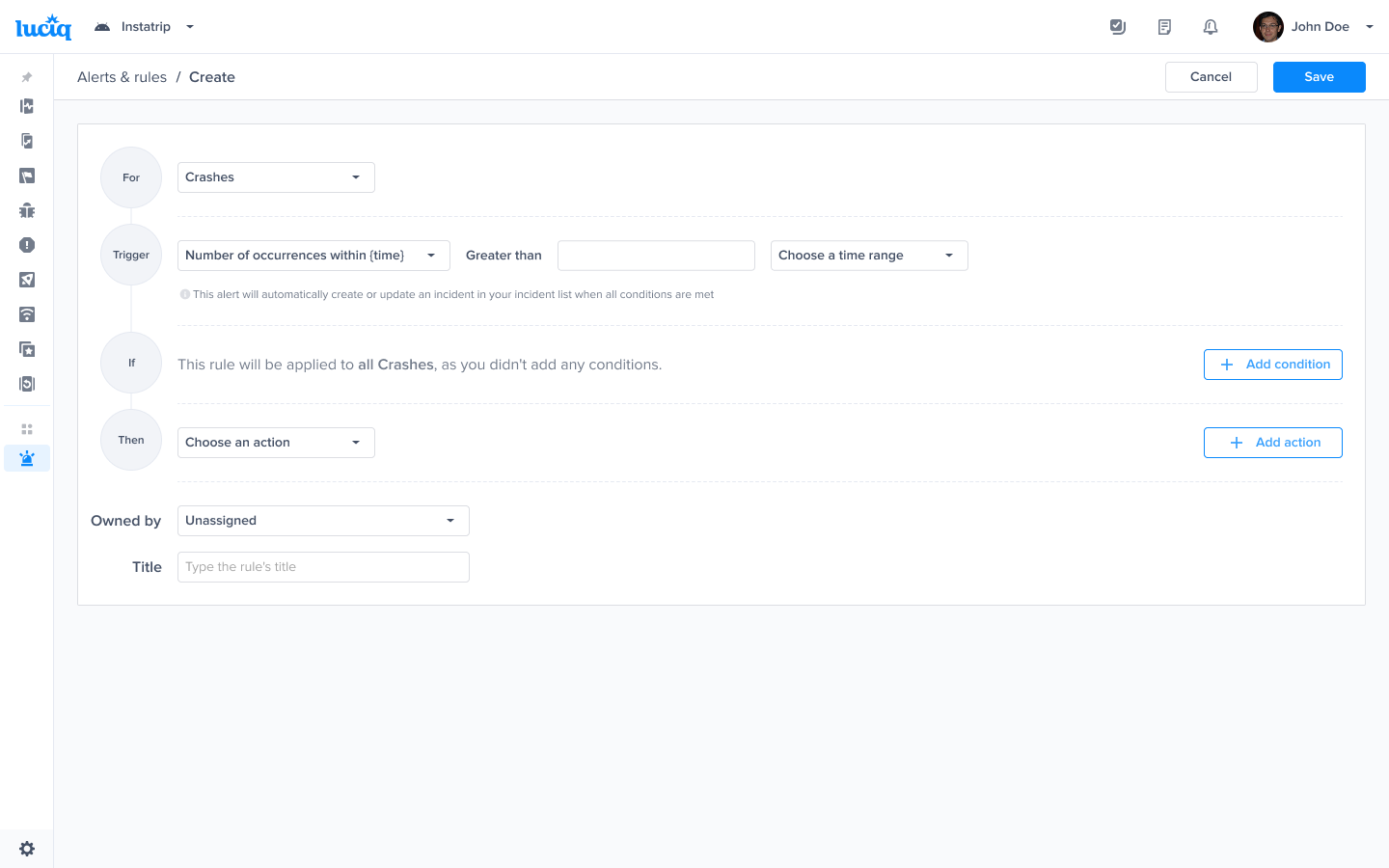
You can control this by choosing the trigger to be “Number of occurrences within {time}” so you would control the time frame for which this becomes alarming and the number of occurrences that would be worth an alert.\
The following screenshot describes what it would look like.

<figure><img src="https://files.readme.io/a54f672a4b8ca12186840428c26c86b042059fa58b724c10b9bcd722edd0e617-product-guides-crash-reporting-alerts-8.png" alt="2874"><figcaption><p><em>Choose this trigger if you want to be notified as soon as the number of occurrences exceeds a threshold</em></p></figcaption></figure>

#### Number of affected users within time

When the number of users concern you and you’d like to get alerted whenever a threshold is surpassed, you can choose the trigger to be “Number of users with {time}”

<figure><img src="https://files.readme.io/d06150ae5b612e14aeef5327c5df3a14920201b54b27e28938f80c18dc87db73-product-guides-crash-reporting-alerts-9.png" alt="2874"><figcaption><p><em>Choose this trigger if you want to be notified as soon as the number of affected users exceeds a threshold</em></p></figcaption></figure>

#### Number of occurrences and affected users within time

You can have a combination of both Number of occurrences and Number of affected users as your threshold.

<figure><img src="https://files.readme.io/4a13c7af8c56fbae69c3c6640bf554e6a9fb8bb8935da9b5cfaa58a75955b6a8-product-guides-crash-reporting-alerts-10.png" alt="2874"><figcaption><p><em>Choose this trigger if you want to be notified as soon as the number of occurrences and the number of effected users exceed a threshold</em></p></figcaption></figure>

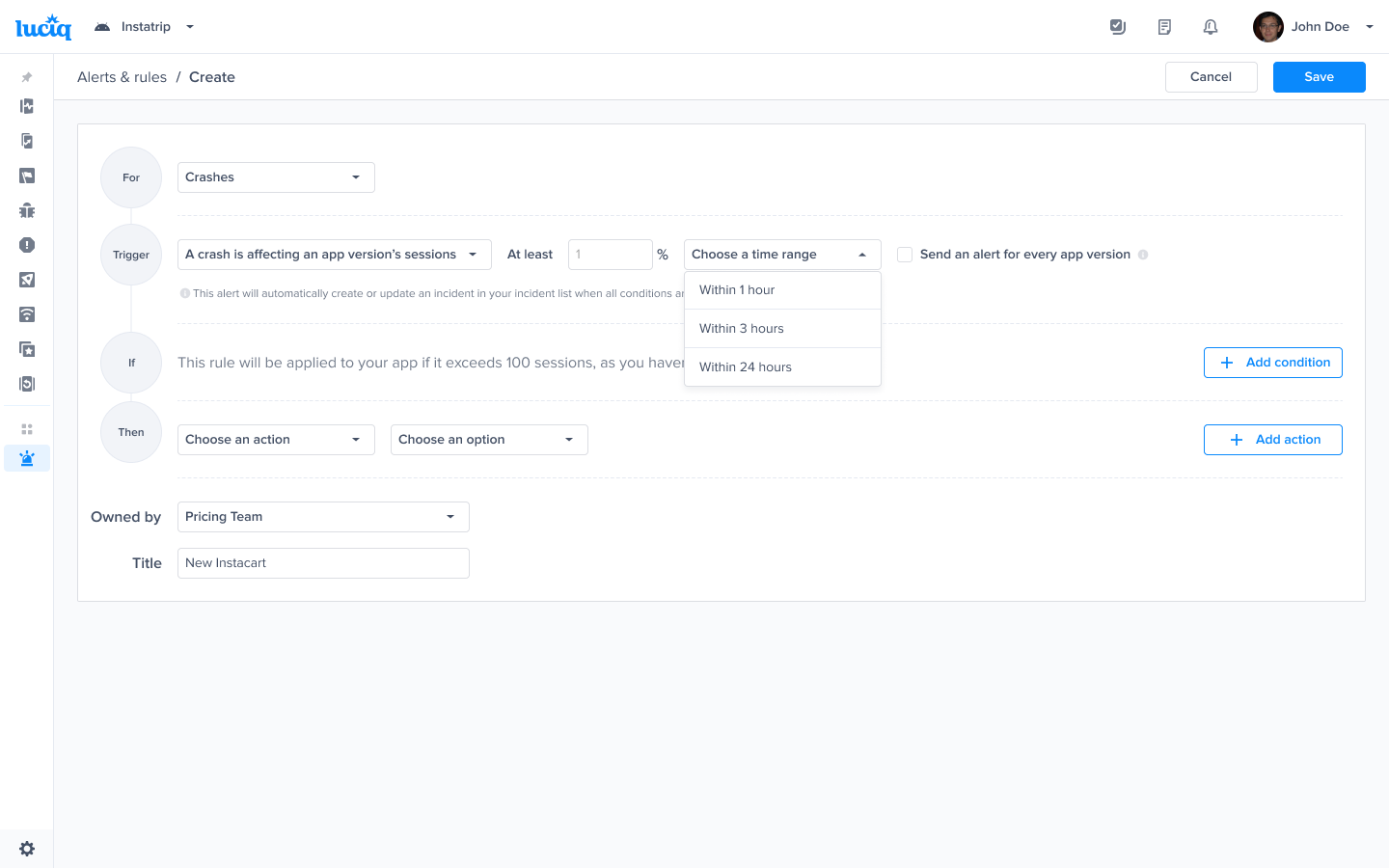
#### When a crash affects 1% of your current app version’s sessions in the last 24 hours

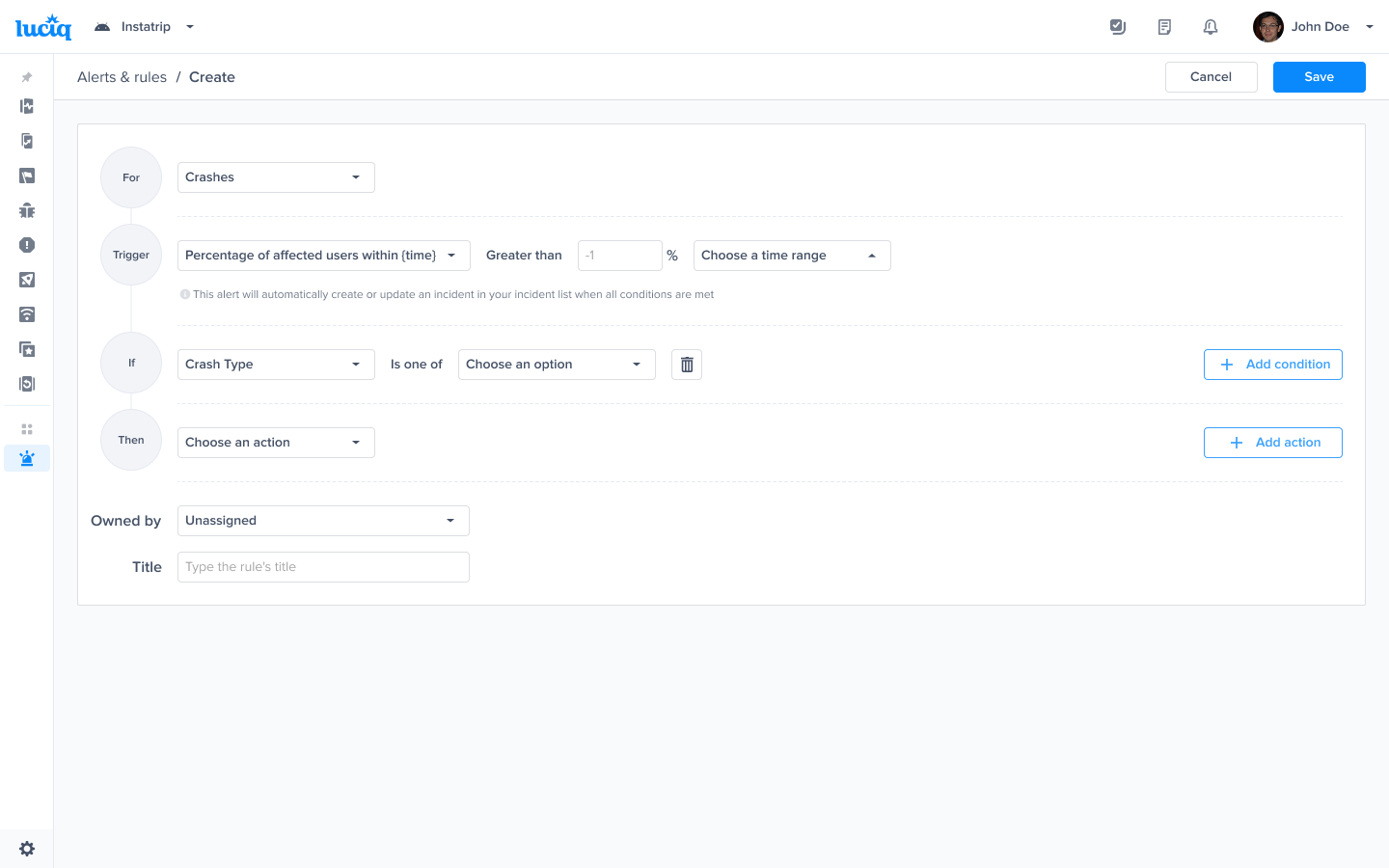
According to our user’s research, a lot of the developers will only start worrying about a crash if it has affected more than 1% of the sessions on a specified day. Luciq also covers this use case by giving you the option to be notified if that condition is satisfied.

<figure><img src="https://files.readme.io/6bda148c14b0e574e0944e8a94415bc51e8be4352fffe99cfd25f98d961b797a-product-guides-crash-reporting-alerts-11.png" alt="2874"><figcaption><p><em>Choose this trigger if you want to be notified as soon as a crash affects at least 1% of an app version's sessions in the last 24 hours</em></p></figcaption></figure>

### Alert conditions

Along with the use cases mentioned above, you can control the way your team is being alerted by targeting specific parts of the app, specific teams, versions, tags, priorities, types of crashes or even experiments running on the app.\
Below is a list of the attributes that you can use within your rule to satisfy that, you can also use more than a single attribute on the same rule, (for example, if you’d like to be alerted regarding Out Of Memory crashes on a specific app version).

Attributes:

* App version
* Exception Message
* Team
* Path
* Filename
* Crash type
* Tags
* Status
* Assignee
* Priority
* Total affected users
* Total occurrences count
* Experiments
* App status

<figure><img src="/files/odebcagKXmrqgEl4ZwAN" alt=""><figcaption><p><em>A list of conditions that you can choose from to have finer control over your alerts</em></p></figcaption></figure>


---

# Agent Instructions: Querying This Documentation

If you need additional information that is not directly available in this page, you can query the documentation dynamically by asking a question.

Perform an HTTP GET request on the current page URL with the `ask` query parameter:

```
GET https://docs.luciq.ai/product-guides-and-integrations/product-guides/automation-and-workflows/alerts-and-rules/alerting-for-crash-reporting.md?ask=<question>
```

The question should be specific, self-contained, and written in natural language.
The response will contain a direct answer to the question and relevant excerpts and sources from the documentation.

Use this mechanism when the answer is not explicitly present in the current page, you need clarification or additional context, or you want to retrieve related documentation sections.