> For the complete documentation index, see [llms.txt](https://docs.luciq.ai/llms.txt). Markdown versions of documentation pages are available by appending `.md` to page URLs; this page is available as [Markdown](https://docs.luciq.ai/product-guides-and-integrations/product-guides/automation-and-workflows/alerts-and-rules/alerting-for-app-stability-crash-free-rates.md).
# Alerting for App Stability - Crash Free Rates
Set up Luciq alerts for app stability and crash-free rates. Get notified when crash-free user or session rates drop below your defined thresholds.
Crash-Free Rates are one of the most important metrics for any mobile app. Setting up these alerts allows you to proactively detect and address stability issues, ensuring a smoother user experience. They provide quick insights into problematic app versions, enabling faster resolution and better decision-making.
## Setting Up Alerts
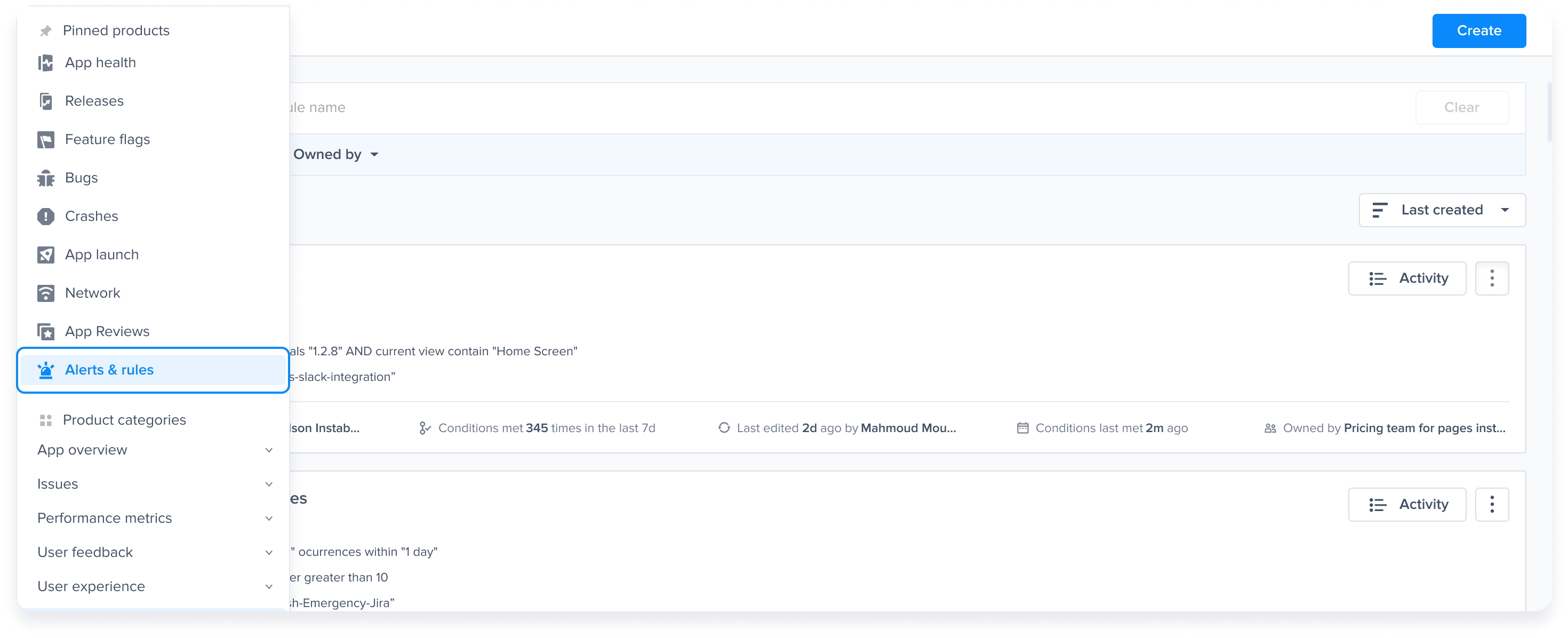
1. **Go to the Alerts and Rules page**:
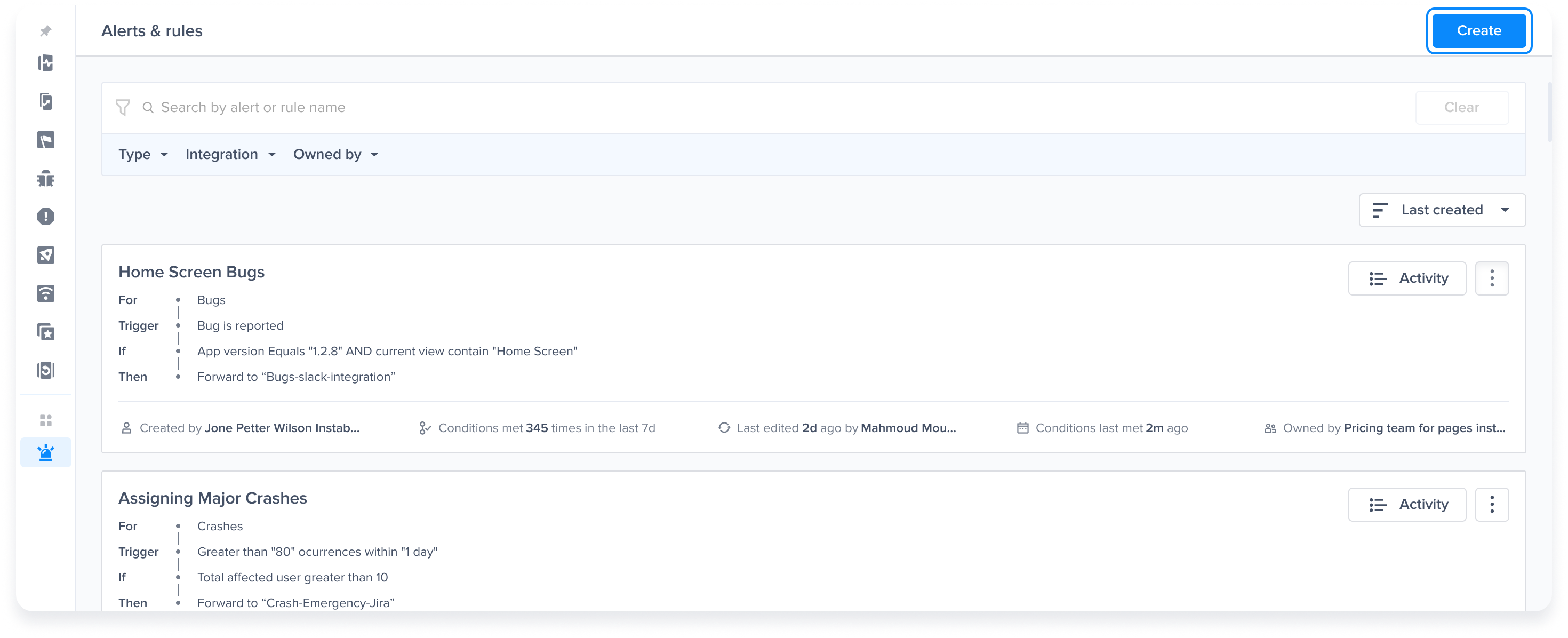
2. **Create a new Rule**:
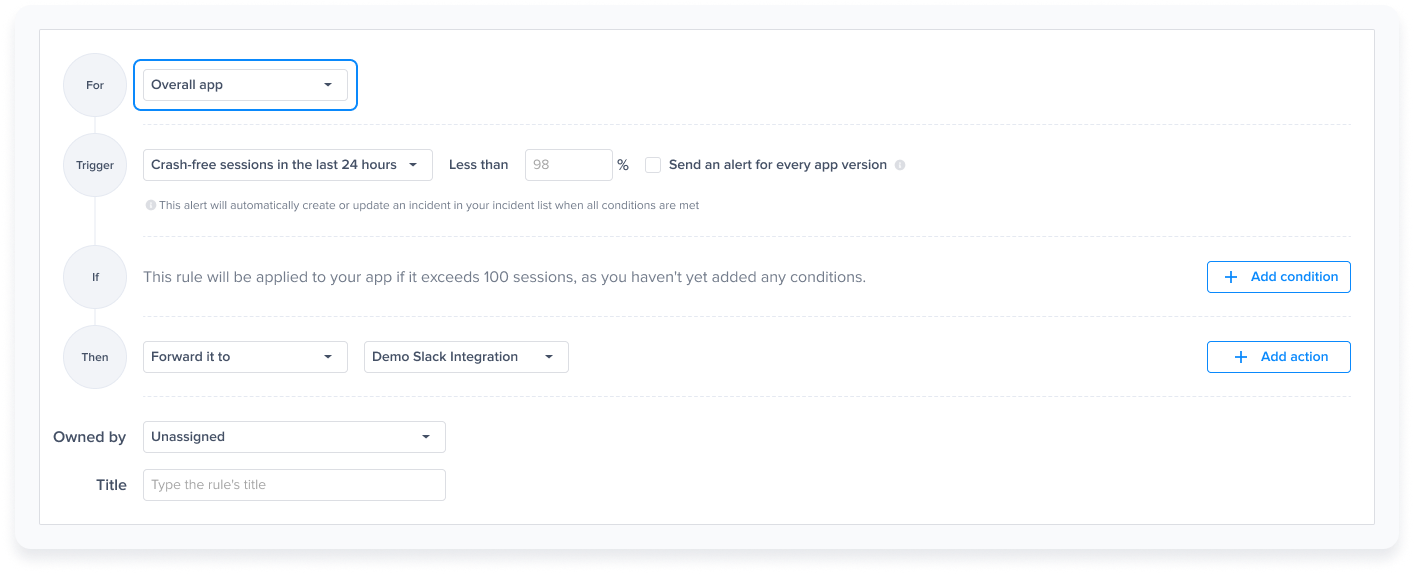
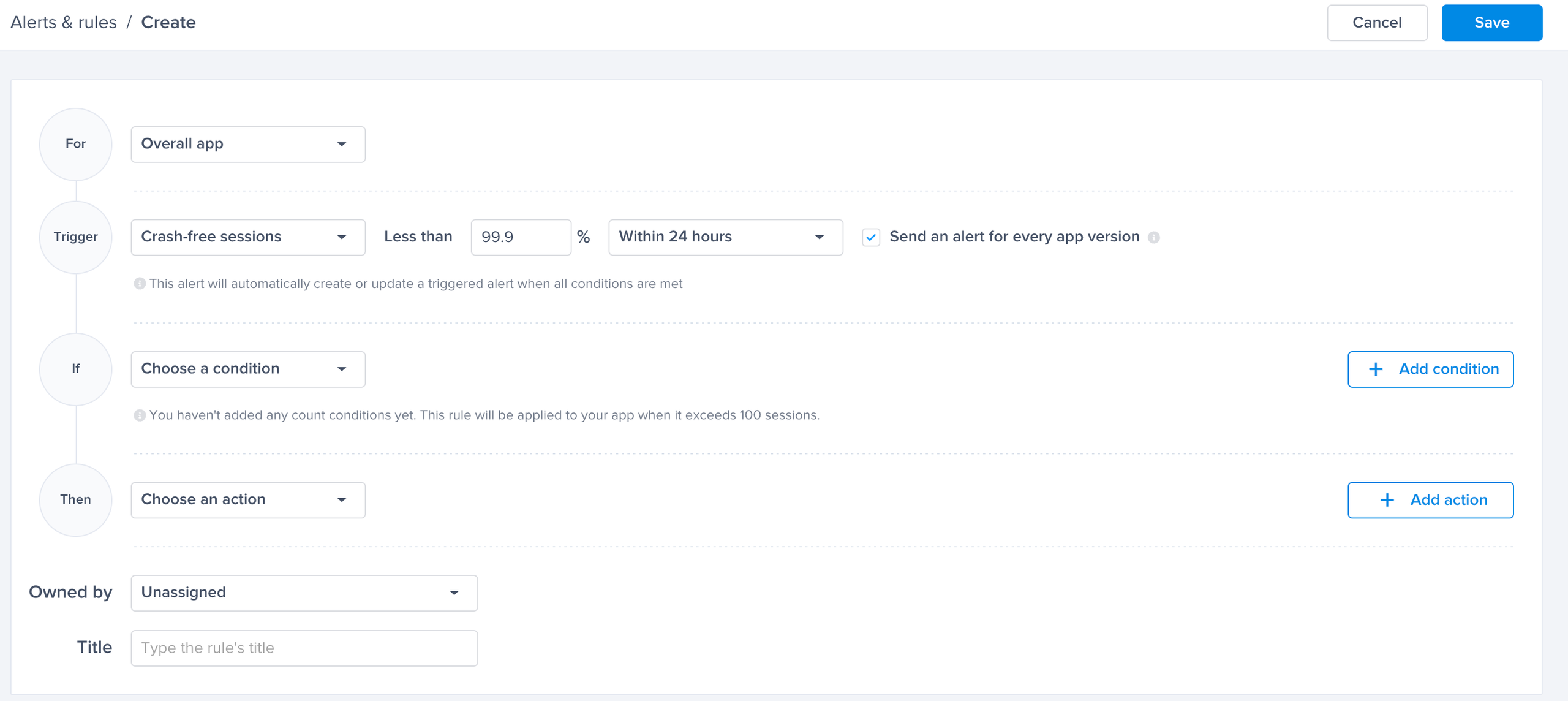
3. **Select "Overall App" to set up the rule**:
### Crash-Free Sessions
Set a threshold and get alerted whenever the application’s crash-free sessions rate drops below the specified threshold.
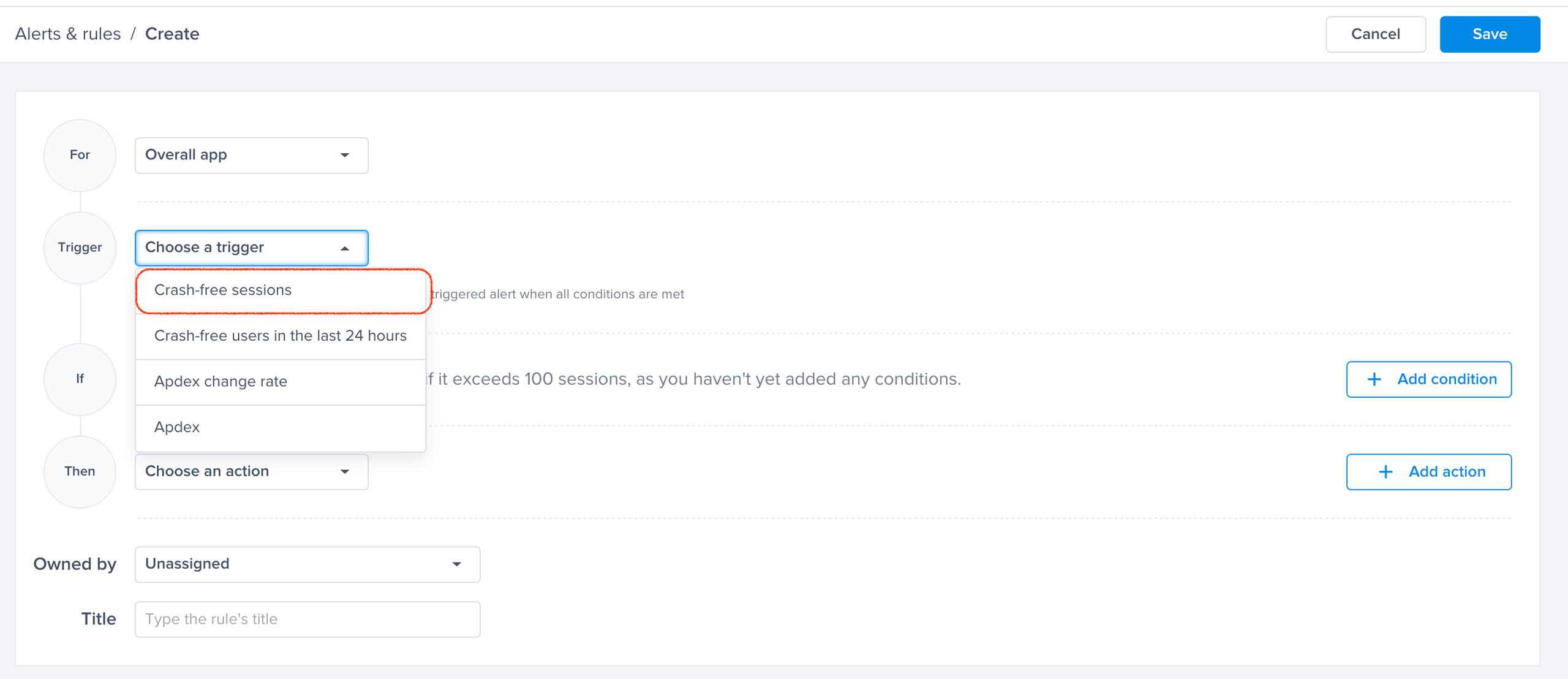
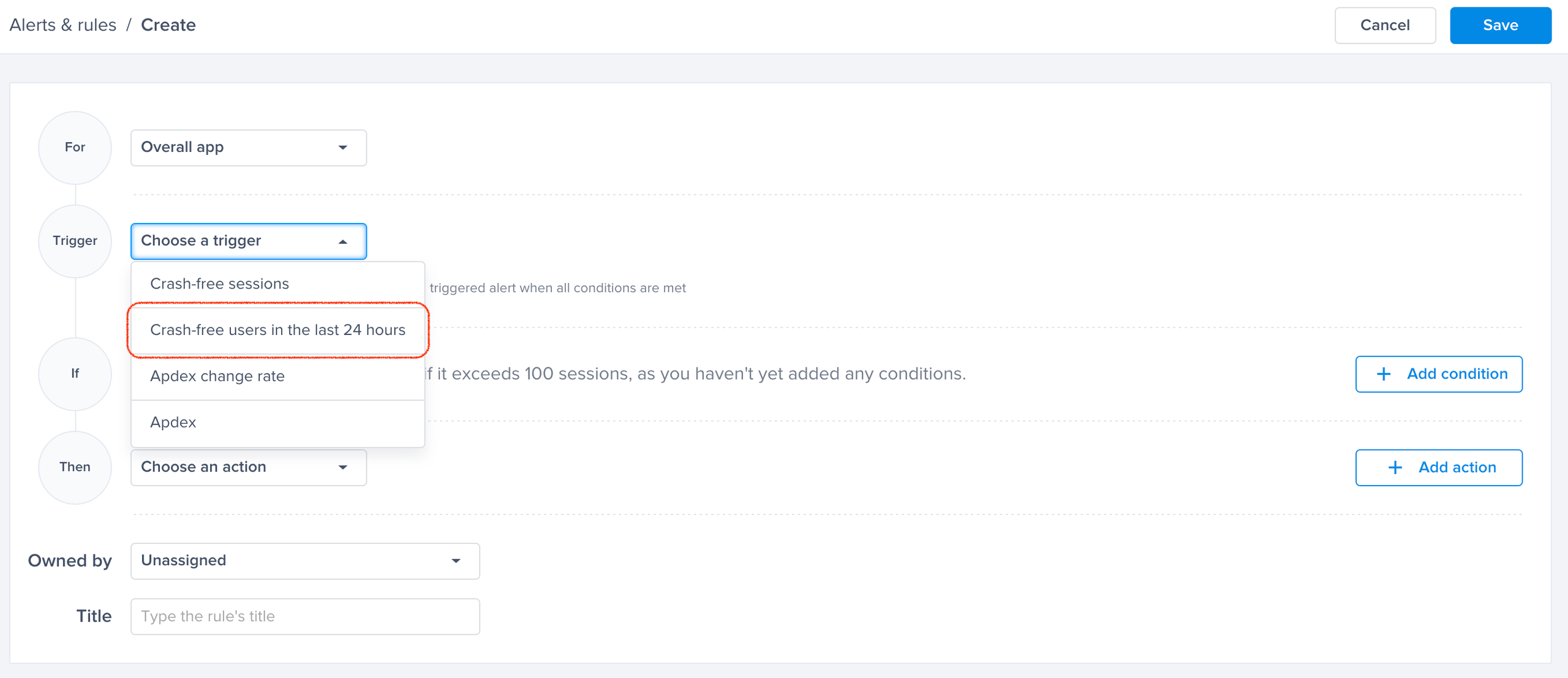
1. **Trigger**:
* Select "Crash-free sessions in the last 24 hours".
2. **Select the Threshold for Crash-Free Sessions**: Any drop below this point will trigger an alert.
3. **Breakout by App Version**: (Optional)
* By toggling "Send an alert for every app version," you will get alerted for every app version that has its crash-free sessions rate drop below the threshold.
4. **Conditions**:
* If no condition is added, the rule will be applied to the app/app version if it exceeds 100 sessions.
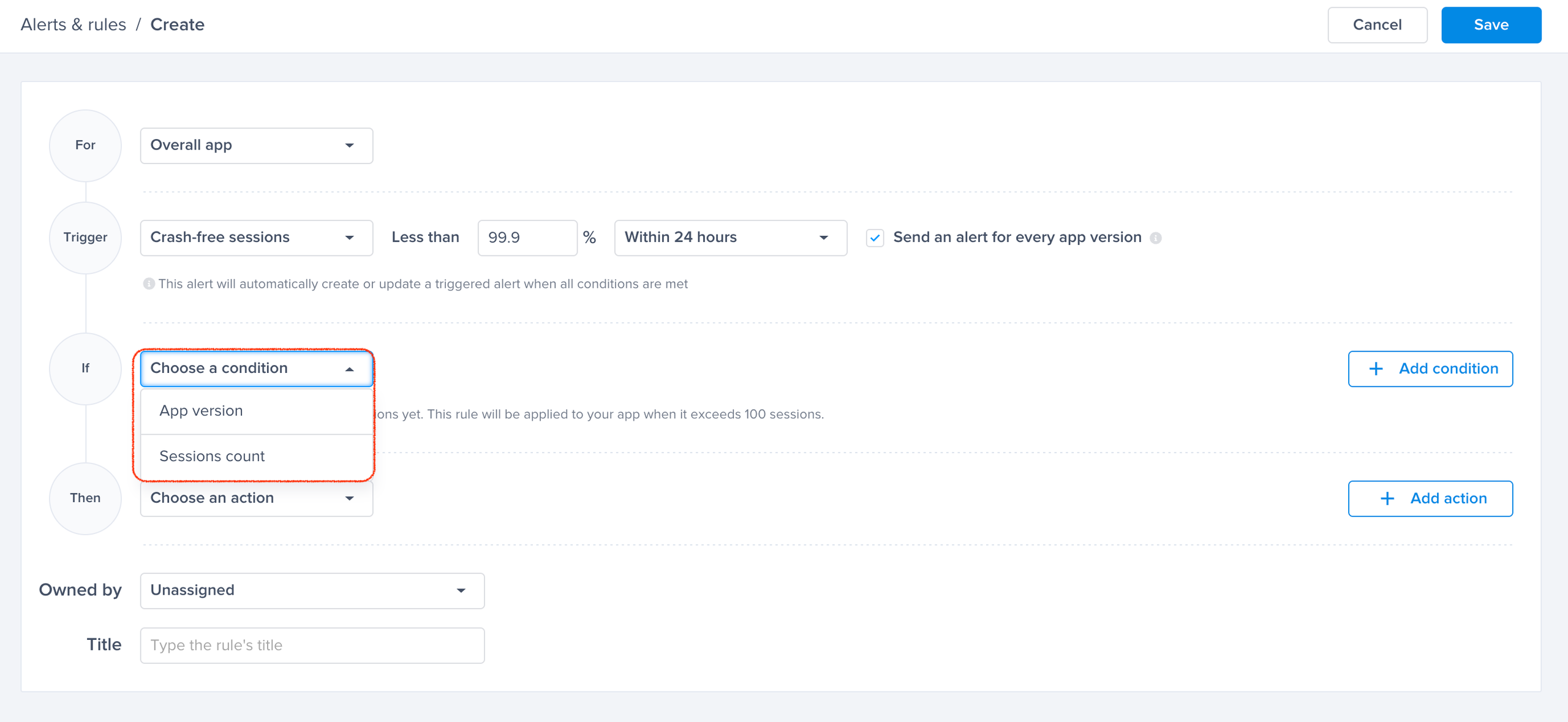
* You have 2 conditions you can choose from:
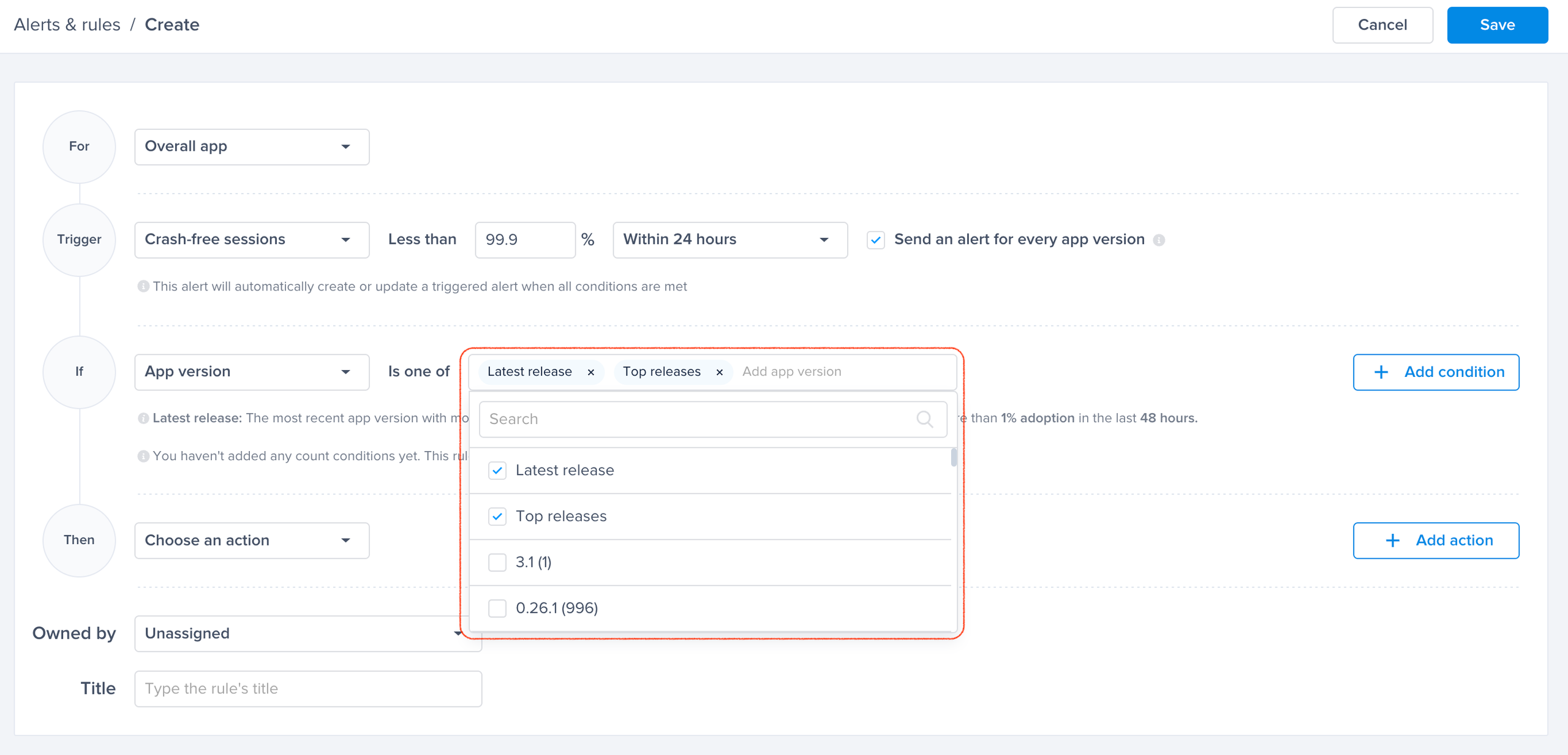
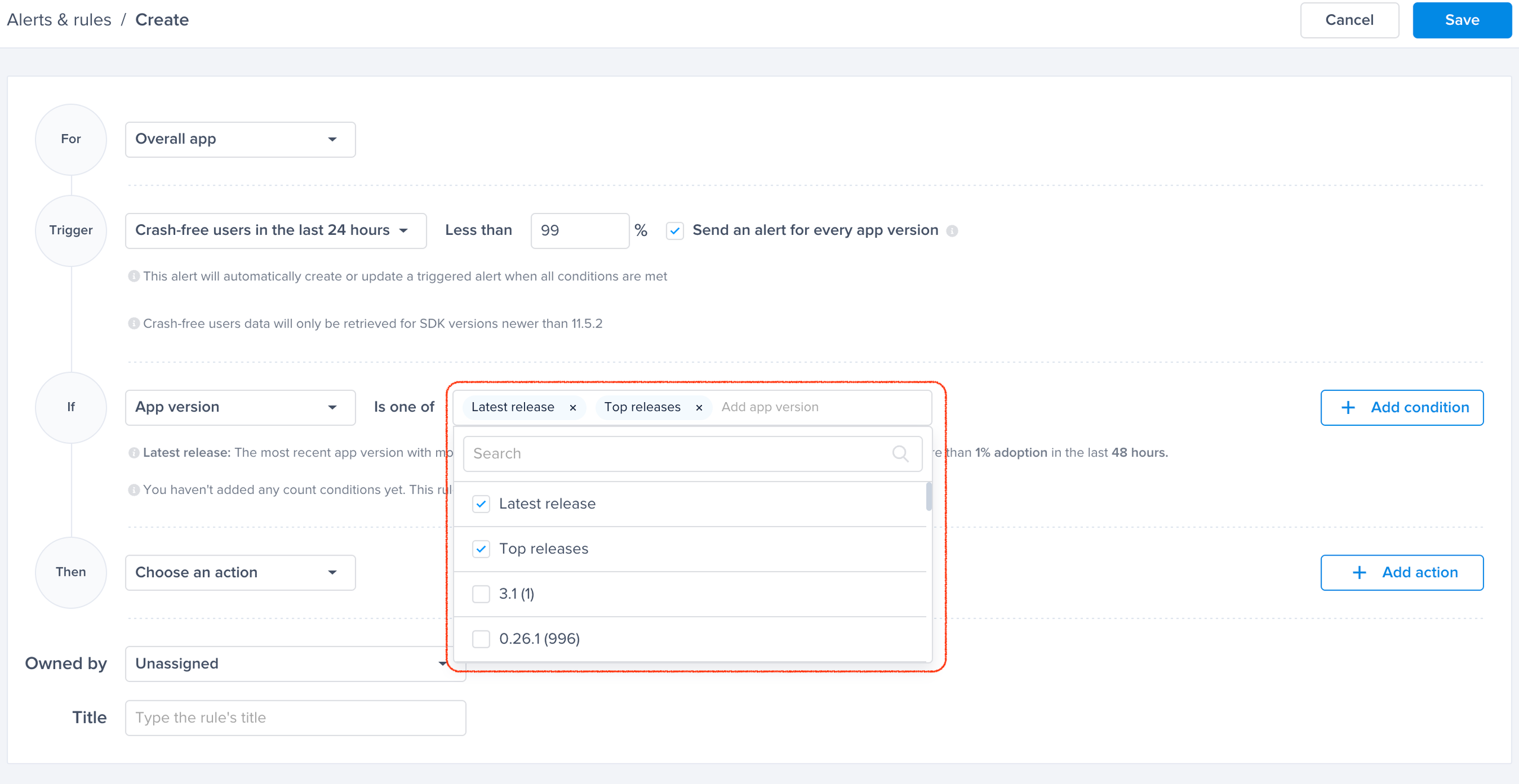
* **App Version**: Select "Top Releases" or "Latest Releases", or specify app versions.
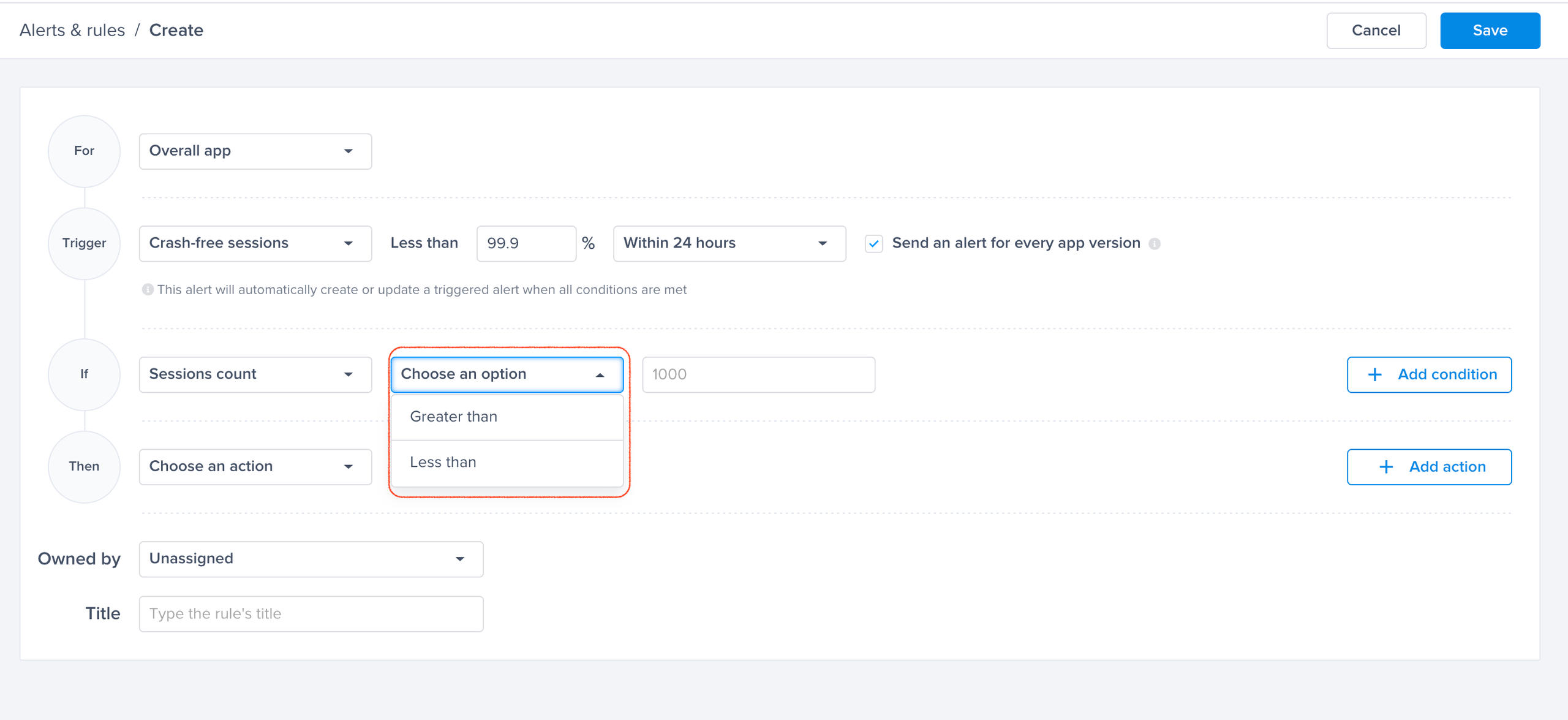
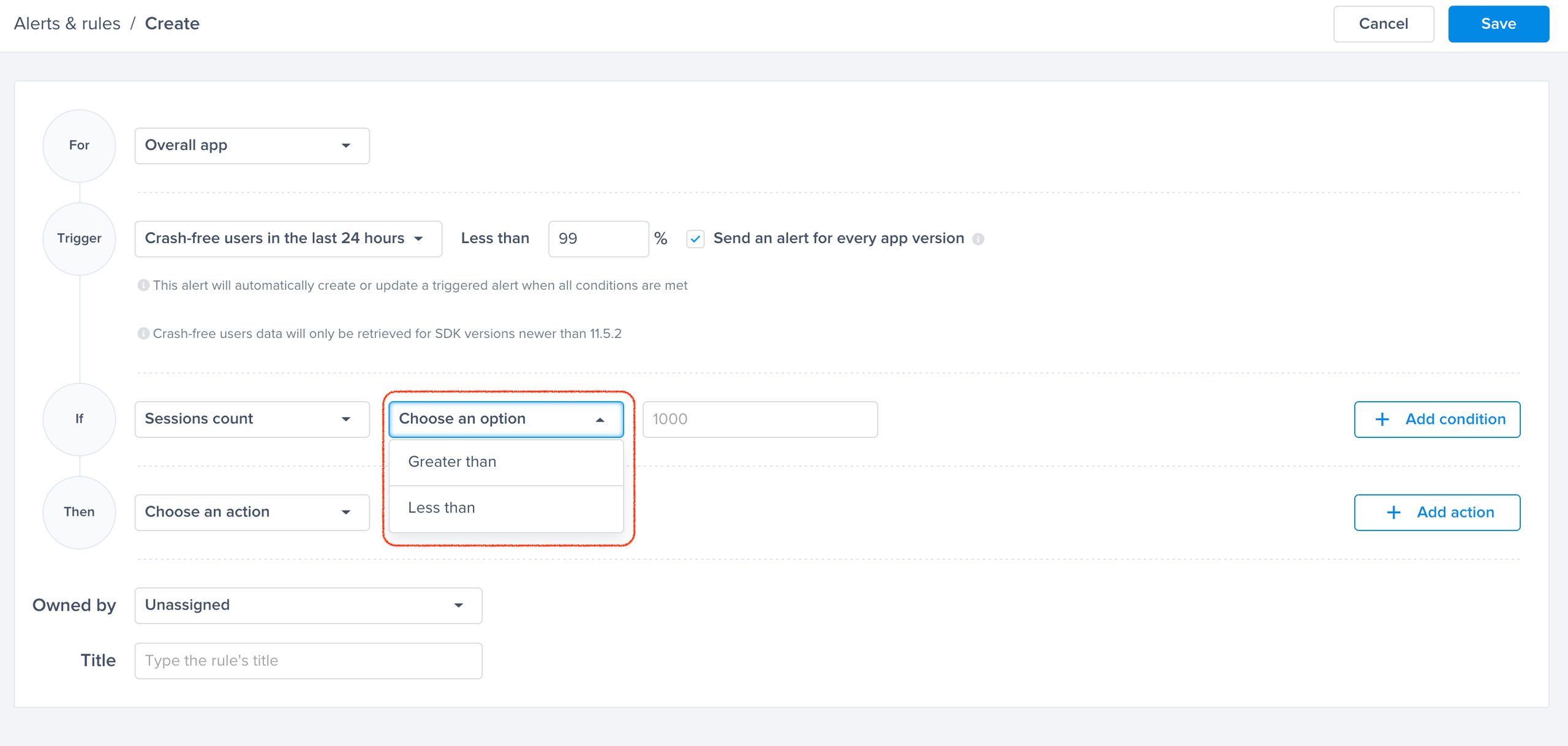
* **Session count**: The minimum number of sessions the app (or selected versions) has to have for the alert to trigger. Specify "Greater than" or "Less than" to set a number of sessions and reduce the noise.
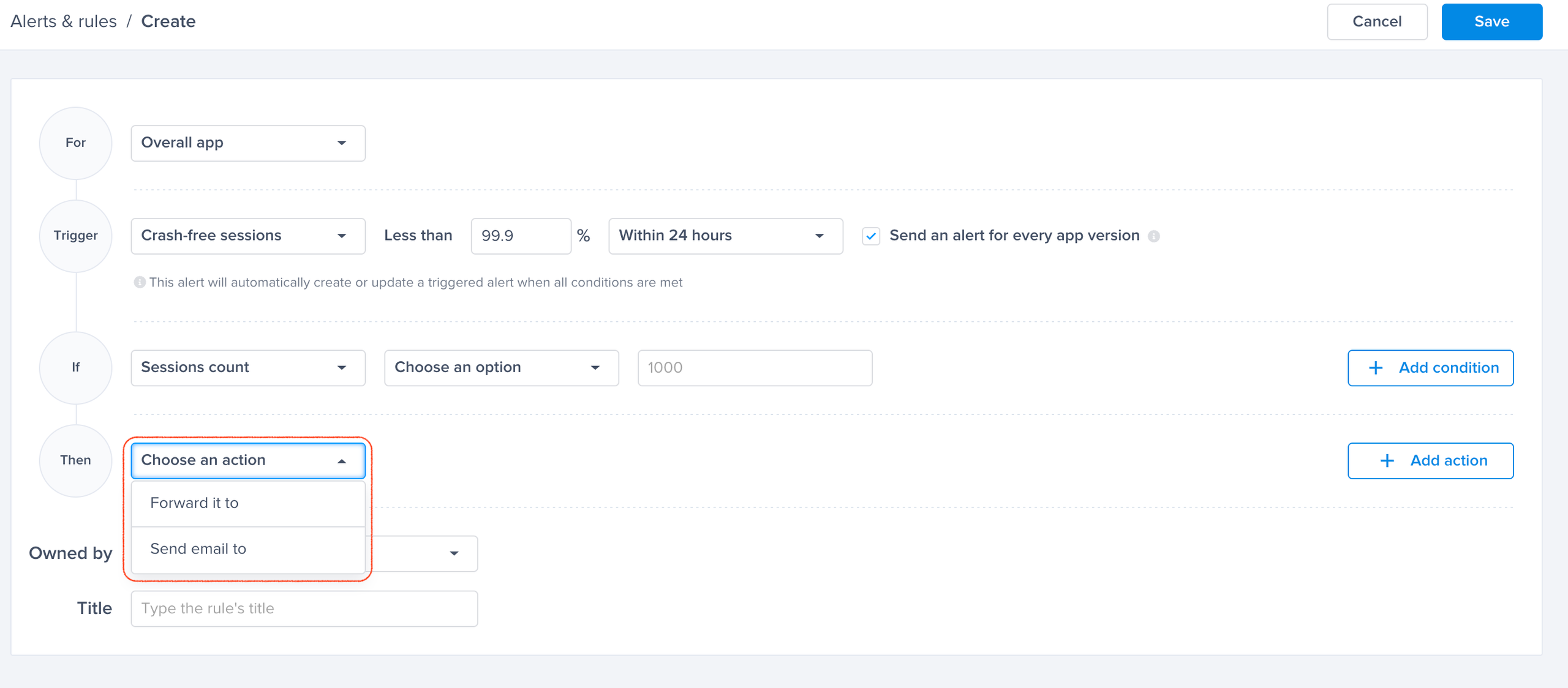
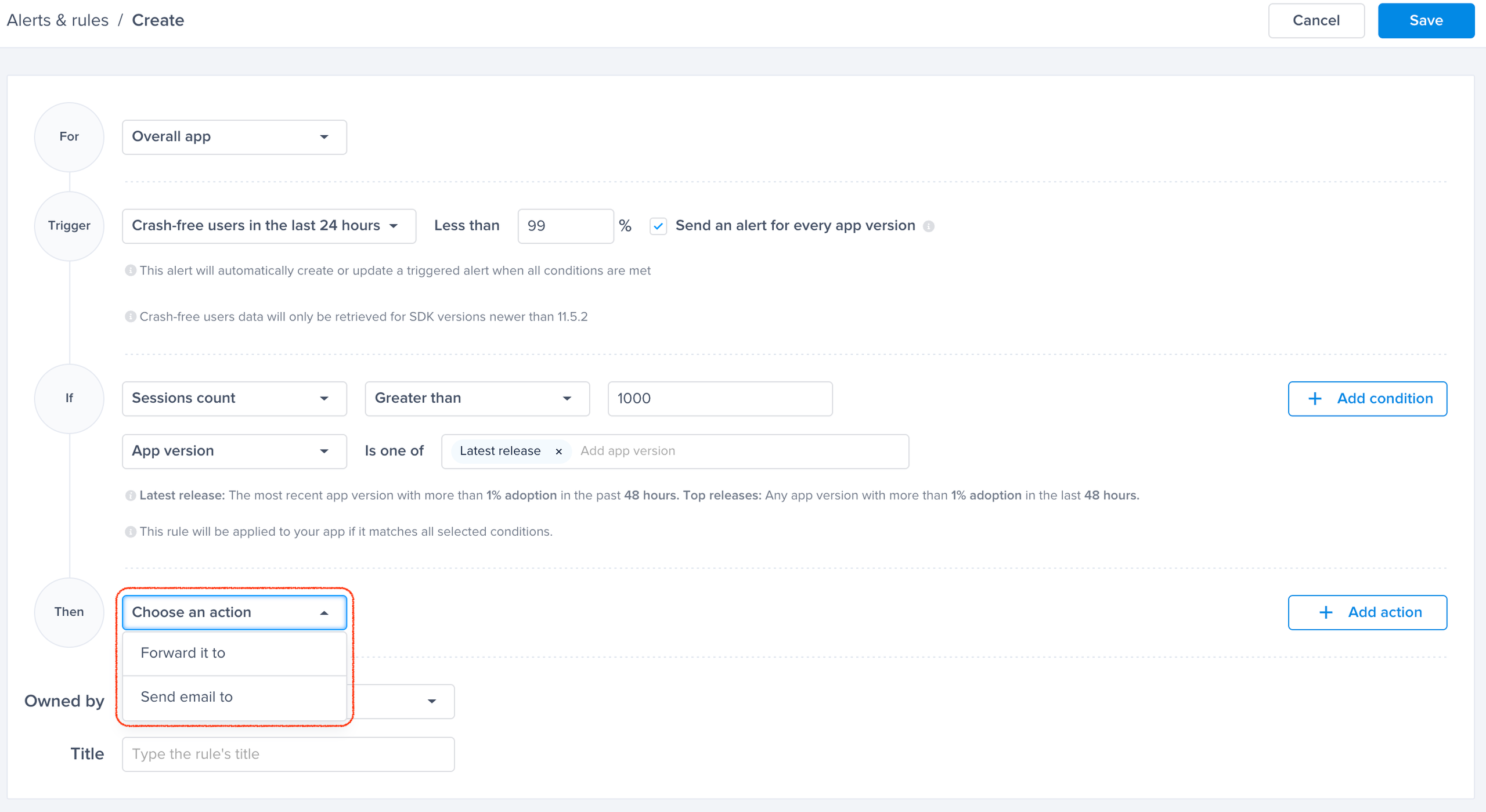
5. **Forward Alert**:
* Set the option to forward the alert to your favorite integrated tool.
### Crash-Free Users
{% hint style="info" %}
Note: Crash-free users data will only be retrieved for SDK versions newer than v11.12.0 for iOS and v11.5.2 for Android
{% endhint %}
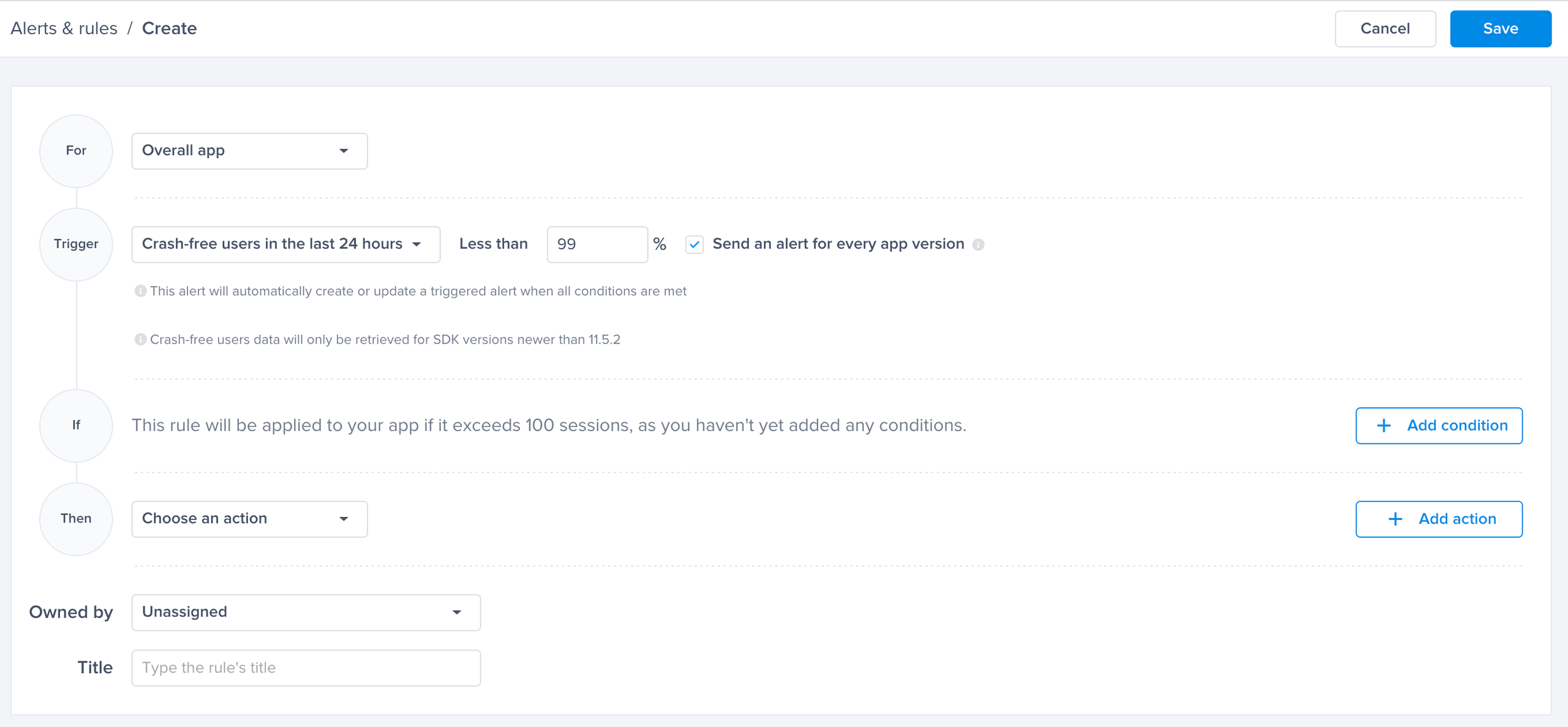
Set a threshold and get alerted whenever the application’s crash-free user rate drops below the specified threshold.
1. **Trigger**:
* Select "Crash-free users in the last 24 hours".
2. **Select the Threshold for Crash-Free Users**: Any drop below this point will trigger an alert.
3. **Breakout by App Version**: (Optional)
* By toggling "Send an alert for every app version," you will get alerted for every app version that has its crash-free user rate drop below the threshold.
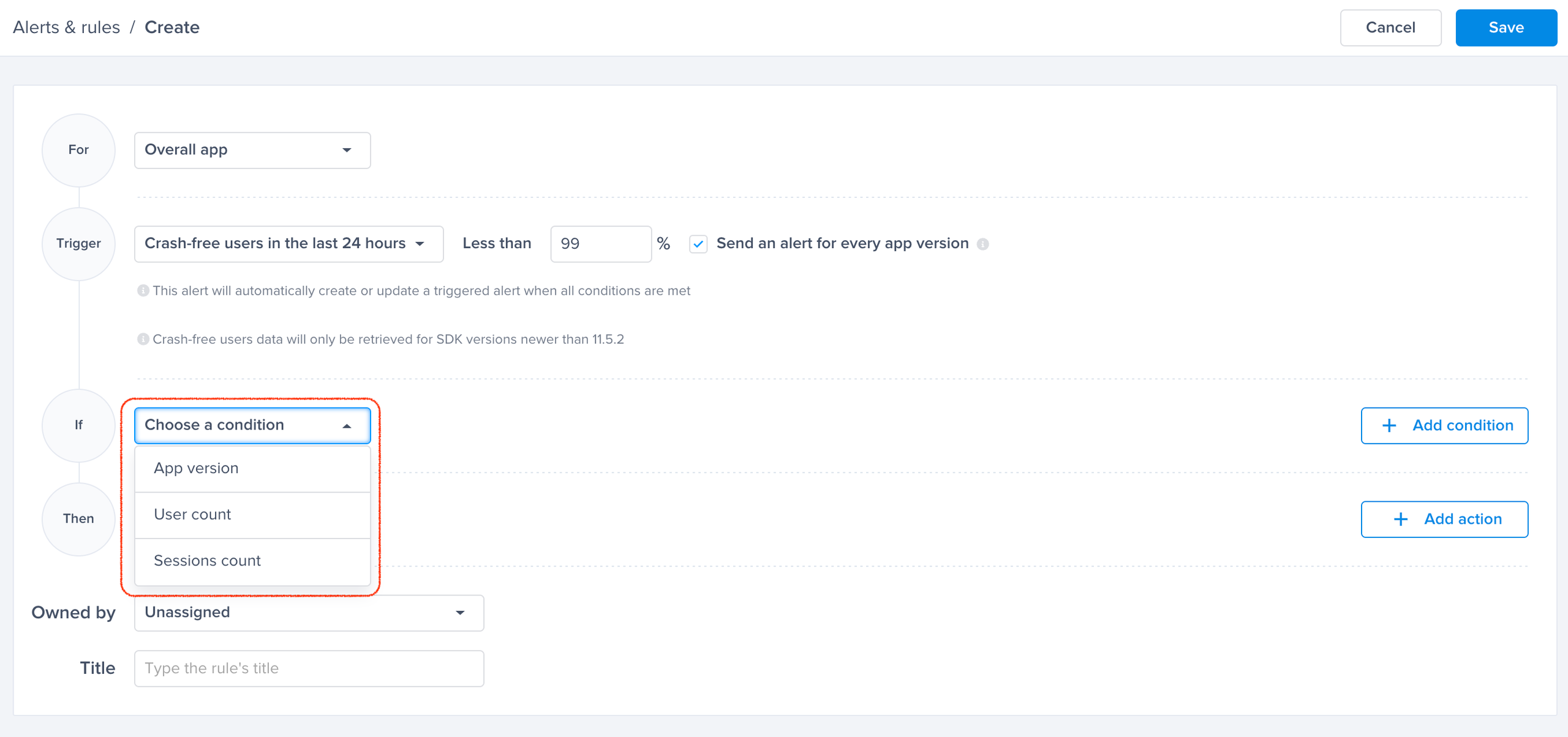
4. **Conditions**:
* If no condition is added, the rule will be applied to the app/app version if it exceeds 100 sessions.
* You have 3 conditions you can choose from:
* **App Version**: Select "Top Releases" or "Latest Releases", or specify app versions.
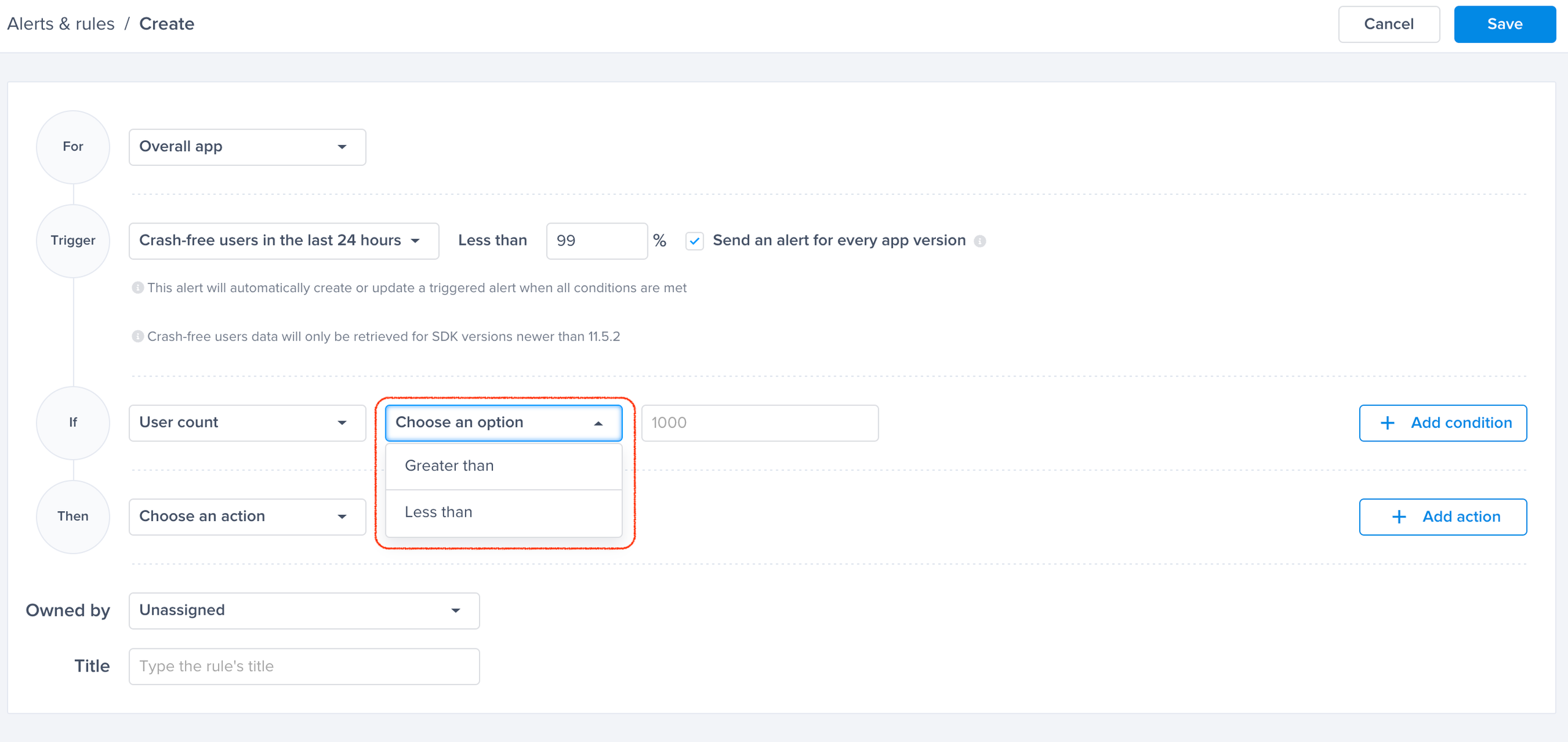
* **User Count**: minimum number of users the app (or selected versions) has to have for the alert to trigger. Specify "Greater than" or "Less than" to set a number of users and reduce the noise.
* **Session Count**: The minimum number of sessions the app (or selected versions) has to have for the alert to trigger. Specify "Greater than" or "Less than" to set a number of sessions and reduce the noise.
5. **Forward Alert**:
* Set the option to forward the alert to your favorite integrated tool.
6.
```
```
---
# Agent Instructions
This documentation is published with GitBook. GitBook is the documentation platform designed so that both humans and AI agents can read, navigate, and reason over technical content effectively. Learn more at gitbook.com.
## Querying This Documentation
If you need additional information that is not directly available in this page, you can query the documentation dynamically by asking a question.
Perform an HTTP GET request on the current page URL with the `ask` query parameter, and the optional `goal` query parameter:
```
GET https://docs.luciq.ai/product-guides-and-integrations/product-guides/automation-and-workflows/alerts-and-rules/alerting-for-app-stability-crash-free-rates.md?ask=&goal=
```
`ask` is the immediate question: it should be specific, self-contained, and written in natural language.
`goal` is optional and describes the broader end goal you are ultimately trying to accomplish on behalf of the user. GitBook uses it to tailor the answer towards what is most useful for that goal.
The response will contain a direct answer to the question and relevant excerpts and sources from the documentation.
Use this mechanism when the answer is not explicitly present in the current page, you need clarification or additional context, or you want to retrieve related documentation sections.
.png)